How to start an online store: the complete guide, with notes for Israel
How to start an online store step by step: business setup, platform, payments, products and photography, shipping, returns, legal pages, cost and timeline.

To start an online store, you set up the business first (registration, tax status, invoicing and a business bank account), decide what you sell and to whom, then choose a platform such as Shopify, WooCommerce or a custom build, connect payments, load products with good photography and product pages, set shipping and returns, publish the legal pages your market requires, and launch with a tested checkout and a plan for traffic. In Israel, where we work, a store designed and built for a business typically costs roughly $5,500–$22,000 or more and takes six weeks to four months, depending on scope.
This guide walks through each stage in the order it actually happens. The general steps apply anywhere; where a rule is specific to Israel, we say so, both for Israeli companies and for foreign brands selling to Israeli customers. The price ranges are rough USD conversions of what we see in the Israeli market, not a price list. Nothing here is legal or tax advice: go over the business structure and your terms with an accountant and a lawyer.
Before the store: registration, tax status and invoices
An online store is a business like any other, so the first step is registering it with the tax authorities of the country you sell from. The form you choose shapes the store directly: the price the customer sees, the document they receive and the systems you connect.
In Israel there are three common forms for a small business. An exempt dealer (osek patur) does not charge VAT and may issue only receipts, not tax invoices; above an annual turnover ceiling that is set by law and updated every year, the business must become a licensed dealer (osek murshe), which charges VAT and issues tax invoices, and some professions cannot be exempt at all (summary on Hebrew Wikipedia). The third option is a limited company, a separate legal entity that suits stores with partners, investors, significant inventory or risk you want to keep apart from your personal finances. Check the current ceiling with the Israel Tax Authority or your accountant before deciding: switching from exempt to licensed halfway through means changing prices, document templates and store settings.
| Structure (Israel) | What it means for the store | Usually suits |
|---|---|---|
| Exempt dealer | No VAT charged; receipts only, no tax invoices. Turnover ceiling updated yearly. | Testing an idea at small scale, selling mainly to consumers. |
| Licensed dealer | Charges VAT and issues tax invoices; can reclaim VAT on costs such as ads, packaging and development. | Stores expecting turnover above the ceiling, or selling to businesses. |
| Limited company | Separate entity with fuller accounting and reporting; always a VAT-registered dealer. | Stores with partners, investors, larger inventory or risk to separate. |
Invoices that go out on their own
Every order needs a document: a receipt, a tax invoice or a combined tax-invoice receipt, depending on your status. At dozens of orders a week, nobody issues them by hand. Connect the store to accounting or invoicing software that issues the document automatically on every payment, emails it to the customer and passes the data to your accountant. Some Israeli payment providers include this. Ask your accountant which document each case needs, including refunds and credit notes.
Bank account, domain and name
Three more things to settle before building: a business bank account for payouts, a domain registered to the business in your own account, and a name people can spell and remember. If the name is still open, we have a guide to naming a business. If the brand itself does not exist yet, build it before the store rather than during it, because the logo, colour, type and packaging decide how every page will look. OVELLE’s identity and packaging, a concept we built for a fictional jewellery house, shows a brand documented before it reaches the website.
What you sell and to whom
Most technical decisions in a store follow from a handful of business questions. Answer them in writing before you approach a supplier:
- How many products and variants. Twelve products in one size is a different store from 400 products in three sizes and five colours. Variants decide how stock is managed, how many images you need and which platform fits.
- Who you sell to. Consumers, businesses or both. Selling to businesses usually needs separate price lists, tax invoices and bulk ordering.
- Where the stock sits. In your own storeroom, with a supplier who ships directly, or made to order. Each changes delivery times, the returns policy and the integrations the store needs.
- The average order value. A $15 product and a $1,500 product need different stores: shipping, payment options, service, packaging and the level of photography.
- Whether there is a physical shop. If so, stock and prices must sync between the till and the website, and you decide whether to offer in-store pickup.
These answers belong in your brief. Our guide to briefing a studio puts them in an order a supplier can price.

Which platform to build an online store on
There is no platform that is right for everyone. The choice depends on the size of the catalogue, the budget, the integrations you need and who will maintain the store after launch.
| Platform | What it is | Strengths | Watch for |
|---|---|---|---|
| Shopify | A hosted store platform on a monthly plan | Hosting, security and updates handled; large app store; easy day-to-day management | Payment options depend on your country; right-to-left languages need theme work |
| WooCommerce | An open-source store plugin for WordPress | Very flexible; you own the code and data; strong content tools | Hosting, security, backups and plugin updates are yours to manage |
| Local platforms | Store systems built for one market (Israel has several) | Local language, invoicing and payment providers built in | Less design and integration freedom; check how you would migrate out |
| Custom build | A store built in code for the need, often on an existing commerce engine | Any experience is possible; performance and full control | Most expensive and slowest to build; needs a team to maintain it |
Shopify in Israel
Shopify is the common choice for a store that wants to start quickly without running a server. Two points matter for an Israeli business. Shopify Payments, Shopify’s own payment system, is not available to businesses based in Israel (Shopify’s list of supported countries), so Israeli stores take payments through a local provider that connects to Shopify. And when a store uses a third-party provider, Shopify charges an additional transaction fee that depends on the plan (Shopify Help Center). We cover Hebrew, right-to-left themes and invoicing in our guide to a Shopify store in Hebrew.
WooCommerce and the rest
WooCommerce suits a business already on WordPress, one that needs flexibility in content and integrations, or one that wants full ownership of the code and data. The price of that freedom is maintenance: core and plugin updates, security and backups. Local platforms save work on language, payments and invoices, but check before you commit whether you can export products, customers and orders if you ever move. A full comparison, including a custom build, is in our piece on WordPress, Webflow and Shopify.
Payments: how a store gets paid
To accept cards on a website you need two things: a merchant agreement that lets the business accept card payments, and a payment gateway that connects to the store, shows the customer a secure payment form and processes the transaction. In Israel several providers do this, each connecting to different platforms on different terms. Before choosing, compare:
- The fee per transaction, any monthly fee and any setup cost.
- Payment methods: cards, instalments, digital wallets such as Apple Pay and Google Pay, and local payment apps.
- A ready integration with your platform, and whether the customer stays on your page or is sent to an external payment page.
- Automatic receipts and invoices, or a connection to your own software.
- How long payouts take to reach your bank, and how refunds and chargebacks are handled.
Paying by card in instalments is a strong Israeli habit, and for expensive products it can affect whether people buy at all. How card processing works, the difference between a card acquirer and a gateway, and what to ask each provider are covered in our guide to payment gateways in Israel.
The product catalogue: what to prepare before building
The catalogue is where most stores get stuck, because the work falls on the business owner rather than the supplier. For every product you need:
- A clear name, SKU, price (including VAT where it applies) and any sale price.
- Variants (size, colour, material) and stock for each variant.
- A description that answers what buyers ask: what it is made of, dimensions, how to use it, how to care for it, what is in the box.
- Package weight and dimensions, to calculate shipping.
- A category and collection, so it can be filtered and found.
- Images in one style, on one background, in one aspect ratio.
Category structure matters to shoppers and to Google. Build it around how customers search (“engagement rings”, “gold earrings”), not around how the storeroom is organised. Decide fixed attributes such as material or size early, so they can be filtered as the catalogue grows.
Product photography: studio or AI
In an online store, the picture is the product. The shopper cannot hold it, so you need a clean image on a consistent background, several angles, a close-up of the material, and the product in use or on a person. Some of these images can now be produced with AI, provided the product itself stays faithful to the original in every detail. We explain how in our guide to AI product photography, and how to decide between AI and a studio day in AI product photography vs a photoshoot. Either way, fix one style for the whole catalogue before shooting, not after.

Product pages that sell
The product page is where the decision is made. A good one answers the buyer’s questions before they ask: what it is, what it costs including delivery, when it will arrive, what happens if it does not fit, and why to buy here. Baymard Institute’s compilation of checkout research lists extra costs that are too high (shipping, tax, fees) as the most common reason for abandoning a cart, followed by slow delivery, not trusting the site with card details, being asked to create an account and a long checkout (Baymard Institute). Much of that is fixed on the product page and in checkout, not in advertising.
- A clear price, and the shipping cost or free-shipping threshold, on the product page itself.
- Estimated delivery time and the returns policy in one line, linked to the details.
- Simple variant selection with live stock per variant.
- Guest checkout, with no forced account.
- Familiar payment methods, including instalments and digital wallets where the market expects them.
- Information that settles hesitation: sizing, materials, care, comparisons between models.
The full anatomy of a product page is in our article on the product page that sells. The OVELLE store, a concept we built for a fictional jewellery house, shows it in practice: collections, product pages, a shopping bag, a campaign film and a ring in 3D.
Shipping and returns
Delivery is part of the product. Customers judge the store by how long the parcel took, the state of the packaging and what happened when they wanted to return something. In Israel, the common options are:
| Method | Suits | Watch for |
|---|---|---|
| Courier to the door | Most products, especially expensive or bulky ones | Higher cost; coordinating availability and failed deliveries |
| Pickup points | Small and medium parcels, customers who prefer to collect in their own time | Usually cheaper; check national coverage near your customers |
| Israel Post | Light, non-urgent items | Delivery times vary; choose a tracked service |
| In-store pickup | Businesses with a shop, studio or warehouse | Saves shipping; needs clear hours and synced stock |
Decide early: whether there is free shipping and from what amount, how you price remote areas, how long you take to dispatch, and who runs fulfilment. At small scale you can pack yourselves; at larger scale a logistics company holds stock, packs and ships. Either way, the carrier should connect to the store so every order creates a shipment and a tracking number without retyping.
Packaging is part of the experience too: it has to protect the product, fit the carrier’s box sizes and look like the brand. We cover it in our guide to packaging design.
Legal pages: terms, privacy and the right to cancel
Every store needs a few legal pages, and they are not a formality. They set what the customer may do and what you may do, and in a dispute they are what counts. The rules below are Israel’s; other markets have their own, and a store selling there must follow them.
Cancelling a distance purchase in Israel
Under section 14C of Israel’s Consumer Protection Law, a consumer who buys goods in a distance sale, such as on a website, may cancel from the day of the transaction until 14 days after receiving the goods or the disclosure document, whichever is later. When the cancellation is not due to a defect or a mismatch, the business refunds the price and may keep a cancellation fee of up to 5% of the price or 100 shekels, whichever is lower. The law excludes some goods, including perishables, goods made specifically to the consumer’s order, and recordings or software whose packaging has been opened. People with disabilities, senior citizens and new immigrants have a longer period of four months when the transaction included a conversation between the business and the consumer, including by electronic means.
What this means for the store: the returns policy must be written, visible before purchase and consistent with the law. Mark made-to-measure or engraved products as such on the product page. And make returns simple, because a return handled well is often why a customer comes back.
Privacy policy
A store collects personal data: names, addresses, phone numbers, purchase history and sometimes preferences. In Israel, the Privacy Protection Law applies, and its Amendment 13 entered into force on 14 August 2025, widening obligations and enforcement powers. A privacy policy should say what is collected, why, who it is shared with (payment provider, carrier, email platform, analytics and ad tools) and how to ask to see or delete it. Internal access matters too: not every employee needs to see every customer.
Terms of sale
The terms gather the rules of sale: business details, payment terms, delivery times and areas, cancellation and returns, warranty, intellectual property and how to get in touch. Have a lawyer write or review them for your products, and do not copy another store’s terms. Terms that try to take away rights the law protects will not help in a dispute, and terms written for other products will not answer your real questions.
Marketing consent
The newsletter checkbox at checkout is a legal matter as well: Israel’s anti-spam rule requires explicit prior consent before sending advertising by email or SMS. A separate box, not pre-ticked, with an unsubscribe link in every message. We cover it in our guide to email automation for online stores.

Accessibility is part of the build
An online store serves the public, so accessibility requirements apply to it; in Israel they are based on Israeli Standard 5568, which follows WCAG. In a store they touch exactly the sensitive parts: choosing a variant, the bag, the payment form and error messages. All of these must work with a keyboard and a screen reader, with labelled fields, enough contrast and alt text on product images. Check that the payment provider’s embedded form meets the same standard. An accessibility plugin on its own is not enough. What the law requires, what to test and how to write an accessibility statement are in our guide to website accessibility in Israel.
How much does it cost to start an online store
The table gives rough USD conversions of ranges we see in the Israeli market, before VAT. It is not a price list, and agencies in the US, UK or Western Europe often charge more for the same scope. The full breakdown of what goes into the price is in our article on what a business website costs; here we focus on what is specific to a store.
| Type of store | Rough range (USD) | Usually included |
|---|---|---|
| Template store, self-built | Low thousands or less in year one | Platform plan, a theme, basic apps. Design, content and images are on you. |
| Designed store for a small business | Roughly $5,500–$11,000 | Design from the brand, up to a few dozen products, payments, shipping, invoicing, legal pages and accessibility. |
| Larger store with integrations | Roughly $11,000–$22,000 | A large catalogue with variants, two languages, stock, accounting and logistics integrations, automated email. |
| Custom build or luxury brand store | Roughly $22,000 and up | An experience built from scratch, 3D or video, photography and content production, connected systems. |
Running costs
A store costs money every month, even when nothing changes. Plan for:
- Platform and apps: a Shopify plan and paid apps, or hosting, paid plugins and maintenance on WooCommerce.
- Payment fees: a percentage of every transaction, and sometimes a monthly fee to the provider.
- Invoicing and accounting: software subscription and your accountant.
- Shipping and packaging: a cost per parcel, part of which you absorb if shipping is free.
- Email: a platform subscription that usually grows with the size of your list.
- Content and advertising: images for new products, campaigns and media spend.
- Maintenance: updates, bug fixes, accessibility for new content.
When you work out margins, take each product’s price and subtract its cost, the payment fee, shipping and packaging and expected returns. What remains is what pays for advertising, so it sets how much you can afford to spend to win a customer.

How long it takes to launch an online store
The timeline depends mostly on two things: how ready the catalogue is, and how quickly the business approves each stage. The table describes a typical designed store; a template store can launch faster, and a custom store with many integrations takes longer.
| Stage | Typical duration | What happens |
|---|---|---|
| Scoping and brief | One to two weeks | Products, audience, platform, integrations, category structure, schedule. |
| Agreements | In parallel, two to four weeks | Payments, shipping, invoicing software. Payment provider approval can take time, so start early. |
| Design | Two to four weeks | Home, category, product, bag and checkout, content pages, mobile first. |
| Build and integrations | Three to six weeks | Templates, payments, shipping, invoicing, email, analytics. |
| Content and photography | In parallel, two to six weeks | Images, product descriptions, legal pages, FAQs. |
| Testing and launch | One to two weeks | Test orders, refunds, accessibility, speed, mobile, every automated email. |
In total, a typical designed store launches after six to twelve weeks, and a large store with many integrations can take four months or more. The most common delay is content: images and descriptions that have not arrived.

Online store launch checklist
Before opening the store to the public, go through this list with a real order, on a real card, from a phone:
- A full order goes through: product, bag, checkout, payment, confirmation email and accounting document.
- A cancellation and refund go through the payment provider and produce a credit document.
- A shipment is created automatically with the carrier, and the tracking number reaches the customer.
- Prices are shown including VAT where it applies, and shipping cost appears before payment.
- Terms, privacy policy, shipping and returns policy and business details are linked from every page.
- An accessibility statement is published, and checkout has been tested with a keyboard and a screen reader.
- The marketing consent box is separate and not pre-ticked.
- Every product has images, price, stock and a full description; no test products are visible.
- The store loads fast on a phone, on a mobile connection.
- Titles and descriptions on every page, a sitemap submitted to Google Search Console, and redirects from any old URLs.
- Measurement works: Google Analytics and the ad platforms’ pixels record a purchase and its value.
- Automated emails (order confirmation, shipping, abandoned cart) send and look right on a phone.
- Admin access to the platform, domain, payments and analytics is held in the business’s name.
Marketing the store after launch
A new store does not get traffic by itself. Most stores work three channels at once, each building on the others.
Automated email
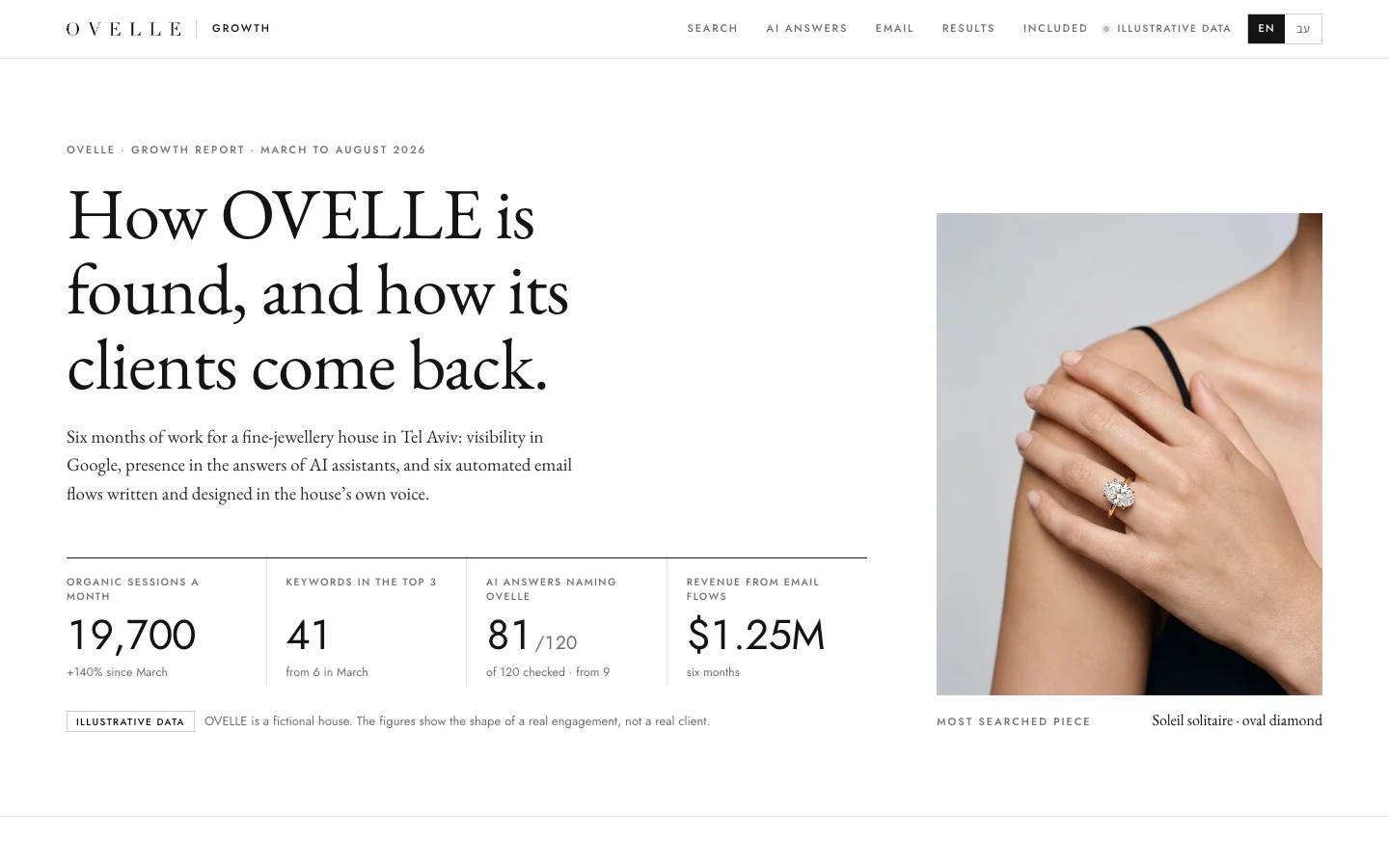
The channel that is easiest to forget and hardest to justify skipping. Welcome, abandoned-cart, post-purchase and win-back flows run around the clock and reach people who already know the store. What each flow contains is in our guide to ecommerce email automation, and OVELLE’s growth setup, a concept we built, shows them working.
Paid social and search
On Facebook and Instagram, the creative matters more than any setting: the image or video that stops the scroll and shows the product in use. Start with several creative versions, measure purchases rather than clicks, and scale what works. How to build that creative is in our article on Meta ads creative. On Google, shopping campaigns need a clean product feed, so the careful catalogue pays off again.
Organic search
Category pages with useful copy, product pages with original descriptions (not the manufacturer’s), clean URLs and product structured data are the foundation. Organic search takes months, so start on launch day, not once paid traffic gets expensive. We cover the method in our guide to SEO for small business, and appearing in ChatGPT and other AI answers in our piece on SEO and GEO.
After a few months of traffic, improve the store from data: where people drop off, what works on the product page, what slows checkout. We wrote about A/B testing and conversion optimisation in a separate article.

Notes for foreign brands selling into Israel
Israeli customers buy from overseas stores regularly, and a brand that wants to serve them well can do a few things:
- Hebrew, properly. Hebrew reads right to left, so layouts, icons, arrows and tables need a mirrored version, and copy should be written for Israeli buyers rather than machine-translated. Our guide to bilingual Hebrew–English websites covers the details.
- Prices in shekels, landed cost clear. Personal imports above a set value pay VAT and sometimes customs on arrival, and the threshold has changed in recent years. Check the current rule with the Israel Tax Authority, and tell customers before checkout whether duties are included.
- Local payment habits. Card instalments are common, and a checkout that offers them through a local provider can matter for higher-priced products.
- Delivery and returns. Tracked delivery with realistic times, and a returns route that does not require an expensive international parcel.
- Consumer law. If you target Israeli consumers, get local advice on how the cancellation and disclosure rules above apply to you.
For Israeli companies going the other way, selling abroad is a project of its own: prices in the buyer’s currency, international shipping, returns that suit the distance, and the tax and consumer rules of each market. It is usually best started once the home store works.

A store for a luxury brand
Everything here applies to a luxury brand too, but the weight shifts: photography and video take a larger share of the budget, the product page should feel like a boutique rather than a catalogue, and service, packaging and delivery are part of the product. If that is your case, read our article on building an online store for a luxury brand.
Online stores at Libra
At Libra we build stores end to end: scoping, branding and packaging, AI product imagery and content, design, a build on the platform that fits the business, payments, shipping and invoicing, accessibility and automated email. The service is described on websites, landing pages and stores, and you can see what we have built on our examples page.
For an exact proposal rather than a range, send a brief with what you already know: what you sell, how many products, the platform if you have one, and a budget range. We reply by email with a direction, a written price and a date.
No term matches.
More on Online stores
- Running a Shopify store in Hebrew: RTL themes, checkout, payments and invoices in IsraelRunning a Shopify store in Hebrew: admin language, RTL themes, translating checkout, Israeli payment providers, Shopify’s extra fee, invoices and shipping.
- Payment gateways in Israel: how online card payments work and how to choose a providerHow online card payments work in Israel: acquirers, gateways, fee types, hosted payment pages, 3-D Secure, instalments and wallets, and what to compare.
- The product page that sells: anatomy of an ecommerce product pageWhat a product page that sells needs: images, title and price, variants, one buy button, delivery and returns, specs, honest reviews, structured data and speed.
- Building an online store for a luxury brandHow a luxury online store is built: product imagery, product pages, checkout, client service and packaging, and when a platform is enough versus a custom build.
- Email automation for an online store: the flows to build firstThe automated emails an online store needs: welcome, abandoned cart, post-purchase, care, replenishment and win-back, how to measure them, and the consent rules to respect.
A short picker
What fits you?
What is closest to what you need?
Where are you now?
Questions
How much does it cost to start an online store?
A store designed and built for a business costs roughly $5,500–$22,000 or more in the Israeli market we work in, while a self-built template store costs low thousands or less in the first year. The price depends on catalogue size, design, integrations, languages and content.
Do I need to register a business to sell online in Israel?
Yes. An online store is a business, so it needs a file with the tax authorities as an exempt dealer, a licensed dealer or a company. An exempt dealer does not charge VAT or issue tax invoices and has a yearly turnover ceiling, so choose with an accountant.
What is the best platform for an online store?
Shopify suits stores that want to start quickly without running a server, WooCommerce suits those who need flexibility and ownership of the code, and local platforms suit those who want local language, payments and invoicing built in. The right one depends on the catalogue, the integrations and who will run the store.
Can Israeli stores use Shopify Payments?
No. Shopify Payments is not available to businesses based in Israel, so Israeli Shopify stores take payments through a local provider that connects to Shopify. Shopify then charges an additional transaction fee that depends on the plan.
How long does it take to launch an online store?
A typical designed store launches after six to twelve weeks, and a large store with many integrations can take four months or more. The most common delay is product images and descriptions that are not ready.
How long do customers in Israel have to cancel an online purchase?
Under section 14C of the Consumer Protection Law, up to 14 days from receiving the goods or the disclosure document, whichever is later, and the business may keep a fee of up to 5% or 100 shekels, whichever is lower. Some goods are excluded, and people with disabilities, senior citizens and new immigrants have four months in certain cases.
Does an online store in Israel have to be accessible?
Yes. A store serves the public, so Israeli accessibility requirements based on Standard 5568 apply to it, including the bag and the payment form. An accessibility plugin alone is not enough.
Getting started
Want this for your business?
Send a short brief: three required questions, the rest only if you like. We reply by email with a direction, a written price and a date.