Building a bilingual Hebrew and English website: direction, fonts, URLs and hreflang
How to build a site in Hebrew and English: RTL and LTR in one codebase, fonts, dates and numbers, forms, URL structure, hreflang, and a checklist.
Part of the guide: How to build a business website, step by step
A bilingual Hebrew and English website is two sites sharing one design and codebase: each language gets its own URLs (for example an /en/ folder), its own text direction (right-to-left for Hebrew, left-to-right for English), copy written for its own audience, and hreflang annotations that tell search engines which version belongs to which language. Forms, automatic emails and error messages exist in both languages, and the language switch leads to the same page in the other language.
This article goes through the decisions in order: direction and layout, fonts, numbers and dates, forms, URL structure, hreflang, writing, the language switch and SEO per language, and ends with a checklist. It is written from Israel, the market we work in, where Hebrew and English on one site is routine, but most of it applies to any right-to-left language paired with a left-to-right one. Where languages sit in the whole process is covered in our guide to building a business website.
Bilingual site or translated site?
A translated site takes the Hebrew pages and renders them into English word for word, sometimes through an automatic translation plugin. A bilingual site starts from what each audience needs. An Israeli customer wants to know where you are, whether there is parking and whether they can pay in instalments. A customer abroad wants to know whether you work with international clients, which currency prices are in and how to get there from the airport. So the English version sometimes has different pages, a different order or fewer pages, and that is fine.

Right-to-left and left-to-right on one site
The W3C’s guidance on text direction in HTML says to set direction in the markup, not in CSS: dir="rtl" on the html element of Hebrew pages and dir="ltr" on English ones. The same element carries the page language (lang="he" or lang="en"), which screen readers use to choose pronunciation.
Logical CSS instead of left and right
When the styles are written in terms of “start” and “end” rather than “left” and “right”, the same code mirrors itself when the direction changes. Instead of margin-left you write margin-inline-start; instead of text-align: left, text-align: start. That avoids a separate stylesheet per language and the classic bug where one element stays on the wrong side.
What mirrors and what does not
- Mirrors: the layout, the menu, next and previous arrows, icons placed beside text, sliders and swipe direction, tables.
- Does not mirror: the logo, photos and video, symbols with a fixed meaning (such as a video play button), charts with a left-to-right time axis, phone numbers and numbers in general.
- Mixed text: an English brand name inside a Hebrew sentence, an email address, an order number. The browser handles most of it, but check by eye, especially punctuation at the end of a sentence that starts or ends in English.
- Input fields: on fields visitors type into, dir="auto" lets the browser set direction from the first strong character, so an English email or name does not display backwards in a Hebrew form.
Fonts that work in Hebrew and English
Not every typeface with Hebrew looks good in English, and vice versa. There are two routes. One is a single family designed for both scripts, so height, weight and rhythm match. The other is a pair: a Hebrew face and a Latin face chosen together, with size and line height adjusted, because Hebrew letters usually look smaller at the same point size. Either way, test a mixed sentence, a long headline and numbers in both languages, and make sure the web licence covers both scripts. A font loaded in several weights per script slows the page, so load only the weights you actually use.
Numbers, dates, currency and phone numbers
- Dates: Israel writes day/month/year; a US audience reads month/day. On the English version, write the month as a word so there is no ambiguity.
- Currency: if prices stay in shekels on the English version, say so explicitly. If you show another currency, say whether it is a fixed price or an approximate conversion.
- Phone numbers: on the English version, show numbers in international format with +972, without the leading zero of the local area code.
- Days and hours: the Israeli working week differs from most overseas clients’. Opening and response hours should state a time zone.
- Addresses: a Hebrew address does not help a visitor. On the English version, write it as it appears on maps, in Latin letters.
Forms, emails and system messages
This is where most bilingual sites slip: the page is in English, but the form error is in Hebrew, the confirmation email arrives in Hebrew, and the automatic WhatsApp message after the enquiry is in Hebrew. Every touchpoint needs to know which language the visitor used. The simple way is to pass the page language as a hidden field in the form and store it in the CRM, so whoever replies knows which language to answer in. The same goes for the accessibility statement, the privacy policy and the terms: each needs a version in each language.

URL structure: subfolder, subdomain or separate domain
Google’s guide to multi-regional and multilingual sites lays out the options and recommends different URLs for different language versions, rather than switching language by cookie or browser setting. In short:
| Structure | Example | What to know |
|---|---|---|
| Subfolder | example.com/en/ | Easiest to set up and maintain: same host, same domain. The usual choice for a business with a second language. |
| Subdomain | en.example.com | Easy to separate the sites, for example when each version runs on a different system. Slightly more setup. |
| Country domain | example.co.il and example.com | A clear signal of which country each site targets, but costlier to run, and each domain builds authority on its own. |
| URL parameter | example.com/?lang=en | Not recommended by Google. Hard to segment and measure, and unclear to visitors. |
The same guide advises against automatically redirecting visitors to another language version by language or IP address, and recommends linking clearly to the other versions instead. An Israeli living abroad, or a tourist searching in Hebrew, should choose for themselves.

hreflang and x-default
hreflang tells Google that the Hebrew page and the English page are the same page in two languages, so each audience sees its own version in results. According to Google’s documentation on localized versions, it can be set with HTML tags, HTTP headers or the sitemap, and the main rules are:
- Each version lists itself as well as every other version. If the Hebrew page points to the English one and the English page does not point back, the annotations may be ignored.
- Language codes use ISO 639-1, such as he and en, with an optional country code such as en-GB.
- The x-default value marks the version to show when no language matches the visitor, such as a language picker or the English version.
One more detail from the same documentation: Google does not rely on hreflang or the lang attribute to detect which language a page is in; it works that out from the content. A page with half its text still in Hebrew will read as mixed, however correct the markup. On the same principle, Google recommends a single language for the content and navigation of each page.
Write each language, do not translate it
Machine translation is a fine starting point for a draft, not text to publish. English translated from Hebrew sounds translated: long sentences, local terms with no explanation, the wrong tone. What works is writing each language for its own audience, from the same structure and the same facts, by a native writer or with a native editor. It also makes the difference in search: the English keywords are not translations of the Hebrew ones, and sometimes have no equivalent at all.
The language switch
- Sits in the same place on every page, usually the header, and in the phone menu too.
- Is written in the language itself: “עברית” on the English version and “English” on the Hebrew one. Flags stand for countries, not languages.
- Leads to the same page in the other language, not the home page. If a page has no counterpart, it leads to the closest one.
- Remembers the choice while browsing the site, without auto-redirecting on the next visit.
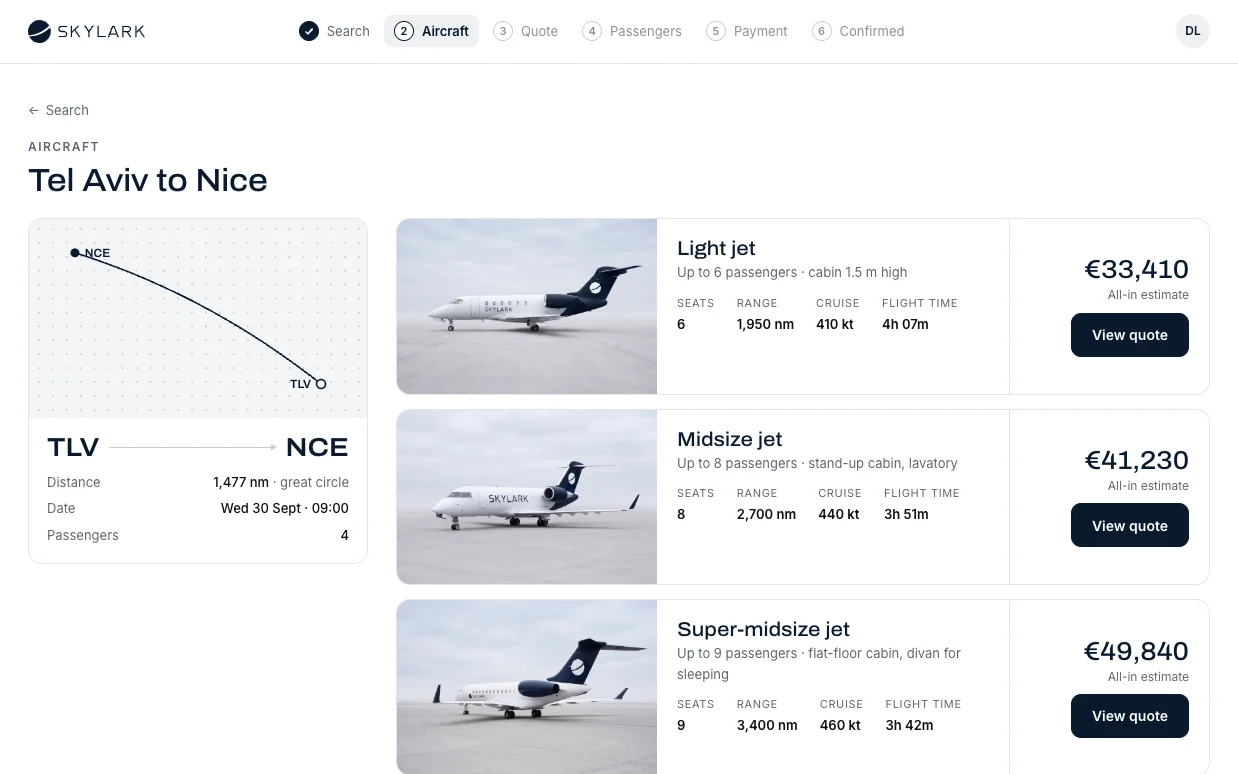
Three concepts we built with fictional businesses work this way in both languages: the SKYLARK private-flight platform, the Névé clinic website and the EMBER restaurant website. In each, the interface flips between RTL and LTR from one codebase, and the copy was written for each language. In the demos the switch happens on the same URL; on a live site each language gets its own URLs and hreflang, as described above.
SEO for each language
Each version needs its own keyword research, its own titles and meta descriptions, readable URLs in its own language, and structured data that describes it. Hebrew brings problems English does not, such as spelling with and without vowel letters and singular versus plural forms, which we cover in SEO for small business. In Search Console, check each language separately to see whether the English version appears at all, and for which searches.
The platform matters too: some handle languages, URLs and hreflang out of the box, others need a plugin or custom work. That is one of the factors in WordPress vs Webflow vs Shopify. And accessibility is tested in each language separately, including correct language and direction markup; see website accessibility in Israel and IS 5568.
Bilingual website checklist
- Every page in every language has its own URL, with lang and dir set on the html element.
- Reciprocal hreflang between all versions, including a self-reference, and an x-default.
- No automatic redirect by IP or browser language.
- Styles written in logical CSS; arrows, menus and sliders mirror; the logo and photos do not.
- Fonts tested on a mixed sentence, a long headline and numbers in both languages.
- Dates, currency, phone numbers and addresses adapted to each audience.
- Forms, error messages, confirmation emails and automatic messages exist in both languages, and the enquiry language is stored in the CRM.
- Copy written or edited by a native speaker, not only translated.
- The language switch leads to the same page in the other language.
- Titles, descriptions and structured data per language; each language checked separately in Search Console.
- Accessibility statement, privacy policy and terms in each language.

Two languages from the start
At Libra we build websites, landing pages and stores in Hebrew and English from one codebase, with RTL and LTR, URLs and hreflang for each language, and copy written for each audience rather than translated. What each type of site includes is on our websites, landing pages and stores page.
If you are planning a site in two languages, or want to add English to an existing one, send a brief describing who the audience is in each language and what they need to find. We reply by email with a direction, a written price and a date.
No term matches.
Questions
How do you build a website in Hebrew and English?
Give each language its own URLs, set lang and dir on every page, write the styles in logical CSS so they mirror automatically, write copy for each audience, and add reciprocal hreflang between the versions.
Should the English version be in a subfolder or a subdomain?
For most businesses a subfolder such as /en/ is simplest to set up and maintain, since it shares the domain and hosting. A subdomain or separate domain makes sense when versions run on different systems or target different countries.
What is hreflang and do I need it?
It tells Google that several pages are the same content in different languages, so each visitor sees their own language in results. Any site with language versions should use it, with every version pointing to itself and all the others.
What is x-default in hreflang?
A reserved value that marks the page to show when no listed language matches the visitor, typically a language picker or the main international version.
Can I use machine translation for the second language?
For a draft, yes; for publishing, no. Machine-translated copy reads as translated, and keywords differ between languages, so a native speaker should write or edit it.
Should visitors be redirected automatically by language?
Google advises against redirecting by language or IP address, and recommends a clear link to the other versions instead.
Getting started
Want this for your business?
Send a short brief: three required questions, the rest only if you like. We reply by email with a direction, a written price and a date.