How to build a business website, step by step
The whole process of building a business website: goal and audience, sitemap, domain, platform, content, design, forms and CRM, accessibility, SEO, launch and upkeep.

To build a business website, you work in a fixed order: define one goal and an audience, plan the sitemap, register a domain, choose a platform, write the content, design, build, connect the forms to wherever enquiries are handled, check accessibility, speed and basic SEO, and launch against a checklist. A small business website usually takes six to ten weeks from brief to launch, and most delays come from content that is not ready, not from development.
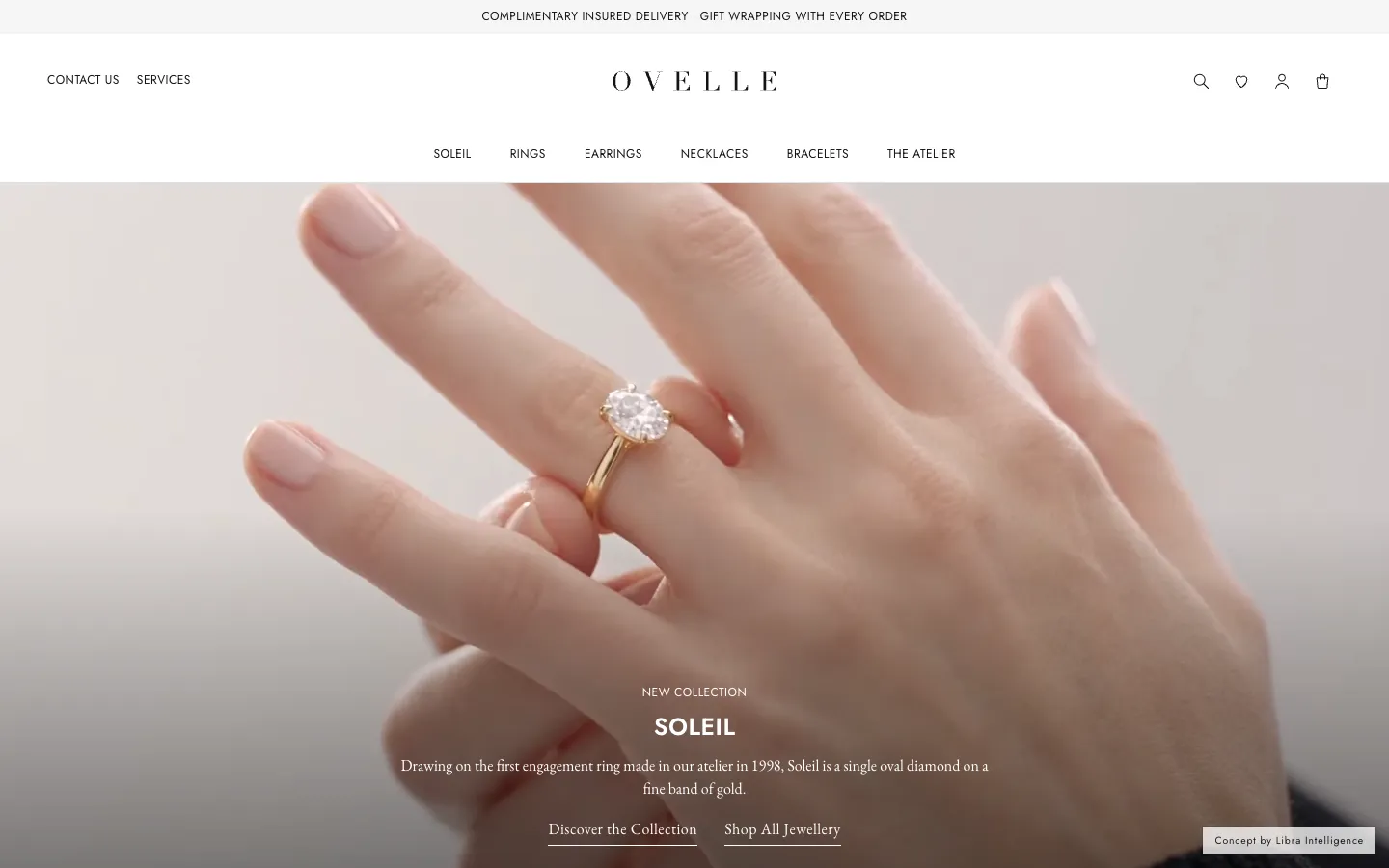
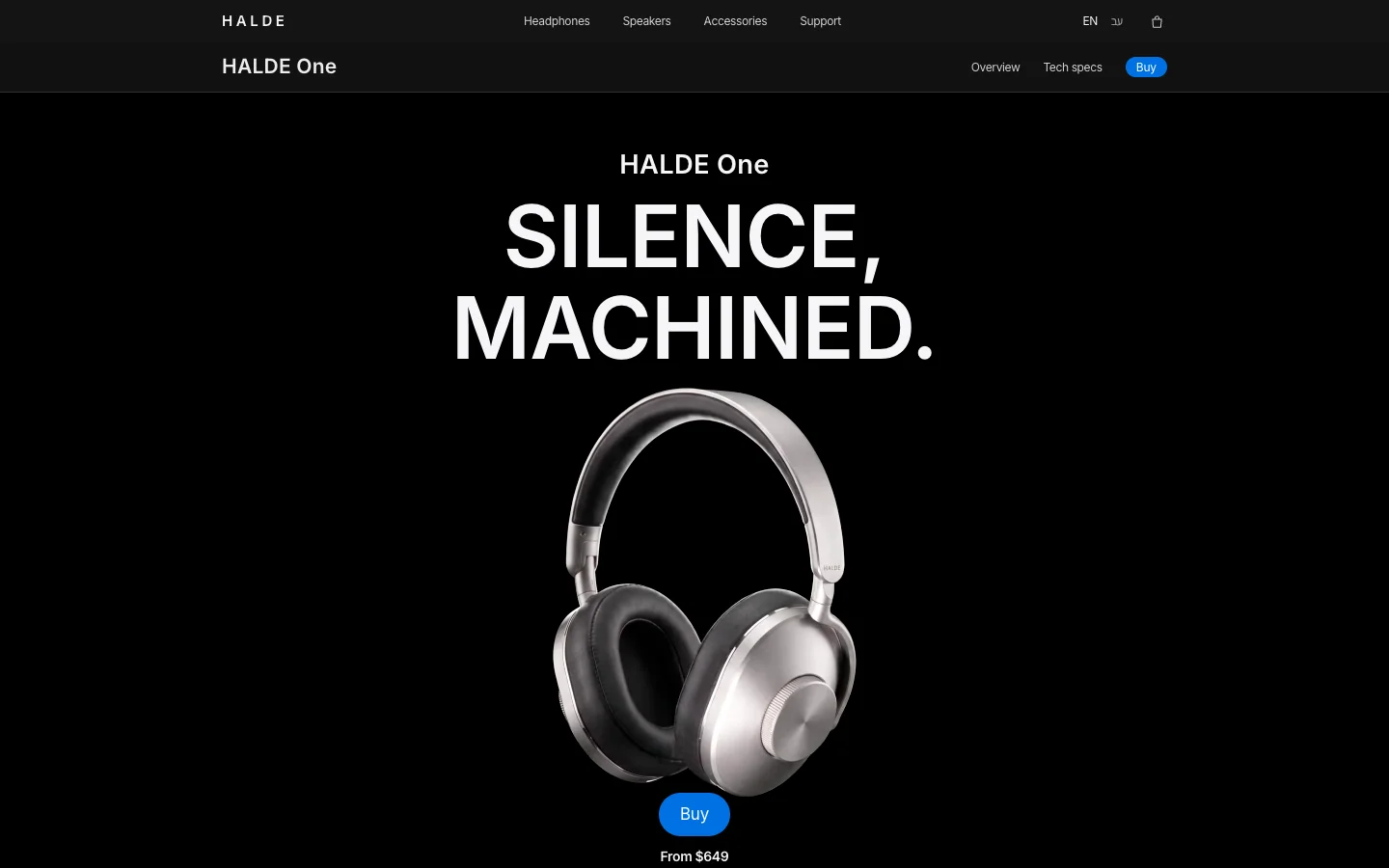
This guide goes through every step in order, and for each one explains what has to be decided, what can wait, and what becomes expensive if you fix it after launch. Topics that have their own article, such as choosing a platform, accessibility, bilingual sites and cost, get a short summary here and a link to the full piece. We work in Israel, so some of the specifics (the .co.il domain, Israeli accessibility and privacy law) are local; the process itself is the same anywhere. The examples along the way are concepts the studio built with fictional businesses: the Névé clinic website, the EMBER restaurant website and the ALBA tower launch page.
The steps of building a business website
Before the detail, here is the order. Each step rests on the one before, so skipping an early one, usually the goal or the content, comes back later as work done twice.
- Goal and audience: what the site has to achieve, for whom, and the one action a visitor should take.
- Sitemap: which pages exist, what each one answers, and how people move between them.
- Domain: name, extension, and registration in the business’s own name.
- Platform: a content management system, a hosted builder, a store platform, or custom code.
- Content: copy, images, FAQs and the questions customers actually ask.
- Design: a visual language drawn from the brand, mobile first.
- Build: development, the editing system, speed, browser and device compatibility.
- Forms and integrations: where every enquiry lands and who handles it.
- Accessibility, SEO and privacy: built into the site, not bolted on at the end.
- Launch: a checklist, redirects from old URLs, measurement.
- After launch: hosting, maintenance, new content and improvement from data.

Step 1: What is the website for, and who is it for?
Almost every later decision follows from this question, so answer it in writing, in one sentence. “A company website” is not a goal. A goal is, for example: get first-consultation enquiries from people in the city who are considering aesthetic treatments. Or: bring table bookings directly rather than through a third-party app. Or: collect registrations from prospective buyers of a residential project before sales open. Each of those leads to a different site, with different pages and a different action.
After the goal comes the audience: who arrives, on which device, at what stage of the decision, and what they need to know to move forward. Someone who arrives from a Google search for a specific service needs a fast answer and a price or a range. Someone who arrives from a recommendation already knows the name and is looking for confirmation: the team, experience, examples. Someone who arrives from an ad needs to see immediately what the ad promised. Write down three or four of these situations; they decide the order of the pages and the first lines of each one.
Finally, choose one main action: send a form, book an appointment, register interest, buy. The site can offer other ways to get in touch, but one action appears on every page, in the same place and the same words. When five actions carry equal weight, visitors pick none. If the site exists mainly for a paid campaign with a single offer, consider a separate landing page; we covered the difference and the structure in how to build a landing page that converts.
Step 2: What pages does a business website need?
The sitemap is the list of pages and how they connect. A service business site usually has somewhere between five and twelve pages, but the number that matters more is the number of distinct page templates: ten service pages built on one template are one piece of work, not ten. The table lists the pages most business sites have and what each one has to do.
| Page | What it answers | Notes |
|---|---|---|
| Home | What the business does, for whom, and what to do next | The first sentence explains the business without scrolling. The main action is already here. |
| Service or product page (one per service) | What exactly you get, who it suits, what it costs or what drives the price | These pages bring most search traffic. One page per service beats one page listing everything. |
| About and team | Who is behind the business and why to trust them | Names, roles, qualifications, real photos. No slogans. |
| Work, examples or portfolio | What it looks like in practice | Matters most where the output is visible: design, architecture, food, aesthetics. |
| FAQ | What customers ask before they get in touch | Can also live inside each service page. Short, direct answers. |
| Contact | How to reach you, where you are, when you reply | A short form, address, hours, a map if there is a physical place. |
| Journal or articles | Broader questions people search for | Not required at launch. Worth it if someone will write regularly. |
| Accessibility statement, privacy policy, terms | Obligations and rights | Part of the site, not an extra. Linked from the footer. |
In practice, draw the map as a simple tree: home at the top, the main menu beneath it (no more than six items), and each item’s pages under it. Then mark the template next to each page. You will see at once how much design and development work there really is, and it is also what makes quotes comparable. The Névé clinic site, for instance, has a home page, one page per treatment on a shared template, a method page, a team page and a three-step consultation booking.
Step 3: The domain name
The domain is the site’s address, and it stays with the business when you change supplier, platform or design. Three rules follow: short and easy to type, no hyphens or numbers if possible, and registered in the business’s name, in your own account, not in the name of whoever builds the site. A business that sells mainly in Israel usually chooses .co.il; one that also sells abroad usually picks .com. Many register both and redirect one to the other so nobody else takes the name.
Domains under .il, including .co.il, are not registered directly with the Israel Internet Association (ISOC-IL), which runs the registry, but through accredited registrars: private companies certified by ISOC-IL as meeting its technical, service and legal criteria. ISOC-IL itself recommends comparing prices and service between registrars before choosing (How to choose a registrar, ISOC-IL). For any extension, check the renewal price and not just the first year, make sure transfer lock is on, and make sure the email address on the domain belongs to the business and is read by someone.
Email comes with the domain. An address on the business domain looks more serious than a personal webmail address, and it needs to be set up correctly so that automatic emails from the site do not land in spam. It is a small detail with a direct effect on enquiries that never get answered.
Step 4: Which platform should you build on?
The choice is between four families: WordPress (an open content management system, very flexible, with plugins for everything and responsibility for updates and security), Webflow and hosted builders (relatively free design, hosting and updates included in the subscription), Shopify (when the main purpose is selling products), and custom code (when you need performance, design or integrations a platform does not give easily). There is no single right answer; there is a fit between the platform and who will update the site, how much it will change, and what it needs to do.
Three questions settle most cases: who will update the content after launch and how often, whether there is online selling with stock and payments, and which systems need to connect. We wrote the full comparison, including yearly costs, right-to-left support and what happens when you want to leave a platform, in WordPress vs Webflow vs Shopify vs custom code. If the site is really a store, the process is different enough to have its own guide to starting an online store.
Step 5: Content and copy
Content is the step most businesses underestimate, and the most common reason a site is late. You cannot design a service page without knowing what it says, and you cannot write well without knowing for whom. So the right order is content before design, or at least alongside it: for each page, write the heading, the opening sentence, the main points and the action, and only then design around them.
How to write copy for a business website
- A first sentence that explains: what the business does and for whom, in the words customers use. Not “a unique experience” but “non-invasive aesthetic treatments in Tel Aviv”.
- Facts instead of adjectives: years of experience, what the service includes, how long it takes, what it costs or what the price depends on. “Professional” says nothing; a fact does.
- Headings you can scan: most visitors read headings and skip. Headings phrased as real questions work for readers and for search engines.
- No invented testimonials: reviews, quotes and results appear only if they are real and you have permission to show them.
- An action at the end of every page: the next step, worded the same across the site.
Images and video
Generic stock photos cost trust faster than anything else on a site. A few real pictures of the place, the team and the work beat many beautiful images that have nothing to do with the business. Where there are no photos, product, setting and mood images can now be produced with AI, provided the product itself stays true to the original and you do not show people or results that do not exist. Every image should be compressed and served at the size the screen needs, because heavy images are the most common cause of a slow site.
Step 6: Designing the website
A business website’s design starts from the brand: logo, colour, typography and tone. If there is no settled identity yet, sort it out first, because a site designed on a temporary identity gets designed twice; we covered the process in the business branding guide. The brand gives you a small system: text sizes, spacing, buttons, form fields and cards that repeat across every page. That system is what makes a site look consistent, and it also makes every future page cheaper.
Most visitors to business sites arrive on a phone, so design for mobile first and then widen to desktop. The usual sequence is two sketches, the home page and one key inner page, approval of the direction, and only then the remaining templates. That way the big round of changes happens early, when changing is still cheap.
Three checks before approving any design: can you tell what the business does without scrolling, does the main action stand out without competing with ten other elements, and is the text readable with enough contrast, on a phone, in sunlight. Animation and special scrolling can add something, as on the EMBER restaurant site, where the menu and the kitchen are presented like a book, but only if they do not slow the page or hide the information.
Step 7: Development and build
In development the design becomes a working site. What matters here is not only that it looks like the sketches but that it is built properly inside: clean code and a correct heading structure, images in modern formats and appropriate sizes, a minimum of third-party scripts, and an editing system where the business’s own people can change a line of text, a picture or an FAQ without breaking the design.
The work happens on a staging environment, a temporary address that search engines do not index, and moves to the real domain only at the end. Test in several browsers and on real devices, not just a narrowed desktop window: iPhone, Android, tablet and a wide screen. Test what happens when things go wrong too: a page that does not exist (404), a form with a missing field, a slow connection.
Forms and leads: where does every enquiry go?
A form that sends to an inbox nobody checks is worth less than no form at all. So before building the form, decide where the enquiry lands, who gets notified and how quickly you reply. On a small site that can be a shared inbox with an automatic acknowledgement. In a business with several salespeople or branches, the enquiry should go straight into a CRM, with its source (search, ad, referral) and its status.
- As few fields as possible: a name, a way to reply and one or two questions. Every extra field needs a reason.
- A clear confirmation: after sending, the visitor sees what happens next and when to expect a reply, and receives a confirmation email.
- The source of the enquiry: the form records which page and which campaign it came from, so you can tell what works.
- Spam protection: without making real people solve puzzles.
- A real test: before launch, send a form from every page and confirm it arrived in the right place.
We wrote about choosing a system to manage enquiries in CRM for a small business. On the ALBA launch page, every section leads to the same registration form, and every registration lands in the project’s CRM with its source.
Website accessibility
The international reference is the W3C’s Web Content Accessibility Guidelines, whose success criteria come in three levels, A, AA and AAA (WCAG overview, W3C). Many countries’ rules point to level AA. In Israel, where we work, regulation 35 of the service accessibility regulations requires internet services that give the public a service or information to meet Israeli Standard 5568 at level AA, which is based on WCAG, with some exemptions such as very small businesses (summary of the regulation, Access Israel).
What matters during the build: accessibility lives in the code and the content. Colour contrast, full keyboard navigation, alternative text for images, labels on form fields, a correct heading structure and captions on video. A plugin that adds an accessibility button does not replace any of that. At the end of the build you test, fix and publish an accessibility statement. The requirements, what to test and how to write the statement are in website accessibility in Israel and IS 5568.
A website in Hebrew and English
A business that also addresses English speakers, visitors or customers abroad should decide early whether the site is bilingual, because it affects the design, the platform and the content. Hebrew reads right to left, so every layout, arrow, icon and table needs an RTL version. The typefaces have to work well in both scripts, and the copy should be written for each audience rather than translated word for word, because an Israeli customer and an overseas one ask different questions.
Technically, each language gets its own URLs, and search engines are told which version belongs to which language so each audience sees its own version in results. Forms, automatic emails and error messages need both languages too. The full detail, including common mistakes, is in building a bilingual Hebrew and English website.

SEO foundations and site speed
A new site does not appear in Google just because it exists. There is a foundation that should be in place at launch, and it is far cheaper to build from the start:
- A unique title and description for every page, describing what is on it.
- One H1 per page and a correct heading structure beneath it.
- Short, readable URLs without random numbers.
- An XML sitemap and the site registered in Google Search Console.
- Structured data (schema) for the business, FAQs and articles.
- Alternative text on images, which also serves accessibility.
- Internal links between related pages.
- 301 redirects from every old URL if the site replaces an existing one.
Speed is part of the foundation. Google defines three Core Web Vitals, and the thresholds considered good are LCP (when the largest content appears) within 2.5 seconds, INP (response to interaction) of 200 milliseconds or less, and CLS (layout shifts while loading) of 0.1 or less, measured at the 75th percentile of page loads, separately for mobile and desktop (web.dev). Meeting them depends mostly on image weight, the number of scripts and plugins, and hosting.
Ongoing organic search work, meaning keyword research, content and links over time, is a separate job from building the site. We covered it in SEO for a small business. If you also want to appear in answers from ChatGPT, Perplexity and AI Overviews, there are a few additional requirements, set out in our guide to SEO and GEO.

Privacy and personal data
Any site with a form collects personal data: names, phone numbers, emails, and sometimes more sensitive information, such as medical details on a clinic site. The rules depend on where the business and its customers are (the GDPR in Europe, state laws in the US). In Israel, Amendment 13 to the Privacy Protection Law took effect on 14 August 2025. It expanded the enforcement powers of the Privacy Protection Authority, including financial sanctions, made appointing a privacy protection officer mandatory for some organisations, broadened the definition of sensitive data and increased transparency obligations (overview of the amendment, IAPP).
We are not lawyers, and the exact obligations depend on the business and the data it collects, so check them with legal counsel. At the level of the website, a few things are worth doing in any case:
- Collect only what you need to handle the enquiry, not extra “just in case”.
- A privacy policy in plain language: what is collected, why, where it is kept, who sees it and how to ask for deletion.
- Separate consent for newsletters or marketing messages, in a box that is not pre-ticked.
- HTTPS across the whole site, and access to enquiries only for those who need it.
- Know which outside systems the data passes to: CRM, email platform, analytics.
- A notice about cookies and analytics tools, to the extent they collect data about visitors.
Website launch checklist
This list can be copied as it is. Any item that fails is a reason to move the launch by a day or two, not to fix it “later”.
- Every page on the sitemap exists, with final content and no placeholder text.
- Every form has been sent from every page and arrived in the right place, with its source.
- The automatic confirmation email goes out, in the right language, and does not land in spam.
- The site has been checked on real phones (iOS and Android), a tablet and a desktop.
- Core Web Vitals have been checked on the home page and a key service page.
- A title and description on every page, one H1, alternative text on images.
- A sitemap exists and the site is registered in Google Search Console.
- 301 redirects from every URL of the old site, if there was one.
- An accessibility check has been done and the accessibility statement is published.
- The privacy policy and terms are published and linked.
- Analytics are installed, with an event for every form submission.
- HTTPS works on every address, with and without www.
- A 404 page that leads back to the important pages.
- The domain, hosting and systems are registered to the business, and you have admin access to all of them.
- A full backup of the site exists on launch day.
How long does it take to build a website?
Time depends less on the size of the site than on three things: how quickly the content arrives, how many rounds of changes there are, and how many systems need connecting. The table gives the ranges we see in our market, from brief to launch, assuming content arrives on time. They are reasoned from the work in each stage, not a promise.
| Type of site | Rough range | What moves it |
|---|---|---|
| Single landing page | About 2 to 4 weeks | Whether message and content are ready, CRM connection, two languages. |
| Small company site (5–8 pages, 3–4 templates) | About 6 to 10 weeks | Availability of copy and images, number of design rounds. |
| Larger custom-designed bilingual site | About 10 to 16 weeks | Number of templates, writing for each language, RTL, accessibility testing. |
| Site with booking, a client area or system integrations | About 12 to 20 weeks | Number of integrations, availability of the systems’ vendors, testing. |
| Online store | About 10 to 20 weeks or more | Number of products, photography, payments, shipping, invoicing. |
| Replacing an existing site | As for the new site, plus 1 to 2 weeks | Moving content, mapping URLs and 301 redirects. |
Where the time actually goes: a week or two for the definition and sitemap, two to four weeks for content and design, three to six weeks for development, and a week for testing and launch. The most common delay is waiting for copy and pictures from the business; the second is decisions that change after the design was approved. A good schedule has a date for each stage and says what happens if content is late.
After launch: hosting, maintenance and improvement
Launch is a beginning. A site needs stable hosting, backups, security updates for the system and its plugins, a check that forms still work, and new content now and then. A WordPress site needs regular updates; a site on a hosted platform needs fewer, but still needs someone checking. Everything that belongs in maintenance, what to ask for in the contract and what costs money every year is in website maintenance and hosting.
The part most businesses miss is improvement. After a month or two there is data: where people come from, which pages they leave, how many send the form. From that data you change a heading, shorten a form, move the main action. With enough traffic, test changes in a proper experiment; we described the method in A/B testing and conversion optimisation.
How much does it cost, in brief?
In Israel, a website designed and built for the business usually costs roughly 8,000–40,000 ₪ (about $2,000–$11,000), a landing page roughly 3,000–15,000 ₪ (about $800–$4,000), and an online store starts at roughly 20,000 ₪ (about $5,500). These are rough ranges we see in our market with approximate USD conversions, not a price list, and they depend on the number of page templates, design, content, languages, integrations and accessibility. The breakdown, the yearly costs and how to compare quotes are in how much a business website costs.

Websites by sector
The steps are the same in every sector, but what matters in each differs. We wrote separate articles for some of the common ones:
- Clinic websites: presenting treatments carefully, the medical team, booking, privacy of medical data.
- Law firm websites: practice areas, people, articles, and trust above all.
- Restaurant websites: a menu that reads on a phone, table booking, hours and location.
- Hotel websites: direct bookings versus the booking platforms, rooms, the booking engine.
- Real estate development websites: renders, residences, collecting leads before the building exists.
Do it yourself or work with a studio?
A business that is just starting, with a small budget and someone who has time, can build a basic site on a website builder, and that is a reasonable choice for a first stage. The price is time, a look similar to other sites, and responsibility for accessibility, speed and privacy that falls on the business. A studio makes sense when the site has to represent a brand, bring enquiries from search or ads, work in two languages or connect to other systems.
If you work with a studio, what helps most is a clear brief: goal, audience, rough pages, sites you like and why, what already exists and a budget range. How to write a brief for a studio goes through it section by section.
A good business website says what the business does in one sentence, and leads to one action, on every page.
At Libra we build business websites, landing pages and stores from definition to launch, including brand design, copy in Hebrew and English, accessibility, basic SEO and forms connected to a CRM. What each type includes is on the websites, landing pages and stores page, and you can see the level in the examples we built.
To start, send a brief with whatever you already know, even if it is partial. We reply by email with a direction, a written price and a date.
No term matches.
More on Websites
- WordPress vs Webflow vs Shopify (and Wix, and custom code): which platform fits your business ComparisonAn honest comparison of WordPress, Webflow, Shopify, Wix and custom-coded sites: hosting, pricing model, RTL, e-commerce, SEO, maintenance and ownership.
- Website accessibility law in Israel: IS 5568, WCAG and what to testWhat Israeli law requires from a business website: regulation 35, IS 5568 at level AA, exemptions, the accessibility statement, what to test, and the EU rules.
- Website maintenance and hosting: what is included, how often, and what it costs a yearWhat website maintenance covers, the main hosting types, a monthly to yearly checklist, retainer vs hourly, yearly costs, and what to do when a site is hacked.
- Building a bilingual Hebrew and English website: direction, fonts, URLs and hreflangHow to build a site in Hebrew and English: RTL and LTR in one codebase, fonts, dates and numbers, forms, URL structure, hreflang, and a checklist.
- Clinic website design: the pages a clinic needs, what it may publish, and how patients bookWhat a clinic website needs: treatment pages, a team page with credentials, the process, booking, medical advertising rules, health data in forms, and a checklist.
- Law firm website design: practice areas, lawyer profiles, advertising rules and confidential enquiriesWhat a law firm website needs: practice area pages, lawyer profiles, articles, a confidential enquiry form, bar advertising rules and AI on the firm’s knowledge.
- Restaurant website design: a menu that reads on a phone, reservations, hours that are always right, and eventsWhat a restaurant website needs: an HTML menu instead of a PDF, table reservations, hours that match Google, private dining, photography, allergens and a checklist.
- Hotel website direct bookings: how a hotel site wins more bookings alongside the OTAsA hotel website built for direct bookings: why it matters next to the OTAs, rate parity, an integrated booking engine, room pages, photography, languages and Google.
- How much a business website costs, and what actually sets the priceHonest price ranges for a company website, a landing page and an online store, what a quote should include, what you pay every year, and how to compare proposals.
- How to build a landing page that convertsThe anatomy of a landing page that brings enquiries: one message, one action, a short form and every lead measured. With a working launch page for a residential project.
A short picker
What fits you?
What is closest to what you need?
Where are you now?
Questions
What are the steps to build a business website?
Define the goal and audience, plan the sitemap, register a domain, choose a platform, write the content, design, build, connect forms to a CRM, cover accessibility, basic SEO and privacy, test and launch, then maintain and improve from data.
How long does it take to build a website for a business?
A small company site usually takes about 6 to 10 weeks from brief to launch, a landing page about 2 to 4 weeks, and a larger bilingual site or one with system integrations about 10 to 20 weeks. The most common delay is content that is not ready on time.
What pages should a business website have?
A home page, a page for each main service or product, about and team, FAQ and contact, plus an accessibility statement and a privacy policy. A journal and a portfolio depend on the kind of business.
Can I build a business website myself?
Yes, a basic site on a website builder is a reasonable first step for a business with little budget and some time. A studio makes sense when the site must represent a brand, bring enquiries, work in two languages or connect to other systems.
Does a business website have to be accessible?
In many countries, yes. In Israel, regulation 35 of the service accessibility regulations requires sites that serve the public to meet Israeli Standard 5568 at level AA, based on WCAG, with some exemptions; an accessibility plugin on its own is not enough.
How do I register a .co.il domain?
Through one of the registrars accredited by the Israel Internet Association (ISOC-IL). Compare renewal prices and service, and make sure the domain is registered to the business in its own account.
What do I need after the website launches?
Hosting, backups, security updates, a regular check that forms work, new content, and a look at the data every month or two to improve headings, forms and the main action.
Getting started
Want this for your business?
Send a short brief: three required questions, the rest only if you like. We reply by email with a direction, a written price and a date.