A CRM for a small business: when you need one, what it must do and how to choose
What a CRM does for a small business, when a spreadsheet stops working, must-have features, buy or build, migration, privacy, cost and a checklist.
Part of the guide: Business automation with AI: a practical guide for small and mid-sized businesses

A CRM for a small business is one place that holds everything the business knows about each enquiry and customer: where they came from, what they asked, what they were told, what happens next and who owns it. It replaces the spreadsheet, the sticky notes and the messages scattered across staff phones, and reminds you to get back to people on time. Most small businesses need an off-the-shelf CRM with lead capture from the website and WhatsApp, a pipeline, tasks and a weekly report; a custom build pays off only when the process genuinely fits no template.
This article is about choosing and starting: what a CRM does, when you need one, what it must include, buying versus building, language support, migration, privacy and cost. Why the CRM sits at the centre of every automation is covered in our guide to business automation with AI. Real estate developers need a different structure, tied to unit inventory, which we cover in our article on real estate CRM.
What does a CRM do?
A CRM (customer relationship management system) holds four things. Contacts: a record for every enquiry and customer, with details, source and history. Deals or requests: what each person wants and what stage it is at. Activity: calls, messages, meetings and notes, by date. Tasks: what needs to happen, when and by whom. On top sit automations (a new lead is assigned, a quiet lead gets a reminder) and reports.
In practice a good CRM answers three questions at any moment: who contacted us this week and from where, who is waiting to hear from us, and what closed. If answering them means searching WhatsApp, the inbox and a spreadsheet, the information exists but is not working for you.
When does a spreadsheet stop working?
There is no magic number of leads. These are the signs we see in businesses that come to us:
- Leads arrive from more than two channels, and nobody knows how many came from each.
- More than one person handles enquiries, and a customer sometimes gets two answers, or none.
- Following up with leads who went quiet depends on someone’s memory.
- When someone is on holiday, nobody knows what is happening with their customers.
- There are several versions of the same sheet and nobody is sure which is current.
- The monthly report means copying numbers by hand from three systems.
If two or three of these sound familiar, the spreadsheet is already costing more than it seems, in time and in leads that were forgotten.
Must-have CRM features for a small business
| Feature | Why it matters | What to check in practice |
|---|---|---|
| Automatic lead capture | A lead typed in by hand is a lead that gets forgotten | Website forms, WhatsApp, lead ads and incoming calls create a record on their own, with the source |
| Pipeline | You see where every enquiry stands | Stages you define, drag between stages, expected value per stage |
| Tasks and reminders | Follow-up no longer depends on memory | Tasks open automatically after a stage, with an alert to the owner |
| Automations | They take over the repetitive work | Lead assignment, confirmation messages, reminders to quiet leads, without code or with a simple connection |
| Communication history | Anyone on the team understands the customer at a glance | Emails and messages logged on the record, not only in one person’s inbox |
| Reports | You know what works | Leads by source, close rate, response time, open deals |
| Permissions | Not everyone needs to see everything | Role-based access, and control over who can export or delete |
| An API for integrations | Without it the CRM stays an island | Built-in connections or an open API for the website, WhatsApp, calendar and accounting |
| Mobile | Much of the work happens away from a desk | An app or site that works well on a phone, including logging a note after a call |
Lead capture from the website, WhatsApp and the phone
This is the feature that pays back fastest, so test it before anything else. The goal: every enquiry, from every channel, lands in the CRM by itself, assigned to a person and tagged with its source.
- Website or landing page forms: the simplest connection, through a built-in integration or an automation tool. Pass the campaign source (UTM) too, so you know which ad brought the lead.
- WhatsApp: for messages to reach the CRM you need the WhatsApp Business Platform, not the ordinary app. How to get access and what it costs is in our guide to the WhatsApp Business API.
- Phone: at the very least, a missed call becomes a call-back task. An AI phone agent can also answer, book and write a call summary to the record.
- Lead ads on Meta and Google: a direct connection, so a lead from an ad does not wait in a file someone downloads once a day.
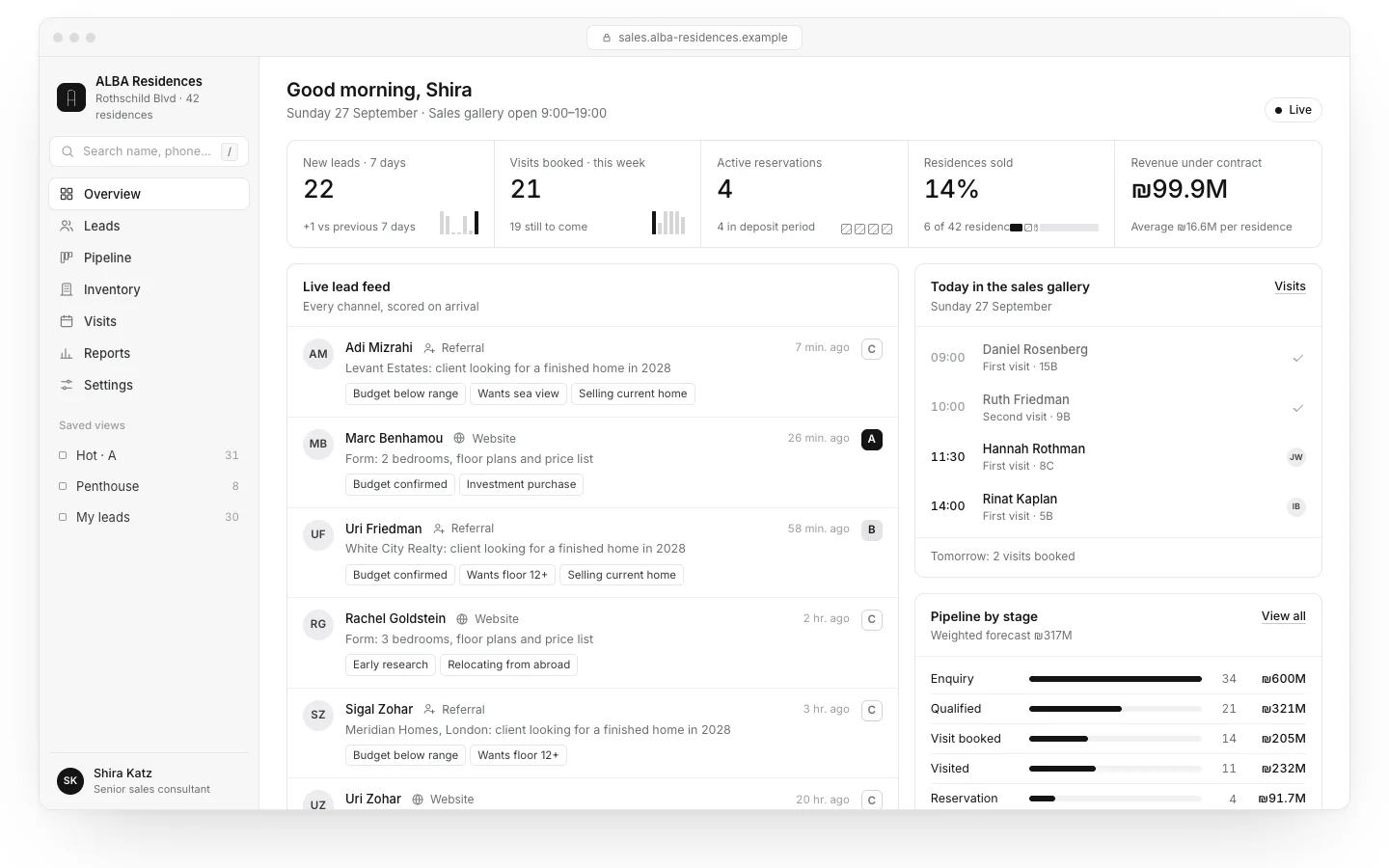
In the ALBA CRM and sales dashboard, a concept we built for a fictional residential project, every lead from the website, the phone agent and WhatsApp lands in the same place with its source. The connections themselves are usually built in an automation tool; we compare the options in n8n vs Make vs Zapier.

Off-the-shelf CRM or custom-built?
For most small businesses the answer is off-the-shelf. There are many, among them HubSpot, Pipedrive, Zoho CRM, Salesforce and monday CRM, each with plans by number of users and features. Some have a free tier; at the time of writing HubSpot offers a free CRM for up to two users and 1,000 contacts (HubSpot’s product page). Check prices and limits on each vendor’s own page when you choose, because they change.
| Off-the-shelf CRM (configured) | Custom-built CRM | |
|---|---|---|
| Time to working | Days to a few weeks | Months |
| Cost | A monthly per-user subscription, plus setup | A substantial build, plus ongoing maintenance |
| Flexibility | Within what the product allows | Exactly your process |
| Updates and security | The vendor’s responsibility | Yours, or whoever built it |
| Fits when | The process resembles a standard sales or service flow | The process is unique, there are special entities (inventory, rooms, patients) or unusual privacy requirements |
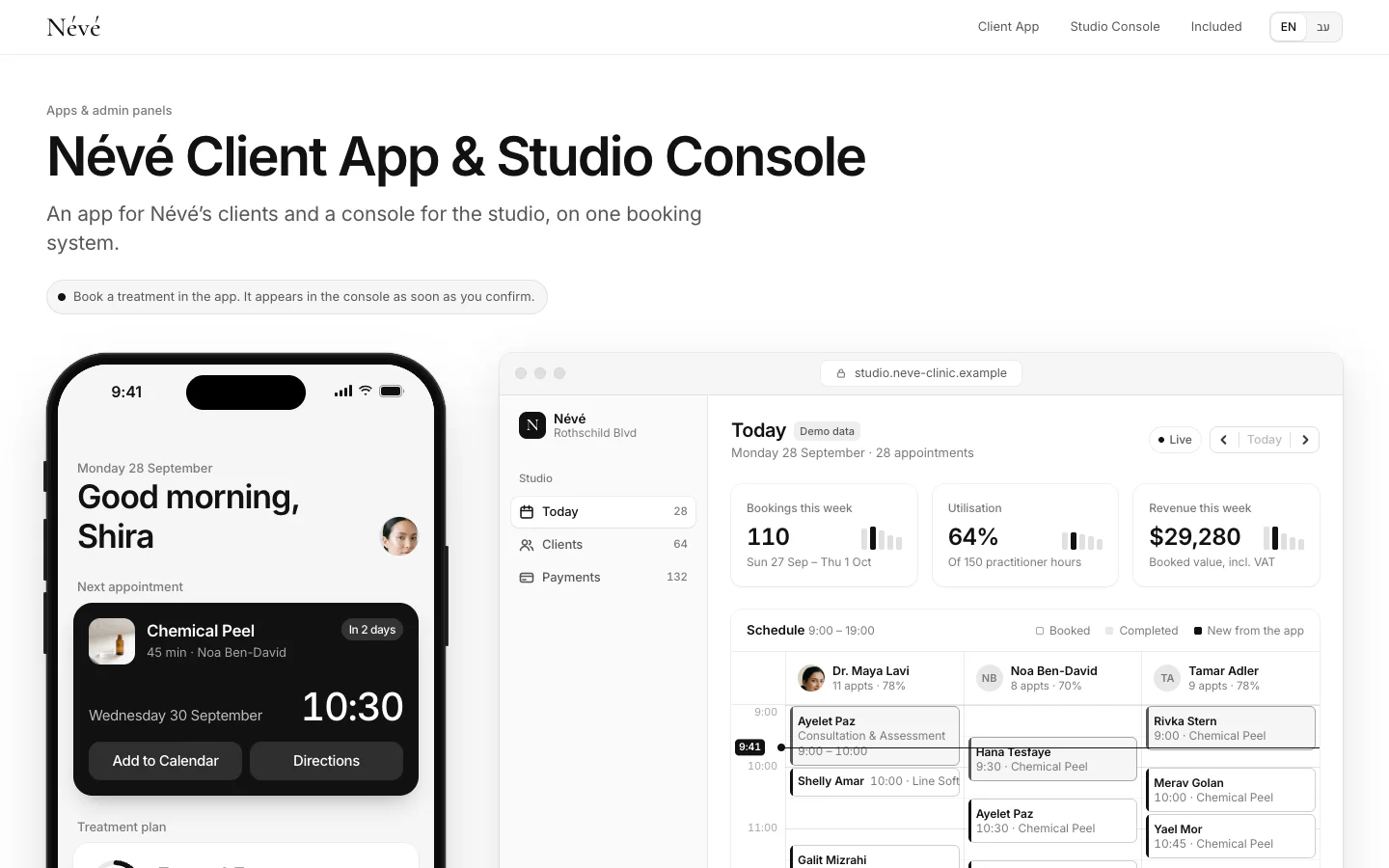
There is a middle way: an off-the-shelf system as the base, with screens or integrations built on top. When the process really is far from any template, for example a clinic that needs rooms, practitioners and client files in one place, a custom system makes sense. The Névé app and admin system is a concept of that kind we built for a fictional clinic, and what goes into a custom back office is covered in our article on custom admin dashboards.

Language and right-to-left support
If your team or customers work in more than one language, test it rather than trusting a feature list. In Israel, the market we work in, Hebrew is written right to left, and an interface that is translated but not built for right-to-left produces reversed tables, confusing dates and fields where text jumps around. The same applies to Arabic. During the trial, check:
- That the whole interface, not only the menu, works in the language and direction you need, on mobile too.
- That search finds names in every script and spelling your customers use.
- That email and message templates sent to customers display correctly, numbers and dates included.
- That exports keep the characters intact instead of turning them into symbols.
- That dates, times and currency follow your local format.
Moving your data from spreadsheets to a CRM
Migration is where most implementations stall. The order that works:
- Define the structure first: which fields, stages and statuses. Import only after that.
- Clean before importing: duplicates, phone numbers in different formats, empty fields. What goes in messy stays messy.
- Decide what not to move: leads from years ago with no activity may not need to come across.
- Import a small test batch: a few dozen records, check each landed in the right field, then the rest.
- Freeze the spreadsheet: from switch-over day, work only in the CRM. Two systems in parallel means neither is current.
Privacy: where the data sits and who sees what
A CRM is a database of personal data, so data protection law applies to it. The rules depend on where you and your customers are; GDPR is the best-known framework. In Israel, Amendment 13 to the Privacy Protection Law took effect on 14 August 2025, expanding the Privacy Protection Authority’s enforcement powers, including monetary sanctions, and requiring some organisations to appoint a privacy protection officer (IAPP overview). This is not legal advice; check your obligations with a privacy lawyer where you operate. A few principles to build in from day one:
- Collect only what you need. A field you never collect cannot leak.
- Know where the vendor stores the data, who there can access it, and how you get it out if you leave.
- Role-based permissions, with export and delete restricted.
- Sensitive data, such as medical details, in separate fields with narrow access, or outside the general CRM.
- Marketing consent stored on the record, with the date and source.
- When someone leaves the team, their access closes the same day.
How much does a CRM cost a small business?
There are two parts: the subscription and the setup. Off-the-shelf subscriptions are usually monthly per user and vary widely between vendors and plans, so we have not put a price here; check each vendor’s pricing page. Setup is the work that turns an empty system into one that works. Rough USD conversions of ranges we see in the Israeli market, not a price list, before tax:
| Type of work | Rough range (USD) | What it depends on |
|---|---|---|
| Setting up an off-the-shelf CRM | Roughly $800–$4,000 | Fields and stages, data import, forms, permissions, team training |
| Integrations and automations | Roughly $400–$2,200 per process | WhatsApp, phone, lead ads, calendar, accounting, number of exceptions |
| A custom-built CRM | Usually from the low tens of thousands up | Entities and screens, roles, integrations, a mobile app, security requirements |
| Ongoing | Subscription plus maintenance as needed | Users, plan, automation volume, changes to the process |
Agencies in the US or Western Europe often charge more for the same scope.
CRM selection checklist
- Write the process down as it is today: where enquiries come from, the stages, who handles them.
- List the channels that must flow in automatically: website, WhatsApp, phone, ads.
- Shortlist two or three systems and trial them with real data, not a demo.
- Test your languages and text direction in the interface, search, templates and exports.
- Check there is an API or built-in integration for everything you need.
- Check permissions, data export and where the data is stored.
- Work out the yearly cost: subscriptions for every user, setup, integrations and add-ons.
- Decide who owns the system inside the business after launch.
- Set a switch-over day, and from then on work only in the CRM.
What Libra builds here
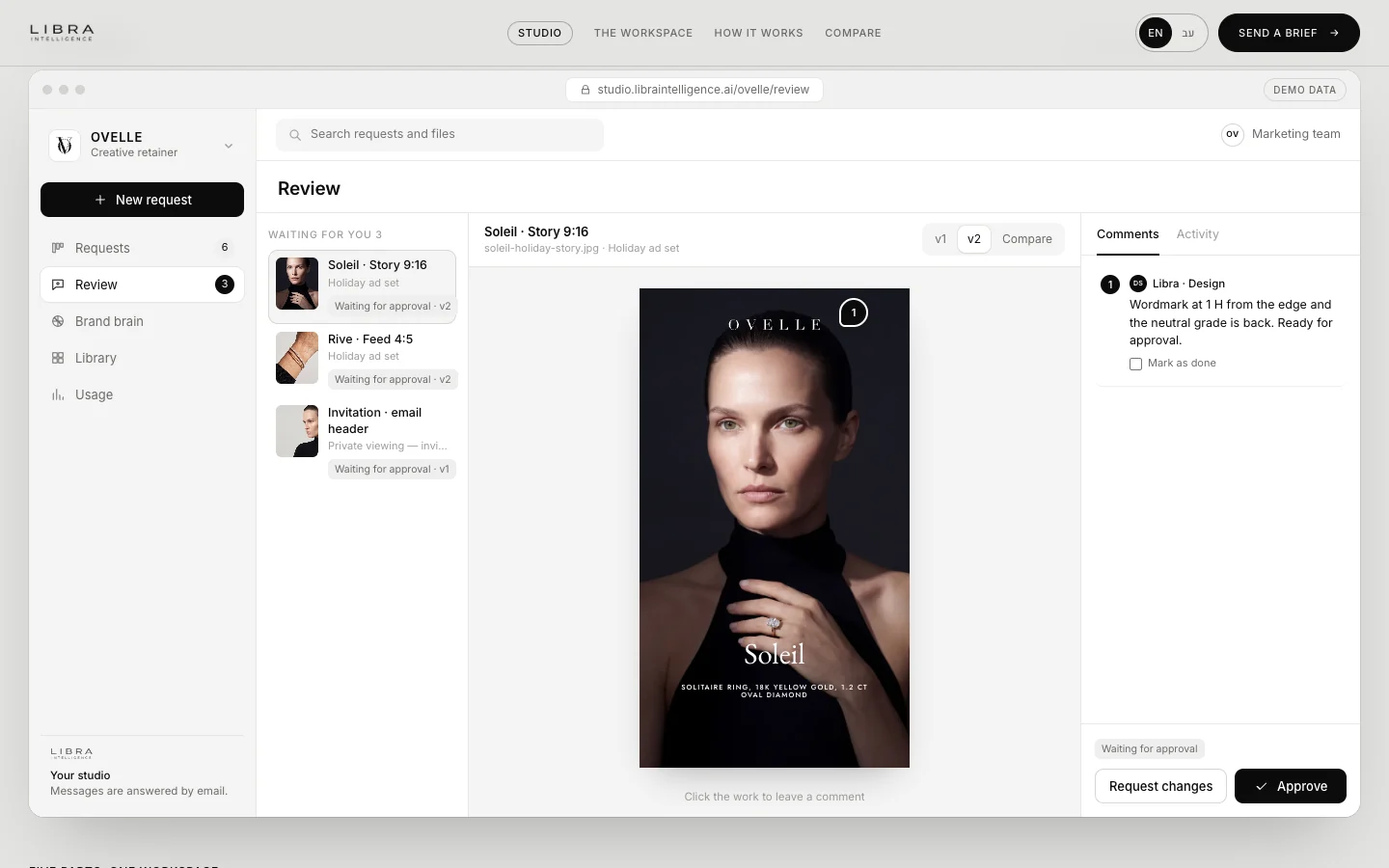
At Libra we set up CRMs for small businesses, off-the-shelf or custom as the process requires, connect the website, WhatsApp and the phone to them, and build the automations around them. The details are on our automation and AI agents page. The Libra Studio client workspace, where requests and approvals live in one place, is built on the same principle. Send a brief with the channels enquiries come from, the size of your team and what you use today. We reply by email with a direction, a written price and a date.
No term matches.
Questions
What is a CRM?
A system that keeps everything about enquiries and customers in one place: source, requests, communication history, sales stage and tasks. It reminds you what needs to happen and shows what closed.
Does a small business need a CRM?
Yes, once enquiries come from several channels, more than one person handles them, or following up depends on memory. A one-person business with few customers can manage with a well-kept spreadsheet.
Is there a free CRM for small business?
Yes, several vendors have a free tier with limits. At the time of writing HubSpot offers a free CRM for up to two users and 1,000 contacts.
How much does it cost to set up a CRM?
In the market we work in, setting up an off-the-shelf CRM is roughly $800–$4,000 and each integrated process roughly $400–$2,200, as rough conversions. On top comes a monthly per-user subscription.
Can WhatsApp be connected to a CRM?
Yes, through the WhatsApp Business Platform (the API), directly or via a provider. The ordinary WhatsApp Business app cannot be properly connected.
Should a small business buy a CRM or build one?
Most should buy and configure one. A custom build pays off when the process is unique, such as rooms and practitioners or unit inventory, or when privacy requirements are unusual.
How long does it take to implement a CRM?
An off-the-shelf CRM for a small business usually goes live in a few days to a few weeks, depending on data cleaning and integrations. A custom build takes months.
Getting started
Want this for your business?
Send a short brief: three required questions, the rest only if you like. We reply by email with a direction, a written price and a date.