Business automation with AI: a practical guide for small and mid-sized businesses
What business automation is, rules vs AI steps vs AI agents, which processes to automate first, channels, CRM, privacy, risks and what drives the cost.
Business automation with AI means moving repetitive work, such as the first reply to a lead, appointment reminders, quotes, follow-ups and reports, from someone doing it by hand to a system that runs on its own when something happens. Some automations follow fixed rules, some include an AI step that reads, sorts or drafts text, and some are AI agents that hold a conversation and act in your systems. Start with one process that happens dozens of times a week, has clear rules and is cheap to get wrong.
This guide sets out the whole field: what counts as automation, how rule-based automation differs from an AI agent, what to automate first and where a person should stay, which channels it works in, why the CRM sits at the centre, what to know about privacy, what can go wrong, and how to start without losing months. At the end there is a section on what drives the cost, with reasoned ranges rather than a price list. We are based in Israel, and where local rules or habits matter we say so.
What is business automation?
Every automation has three parts: a trigger (something happened: a form was sent, a message arrived, an appointment was booked, a day passed), actions (record, send, update, create a document, hand to a person) and conditions (if the lead is in a certain area, if the amount is above a threshold, if the customer has not replied in two days). Once all three are defined, the system can carry them out without anyone having to remember.
Automation is rarely a new system that replaces what you have. In most businesses it is the layer that connects what already exists: the website, WhatsApp or SMS, the calendar, the CRM, the accounting software and email. Instead of someone copying details from a form into the CRM, sending a message and setting a reminder, the connection does it once, the same way every time.
What automation does not do is fix an unclear process. If every person on your team handles a lead differently, automation will pick one way, and someone has to decide which. That is why the first step in any project is to write the process down as it actually happens today, and only then build.

Rule-based automation, AI steps and AI agents: what’s the difference?
The word “automation” now covers three different levels. The distinction matters because it decides how much it costs, how reliable it is and how much oversight it needs.
Rule-based automation
The oldest and most reliable kind: if X happens, do Y. A form is submitted, the details go into the CRM and a confirmation is sent. An appointment is booked, a reminder goes out the day before. An invoice is unpaid after 14 days, a payment reminder goes out. There is no judgement involved, so there are no surprises: the same input always gives the same result. Most of the automations that save time in a small business are of this kind.
An AI step inside a fixed process
Here the process is still fixed, but one step uses a large language model (LLM) to do something rules cannot: read a free-text message and tell whether it is a quote request or a complaint, pull a name, a date and a party size out of a sentence, summarise a conversation, or draft a reply. The route itself stays defined in advance; the model fills one slot in it. That adds flexibility without giving up control.
AI agents
An agent is a system in which the model decides the next step itself: it runs a conversation, asks clarifying questions, checks availability, books, updates the CRM and hands over to a person when needed. Anthropic describes the difference this way: in a workflow, models and tools are orchestrated through predefined code paths; in an agent, the model directs its own process and tool use. It recommends starting with the simplest solution and adding complexity only when needed (Building effective agents). An agent suits a customer conversation, where you cannot predict every question. It suits a process you can describe in five lines of “if, then” much less well.
| Rule-based automation | AI step in a process | AI agent | |
|---|---|---|---|
| What it does | Runs the same actions on a trigger and conditions | Classifies, extracts, summarises or drafts in one step | Runs a conversation and decides the next step |
| Example | A website form goes into the CRM and a confirmation is sent | A free-text message is classified and routed to the right person | Answering guests on WhatsApp and booking a table |
| Predictability | Full | High, with the edge cases tested | Needs limits, testing and logging |
| Running cost | A tool subscription, usually low | A subscription plus model usage by volume | Model usage, channels and ongoing maintenance |
| Where a person stays | Exceptions and failures | Reviewing what the model is unsure of | Anything sensitive, payments, complaints or unusual requests |
The difference between a scripted chatbot and an AI agent connected to your systems is covered in chatbot vs AI agent. The practical rule: choose the lowest level that solves the problem.
Which business processes should you automate first?
A good first automation meets most of these criteria:
- It happens often: dozens of times a week, not twice a month. A five-minute task done fifty times saves more than a one-hour task done once.
- The rules are clear: you can write it as a list of steps, and two different people would do it the same way.
- Mistakes are cheap: if it goes wrong, the result is an unnecessary message, not a double charge or medical details sent to the wrong person.
- The information is already digital: the details sit in a form, an email or a system, not on a note or in someone’s head.
- There is something to measure: response time, how many leads slipped through, how many hours a week it takes.
By these criteria most businesses arrive at the same short list. The table sets out, for each process, what triggers it, what can be automated and where a person should stay:
| Process | Trigger | What gets automated | Where a person stays |
|---|---|---|---|
| Lead capture and routing | Website form, WhatsApp message, lead ad, missed call | Logging in the CRM, source tracking, sorting by service and area, assigning an owner, an alert | Hot or large leads, and deciding priority |
| First reply | A new enquiry on any channel | Instant acknowledgement, answers to common questions, asking for missing details | Any question whose answer is not written down, custom pricing, complaints |
| Scheduling | A request for an appointment, a slot chosen in a form or a conversation | Checking availability, booking, confirmation, reminders, changes and cancellations | Exceptions: urgent cases, requests outside hours, repeat cancellations |
| Follow-ups | A lead who did not reply, an unsigned quote, the end of a service | Follow-up messages on a schedule, review requests, invitations to return | The sales conversation itself, and anyone who asked not to be contacted |
| Quotes and invoices | A details form, a closed deal, month end | A document from a template, sending for signature, issuing the invoice, payment reminders | Approving unusual prices, discounts and any change in terms |
| Reports | A fixed time each week or month | Pulling data from your systems, a table or summary by email | Interpreting the numbers and deciding what to do |
| Internal handoffs | A status change in the CRM, a won deal, a finished task | Opening a task for the next team, passing on details, a team alert | Checking the task was understood, and prioritising |
Lead capture and routing
This is almost always the first place. Leads arrive from several channels, and without automation they scatter across email, someone’s personal WhatsApp and a spreadsheet. A basic automation puts every lead into one CRM record, tags where it came from and what it asked for, and assigns it to a person by a fixed rule. An AI step can classify an enquiry written in free text. The simplest measure: how long it takes from the moment a lead arrives until someone handles it, before and after.
First replies to customers
An instant acknowledgement is rule-based. Answering questions about opening hours, base prices, parking or the cancellation policy is where an AI agent adds value, provided it answers only from information it has been given. Whatever is not written down goes to a person. The customer gets an answer at ten at night, and the team gets only what genuinely needs them in the morning.
Scheduling, reminders and cancellations
For businesses that run on appointments, such as clinics, salons, consultants and sales offices, this is one of the most repetitive processes. Automation checks availability, books, sends a confirmation and reminders, and lets the customer reschedule or cancel without waiting for a reply. A cancellation recorded early frees the slot for someone else.
Follow-ups with leads and customers
Many businesses do not lose leads on price but because nobody got back to them. A sequence of follow-up messages triggered by CRM status, which stops the moment the customer replies, fixes that. After a service you can ask for a review or remind people of a periodic treatment. In online stores the developed version of this is behaviour-based email, which we cover in our guide to ecommerce email automation.
Quotes, invoices and payment reminders
A quote built from a template using the details in a form saves the mechanical part and leaves the pricing decision to a person. After a deal closes, automation can create the customer in the accounting system, issue the invoice and send a reminder if payment does not arrive. Keep human approval for anything outside the template: a mistake with money costs more than any time saved.
Reports
A weekly report someone assembles by hand from several systems is an excellent candidate: the data already exists, and the work is only collecting and arranging it. Automation can send a summary every Monday morning of leads by source, appointments, revenue and open tasks. An AI step can add a short written summary, but deciding what to do about the numbers stays with you.
Internal handoffs between people and teams
When a deal closes, someone needs to know to start work. When the handoff is a verbal message, details get lost. Automation opens a task for the next team with everything gathered so far, and flags a task that has been stuck too long. It is less impressive than an AI agent and often saves more.
Channels: WhatsApp, phone and website chat
Customers reach a business on several channels at once; the same person may message on WhatsApp, leave details on the website and phone the next day. Good automation treats them as one customer with one history.
In Israel, as in much of Europe, Latin America and Asia, WhatsApp is where most customers already are. To connect automation or an AI agent to it properly you need the WhatsApp Business Platform (the API), accessed through an approved provider or directly with Meta, with approved message templates and pricing by message type. How to get access, how providers differ and how pricing works is in our guide to the WhatsApp Business API. What an agent that answers guests and books tables looks like is in our article on WhatsApp AI agents for restaurants and hotels.
As an example, the EMBER AI agent is a concept we built for a fictional chef restaurant. It answers guests on WhatsApp, Instagram, the website and the phone, checks availability, books a table in the reservations system and passes special requests to the team.
Phone
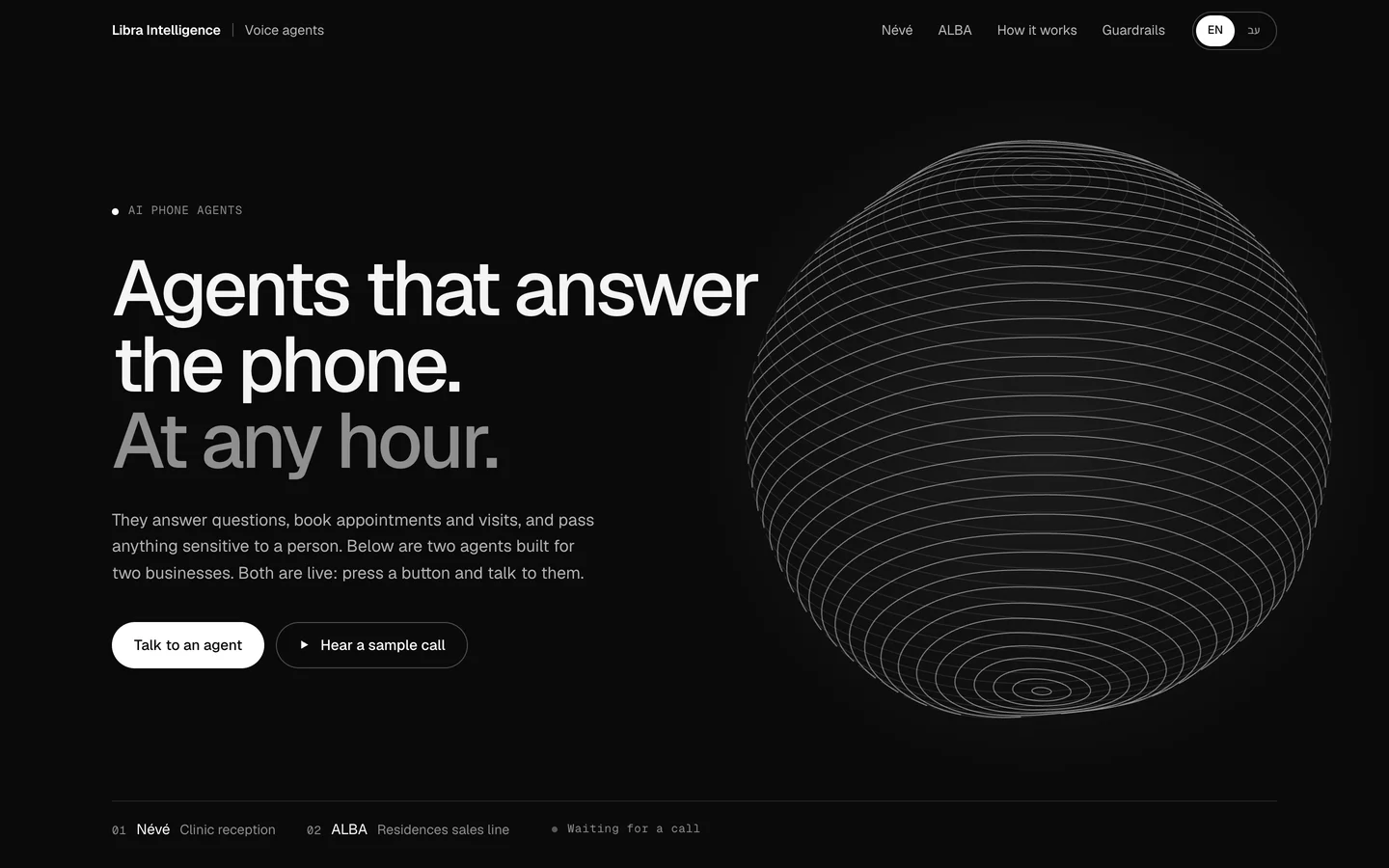
Missed calls are lost leads, especially for clinics and sales offices. A voice AI agent can answer in more than one language, book an appointment, write a summary of the conversation into the CRM and pass anything sensitive to a person. In our AI phone agents example we built agents like this for a fictional clinic and sales office. What to check before introducing one, and where it does not fit, is in our guide to AI phone agents.
Website chat
Website chat suits people who are already on the page and have a question before they leave their details. A bot with preset buttons is enough for a few fixed questions; an AI agent fits when the questions vary and it also needs to act, for example to check availability. The trade-offs are set out in chatbot vs AI agent.
Why the CRM sits at the centre of automation
Automation without one place that holds what you know about a customer creates a new problem: the WhatsApp agent does not know the customer already filled in a form, the automated message goes to someone who has already bought, and the report does not add up. The CRM is where every enquiry, conversation, appointment and quote is recorded against the same customer, and every automation reads from it and writes to it.
So in most projects the order is: first sort out the CRM, its fields and statuses, and only then build automations on top. If you do not have one yet, or have one nobody fills in, our guide to CRM for small business helps you choose and start. Sectors with long sales cycles need their own structure; in real estate, for example, leads have to be tied to unit inventory and sales stages, which we cover in our article on real estate CRM.
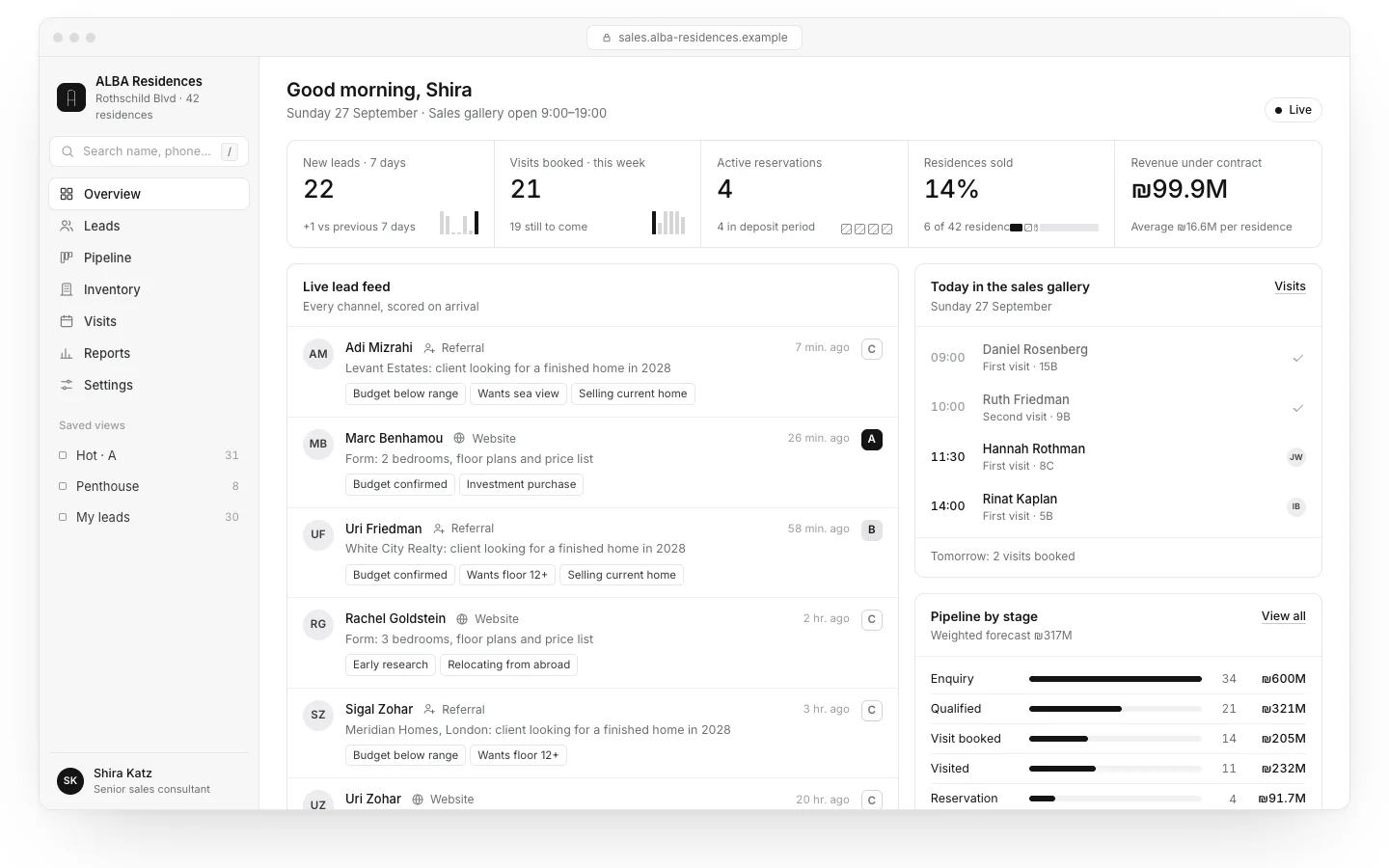
In the ALBA CRM and sales dashboard, a concept we built for a fictional residential project, every lead from the website, the phone agent and WhatsApp lands in the same place, alongside the unit inventory and the sales pipeline. That structure is what turns an AI agent from a reply tool into part of the sales process.
Automation tools: n8n, Make, Zapier and custom code
Connections between systems are usually built in one of two ways: on an automation platform with a visual editor, or in code written for the business. Zapier and Make are easy to start with and run as cloud services, priced by volume of activity. n8n can also run on your own server, which gives control over data and cost at high volumes and needs someone to maintain it. Custom code fits when the logic is complex, volumes are large or security requirements go beyond what the platforms offer.
The choice depends on volume, complexity, where the data needs to live and who will maintain it after launch. A full comparison, including how each tool prices, is in n8n vs Make vs Zapier. What matters now: the tool is the small part of the work. Most of the time goes into defining the process, the exceptions and the testing.
AI assistants on company knowledge
Another kind of automation faces inward: an AI assistant that answers staff from the business’s own documents, procedures, contracts, price lists and product manuals, so they stop asking the same person the same question. The technique is usually called RAG (retrieval-augmented generation): the system finds the relevant passages and asks the model to answer only from them, citing the source.
In the Varon Kessel AI assistant, a concept we built for a fictional law firm, every answer shows the documents it came from, so it can be checked. That is the principle to require of any assistant like this. How to build one, how to handle permissions and what it cannot do is in our guide to an AI assistant trained on company documents.
Privacy and data security
Automation moves personal data between systems: names, phone numbers, enquiry history and sometimes medical or financial details. Every connection is therefore also a privacy question. The rules depend on where you and your customers are; GDPR in Europe is the best-known framework. In Israel, the market we work in, Amendment 13 to the Privacy Protection Law came into force on 14 August 2025. It expanded the enforcement powers of the Privacy Protection Authority, including monetary sanctions, and requires some organisations to appoint a privacy protection officer (IAPP overview). The 2017 Data Security Regulations also apply, requiring among other things data mapping, access control, documenting security incidents and managing vendors (IAPP explainer).
This is not legal advice, and your business’s specific obligations are worth checking with a privacy lawyer where you operate. But a few principles belong in every automation from the start:
- Collect only what you need: an agent that books appointments does not need an ID number. A field you never collect is a field that cannot leak.
- Know where the data sits: for every tool in the chain, CRM, automation platform, model provider, WhatsApp provider, know where data is stored, for how long and who can access it.
- Check the model provider’s terms: if customer messages pass through a language model, confirm in the provider’s business terms whether data is used for training and how long it is retained.
- Permissions by role: not every person and every automation needs access to all the data.
- Treat sensitive data separately: medical, financial or legal information needs more care, and sometimes should not go through a general cloud tool at all.
- Consent for marketing: automated marketing messages need a basis of consent, and an opt-out that works on every channel.

Risks of AI automation, and how to contain them
Wrong answers
A language model can produce a confident answer with no basis. OWASP, which publishes a widely used list of risks for LLM applications, includes misinformation, sensitive information disclosure, prompt injection and giving a system too much agency (OWASP Top 10 for LLM Applications). In practice: the agent answers only from information it has been given, prices and policies are pulled from one up-to-date source, and anything not written down goes to a person instead of being guessed.
Over-automation
A customer trying to reach a person who gets stuck in a bot loop, or receives three follow-ups in one day, will remember it. Every automation that faces customers needs a ceiling: how many messages, how far apart, and when to stop. Check the experience from the customer’s side now and then, not only the metrics.
Handover to a human
This is the point most projects neglect. Decide in advance when the agent hands over (an explicit request, a complaint, a sensitive topic, a payment, uncertainty), to whom, within how long, and what the customer hears meanwhile. The handover should carry everything said so far, so the customer does not have to repeat themselves.
Logging and monitoring
Every action of an automation or agent should be logged: what came in, what was decided, what was sent and where. Without logs you cannot understand why a customer got a certain answer, fix it, or show what happened if there is a complaint. You also need an alert when something breaks, such as the calendar connection failing, because an automation that fails silently is worse than none.
Permissions and limits
An agent that can book appointments does not need permission to delete customers. Every tool you give an agent is authority, so give the minimum the process needs. Irreversible actions, such as a refund or cancelling a large booking, are better routed through human approval.
Good automation knows exactly what it does, and what it hands to a person.
How to start: map one process, measure, build, measure again
The safe way to start is not to “bring AI into the business” but to choose one process and improve it end to end. The order:
- Choose one process by the criteria above: frequent, clear rules, cheap mistakes.
- Write it down as it happens today: where it starts, who does what, in which systems, and which exceptions occur. Unnecessary steps usually show up here already.
- Measure before: how often a week, how long each time, how long until a response, how much slips through. A week or two of simple measurement is enough.
- Decide where a person stays: which cases go to a person, to whom and how.
- Build the simplest version that works: rules first, AI only in the step that really needs it.
- Test on real cases before going live with customers, including the exceptions and the odd ones.
- Roll out gradually: one channel, or part of the leads, with someone reviewing results in the first days.
- Measure again on the same metrics, and compare.
- Only then move on to the next process.
Agree up front who owns the automation after launch. A price changed, opening hours were updated, a new service was added: every change like that has to reach the agent and the templates too. Automation without an owner goes stale quickly.
How much does business automation cost?
There is no single price, because “automation” can mean one connection between a form and a CRM or an AI agent connected to four systems on three channels. The ranges below are rough USD conversions of ranges we see in the Israeli market; not a price list. They exclude tax, vary widely between suppliers, and agencies in the US or Western Europe often charge more:
| Type of work | Rough setup range (USD) | What it depends on |
|---|---|---|
| A single rule-based automation | Roughly $400–$2,200 | How many systems are connected, the conditions and exceptions, whether the CRM needs sorting first. |
| A set of automations around a sales process | Roughly $2,200–$8,000 | Number of processes and channels, document templates, reports and team training. |
| An AI agent on one channel (WhatsApp or chat) | Roughly $2,700–$11,000 | How much knowledge it answers from, calendar or booking integration, languages, handover rules, testing. |
| A voice agent or a multi-channel agent | Roughly $5,500 and up | Channels, integrations, conversation complexity, privacy and logging requirements. |
| Running costs | From tens to several hundred dollars a month, more at high volume | Tool subscriptions, model usage by volume, WhatsApp message fees or call minutes, maintenance and updates. |
What moves the price up or down:
- Number of systems and how they connect: a system with a proper API connects quickly. An old system without one needs a workaround, and sometimes is not worth it.
- Exceptions: the normal path is usually the small part. What happens when a customer changes the date halfway, writes in another language or sends a photo is where the hours go.
- How much AI is really needed: rule-based automation is cheaper to build and run than an agent. An agent also needs testing and tuning after launch.
- Languages and channels: every extra language or channel means more templates, more testing and sometimes another subscription.
- Privacy and security: sensitive data needs permissions, logging and sometimes storage in a particular place, which adds work.
- Volume: hundreds of actions a month cost little. Tens of thousands change the choice of tool and the monthly bill.
To know whether it pays, go back to the measurement: hours a week the process takes today, times the cost of an hour, plus what is lost while a lead waits. If setup plus running costs over a year come in well below that, there is a case. If not, it is probably not the right first process.
Common mistakes in business automation
- Starting with an AI agent on every channel instead of one process that works.
- Automating an unclear process, and getting the same mess, only faster.
- Connecting tools without one CRM, so every system holds a different version of the customer.
- Not defining a handover to a person, or defining one that nobody actually receives.
- Not measuring before, and so not knowing afterwards whether it helped.
- Leaving the automation without an owner, until the prices the agent quotes are out of date.
What Libra builds here
At Libra we map where time goes in a business, choose the process that will save the most, and build the automations, the AI agents on WhatsApp, the website and the phone, and the CRM connections around it, with handover to a person and logging from day one. The details are on our business automation and AI agents page. The examples, EMBER, the phone agents and the ALBA CRM, are concepts we built with fictional businesses to show the level.
If you have a process that repeats and are not sure where to start, send a brief with a few words about the business and where most of the time goes. We reply by email with a direction, a written price and a date.
No term matches.
More on AI agents & automation
- Chatbot vs AI agent: what the difference is, and when each is enough ComparisonScripted chatbots, LLM chatbots and AI agents that act in your systems: a comparison table, when a simple bot is enough, and the guardrails an agent needs.
- n8n vs Make vs Zapier: how to choose an automation platform Comparisonn8n vs Make vs Zapier compared: how each one charges (tasks, credits, executions), self-hosting and n8n’s licence, data location, AI agents, errors and a checklist.
- The WhatsApp Business API in Israel: getting access, templates and what Meta chargesWhatsApp Business app vs the API, how to get access, direct Cloud API or a provider, message templates, the 24-hour window and Meta’s per-message pricing.
- A CRM for a small business: when you need one, what it must do and how to chooseWhat a CRM does for a small business, when a spreadsheet stops working, must-have features, buy or build, migration, privacy, cost and a checklist.
- An AI assistant trained on company documents: how it answers from your knowledge, with sourcesHow an AI assistant answers from company documents (RAG): retrieval vs training, preparing documents, permissions, citations, testing and security.
- An AI agent that answers the phone: how it works for a clinic and a sales officeWhat an AI phone agent can do in Hebrew and English, how it books appointments and viewings, when it must hand over to a person, and what to prepare before it goes live.
- A WhatsApp AI agent for restaurants and hotels: what it answers, and what it doesn’tHow a WhatsApp AI agent answers guests, books a table or a room and hands over to staff. What you need from the WhatsApp Business Platform, how Meta charges, and what it should never do alone.
A short picker
What fits you?
What is closest to what you need?
Where are you now?
Questions
What is business automation with AI?
It is moving repetitive work, such as replies to leads, reminders, quotes and reports, to a system that runs on its own from a trigger and conditions, with AI used where text has to be read, sorted or written. It connects the systems a business already has, such as the website, WhatsApp, the calendar and the CRM.
What should a small business automate first?
Processes that happen often, have clear rules and are cheap to get wrong. For most businesses that means lead capture and routing, first replies, scheduling and reminders, and follow-ups.
What is the difference between automation and an AI agent?
Rule-based automation runs the same actions on fixed rules. An AI agent holds a conversation and decides the next step itself, so it needs limits, testing, logging and a handover to a person.
Can AI automation replace my team?
In most businesses it takes over the repetitive part, first replies, bookings and common questions, and passes what needs judgement to the team. The team handles fewer enquiries, but the ones that actually need them.
How much does business automation cost?
As rough conversions of ranges we see in Israel, a single rule-based automation costs roughly $400–$2,200 and an AI agent on one channel roughly $2,700–$11,000 to set up, plus monthly running costs. The price depends on the number of systems, exceptions, channels and volume.
Is it safe to send customer data to AI tools?
It depends on the data, the provider’s terms and the privacy law that applies to you. Collect only what you need, know where every tool stores data, check whether the model provider uses it for training, and get legal advice for sensitive data.
Which tools are used for business automation?
Platforms such as Zapier, Make and n8n connect systems with a visual editor, and custom code is used for complex logic or high volumes. The tool matters less than defining the process, the exceptions and the handover.
Getting started
Want this for your business?
Send a short brief: three required questions, the rest only if you like. We reply by email with a direction, a written price and a date.