An AI assistant trained on company documents: how it answers from your knowledge, with sources
How an AI assistant answers from company documents (RAG): retrieval vs training, preparing documents, permissions, citations, testing and security.
Part of the guide: Business automation with AI: a practical guide for small and mid-sized businesses
An AI assistant trained on company documents answers questions from the business’s own material: procedures, contracts, price lists, product manuals and answers already written. In most cases it is not trained on the documents at all. For each question it searches for the relevant passages, gives them to a language model and asks it to answer only from them, citing the source. The method is called RAG, and it is what makes every answer checkable and lets you update knowledge without rebuilding anything.
This article is about building one: how RAG works, preparing documents, keeping permissions, testing before launch, what happens when there is no answer, and how to secure it. The difference between a rule-based bot, an LLM chatbot and an agent that takes actions is covered in chatbot vs AI agent, and how a knowledge assistant fits with the rest of a business’s automation in our guide to business automation with AI.
How does an AI assistant on company documents work?
RAG stands for retrieval-augmented generation: an answer generated on top of retrieved information. It was described in 2020 in a paper by Lewis and colleagues, which presented it in part as a way to give language-model answers provenance. In a business it runs in two stages:
- Preparation, once and on every update: documents are split into passages, each passage gets a numerical representation of its meaning (an embedding), and everything is stored in an index that can be searched by meaning, not only by words.
- On every question: the system searches the index for the passages closest to the question, filters them by what the user may see, and sends them to the model with an instruction to answer only from them and say which document each part came from.
The advantage: the answer rests on text you can show. When a document changes, the index is updated, and the next answer already reflects the change.

“Trained on our documents”: retrieval, not training
Many proposals talk about “a model trained on your company’s knowledge”. Usually they mean RAG, which is fine. Real training (fine-tuning) changes the model itself; it suits teaching a style, a format or a repeated task, not remembering facts that change.
| Retrieval (RAG) | Fine-tuning | |
|---|---|---|
| What changes | The document index. The model stays as it is | The model’s weights |
| Updating knowledge | Update a document and re-index | Train again |
| A source for each answer | Yes, you can show the passage | No, the knowledge is “inside” the model |
| Per-user permissions | You can filter what is retrieved for each user | Very hard: what was learned is available to everyone |
| Fits | Questions on procedures, contracts, products and policy | A fixed writing style, format, classification |
When a supplier says “training”, ask directly: does every answer show its source, and what happens when a document changes tomorrow morning?

Preparing the documents: where quality starts
The assistant is exactly as good as the material it answers from. Most of the work in a project like this is not in the code but in the documents:
- One version per topic: three procedures that contradict each other produce three answers. Remove or mark old versions.
- An owner and a date: every document has someone responsible and an update date, so you can tell what is current.
- Readable text: scanned PDFs without a text layer, tables saved as images and protected files need converting. Check how each file type is read before loading thousands.
- Clear structure: headings, numbered clauses and a descriptive file name help splitting and citation.
- What stays out: documents with personal data the answers do not need, drafts and sensitive internal correspondence.
Permissions: each user sees only what they may
In an internal assistant this is the most important requirement and the one most often forgotten. If the assistant searches every document for everyone who asks, a person not cleared to see a particular client’s contract will get a quote from it. OWASP, which publishes a widely used list of risks for LLM applications, covers this under vector and embedding weaknesses: unauthorised access and leaks between user groups when access controls are misaligned. It recommends permission-aware indexes and logical partitioning of the data.
In practice, permissions are enforced at retrieval, based on who is signed in, and mirror the permissions that already exist in your drive or document system. Do not rely on telling the model “do not show confidential documents”; the model can be wrong or manipulated.
Citations: every answer shows where it came from
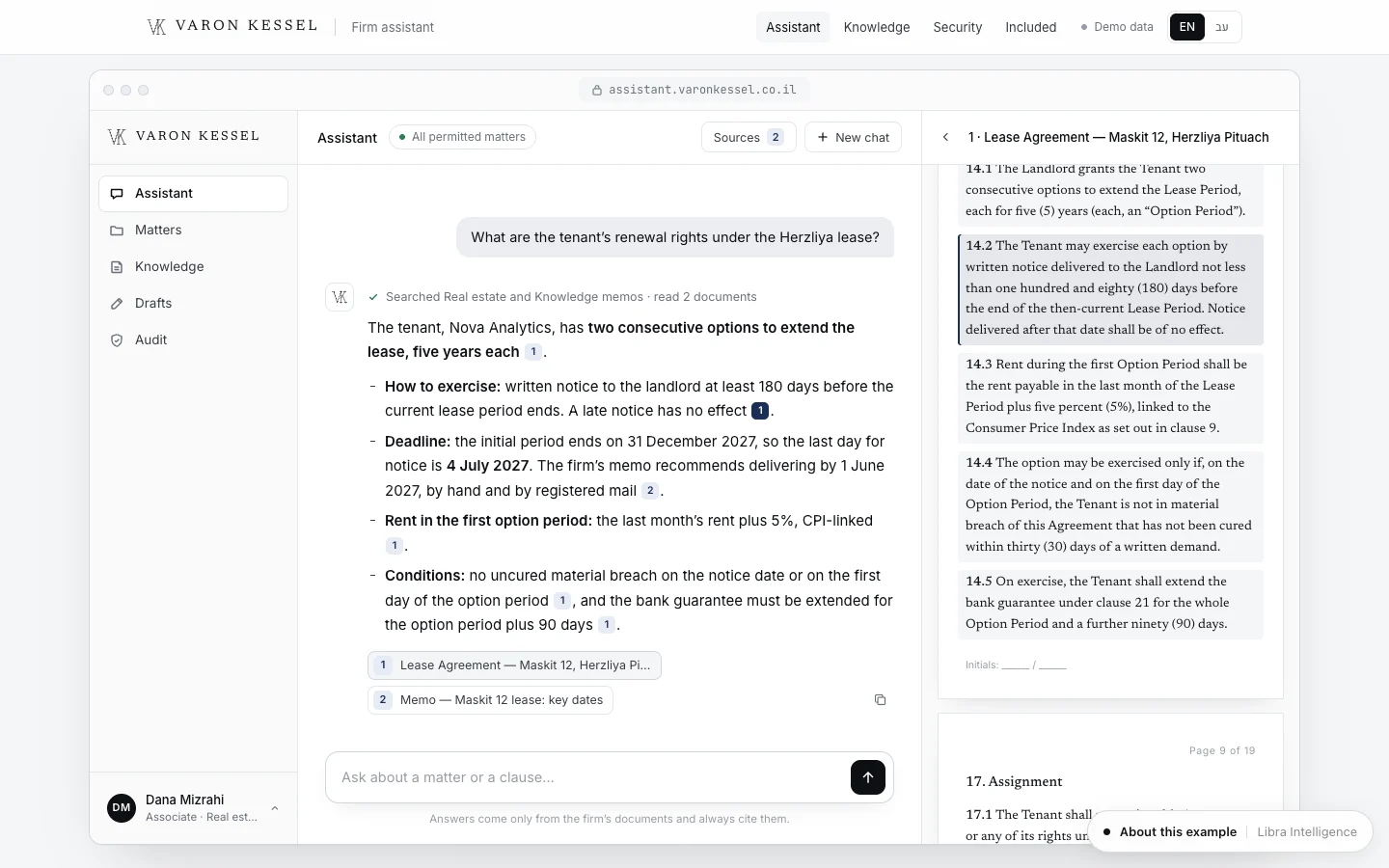
An assistant that answers without a source asks to be trusted. One that shows the clause, the document and the date lets people check in seconds. The Varon Kessel AI assistant is a concept we built for a fictional law firm: it answers from the firm’s own documents, and every answer shows its sources with a link to the passage. That is the standard to require, and in fields such as law, medicine or finance it is essential. How an assistant like this fits into a law firm’s website is covered in our article on law firm website design.
Testing before launch: a set of real questions
Before the assistant opens to the team, build an evaluation set: a few dozen real questions people in the business ask, each with the correct answer and the document it lives in. Run it after every change to the documents, the splitting or the model.
- Simple questions answered in a single clause.
- Questions whose answer is spread across two documents.
- Questions phrased differently from the document, in every language your team uses, with typos.
- Questions with no answer in the documents, to check the assistant says so.
- Questions from a user without permission, to check they do not get the answer.
For each answer, check three things: that it is correct, that the cited source actually says it, and that nothing was added that the source does not contain.
When there is no answer: handling hallucinations
A language model can phrase a confident answer with no basis. RAG reduces this but does not remove it. What works:
- A clear instruction to answer only from the retrieved passages, and to say “I could not find this in the documents” when they do not answer the question.
- A threshold: if the passages found are far from the question, the assistant does not answer but refers to a person.
- Mandatory citations, so an answer without a source stands out at once.
- A “this answer is wrong” button that reaches whoever owns the documents.
- A weekly read of a sample of questions and answers, fixing the documents, not only the instructions.
Security: prompt injection and poisoned documents
OWASP ranks prompt injection first in its 2025 list of risks for LLM applications (LLM01). For a document assistant the main danger is the indirect kind: a document, email or web page that enters the index carrying text that tries to change the model’s behaviour. OWASP states plainly that RAG does not fully mitigate this, and recommends, among other things, least-privilege access, separating external content and human approval for high-risk actions.
- Index only known sources, and label content that comes from outside (customer emails, uploaded files).
- An assistant that only answers, with no tools to send, delete or change anything, greatly limits the possible damage.
- If it has tools, every sensitive action goes through human approval.
- Log every question, the passages retrieved and the answer, so you can see what happened.
Where the data sits
In an assistant like this, documents pass through several components: their storage, the index, the language-model provider and the application itself. For each, know where it runs, how long data is kept and who can access it. Model providers’ business terms differ from their consumer terms. Anthropic, for example, states that by default it does not use inputs or outputs from its commercial products, including the API, to train its models (Anthropic Privacy Center). Check this in the terms of whichever provider you use, and for sensitive material, with a privacy lawyer.
Internal assistant or customer-facing?
| Internal assistant for the team | Customer-facing on the website or WhatsApp | |
|---|---|---|
| Answers from | Procedures, contracts, professional knowledge, history | Public information only: FAQs, policies, products |
| Permissions | By role and team, essential | Everyone sees the same knowledge, so nothing internal goes in |
| Main risk | Leaks between users | A wrong answer that sounds like a commitment by the business |
| When there is no answer | Points to a document or a colleague | Hands over to a person with a summary |
| Start when | The same questions keep reaching the same people | Most enquiries are information questions with written answers |
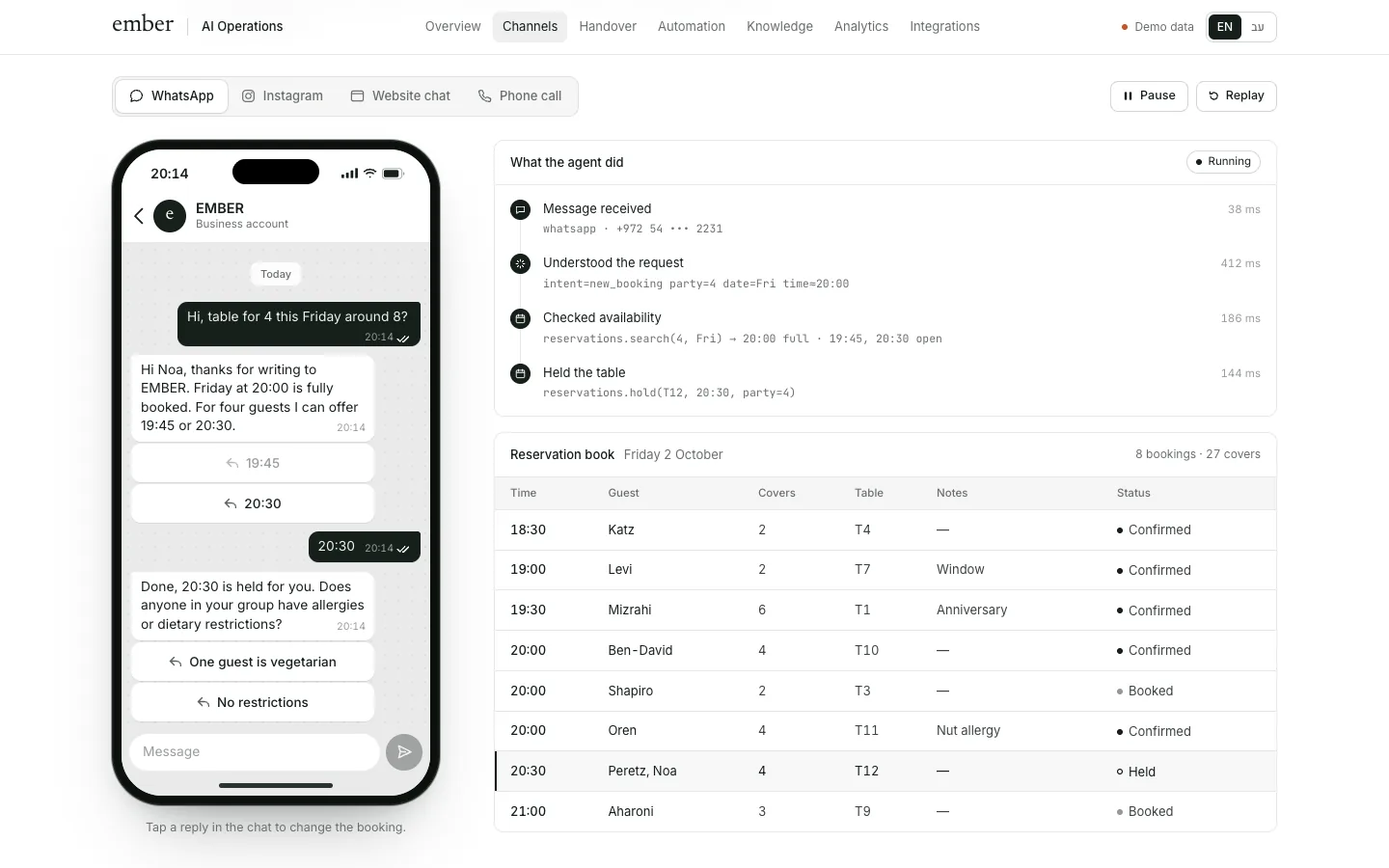
Starting internally is usually wiser: the audience is forgiving, feedback is easy to collect, and the team quickly finds which documents are missing or contradictory. An assistant that also takes actions, such as booking, is an agent; the EMBER agent is one we built for a fictional restaurant. Connected to a CRM, an assistant can also answer about a customer’s history, subject to permissions; choosing a CRM is covered in our guide to CRM for small business.
How much does an AI knowledge assistant cost?
Rough USD conversions of ranges we see in the Israeli market, not a price list, before tax: an assistant on one document collection, without complex permissions, with citations and an evaluation set, is roughly $2,700–$8,000. One with per-user permissions, a connection to your drive or document system, automatic re-indexing and full logging usually starts around $8,000. The price depends on how many documents there are and their state, file types, permissions, languages and the number of users. On top come running costs: model usage by volume, storage and indexing, and keeping the knowledge current. Agencies in the US or Western Europe often charge more.
Checklist before you build
- Collect 30 to 50 real questions that recur in the business, with the correct answers.
- Map the documents that answer them, and mark old and contradictory versions.
- Decide who owns each document collection and keeps it current.
- Define permissions: who sees what, mirroring the permissions you already have.
- Require a cited source in every answer.
- Define what the assistant says when there is no answer, and who it refers to.
- Check where data is stored and the model provider’s business terms.
- Run the evaluation set before launch and after every change.
- Start with a small group on the team, and read the questions in the first weeks.
What Libra builds here
At Libra we build AI assistants that answer from a business’s own documents, with a source in every answer, per-user permissions, an evaluation set and logging, for an internal team or for customers. The details are on our automation and AI agents page. Send a brief with the kinds of documents, where they live today, who will use the assistant and a few examples of questions that keep coming up. We reply by email with a direction, a written price and a date.
No term matches.
Questions
Can you build an AI chatbot that answers from company documents?
Yes. With RAG, the assistant searches your documents for the relevant passages on each question, gives them to a language model and asks it to answer only from them, citing the source.
What is RAG?
Retrieval-augmented generation: the system retrieves relevant passages from a document collection and a language model writes the answer from them. That makes sources visible and lets you update knowledge without retraining a model.
Do I need to fine-tune a model on my documents?
Usually not. Retrieval suits knowledge that changes, because it allows sources, permissions and instant updates. Fine-tuning suits style or format, not facts.
How do you stop the assistant making things up?
Instruct it to answer only from retrieved passages, require citations, set a threshold below which it refers to a person, and test it on a set of real questions. The risk becomes small but does not disappear.
Can an employee without access get confidential information from the assistant?
Only if permissions were built wrongly. They must be enforced at retrieval, based on the signed-in user, not by an instruction to the model.
Will our documents be used to train the provider’s models?
It depends on the provider’s terms. Some, Anthropic for example, state that by default they do not train on data from their commercial products; check the terms of the provider you use.
How much does an AI assistant on company documents cost?
As rough conversions of ranges in the market we work in, one document collection with citations is roughly $2,700–$8,000, and permissions and integrations start around $8,000, plus ongoing usage costs.
Getting started
Want this for your business?
Send a short brief: three required questions, the rest only if you like. We reply by email with a direction, a written price and a date.