The WhatsApp Business API in Israel: getting access, templates and what Meta charges
WhatsApp Business app vs the API, how to get access, direct Cloud API or a provider, message templates, the 24-hour window and Meta’s per-message pricing.
Part of the guide: Business automation with AI: a practical guide for small and mid-sized businesses

The WhatsApp Business API, now officially the WhatsApp Business Platform, is Meta’s interface that lets software send and receive WhatsApp messages on a business’s behalf: a CRM, an automation or an AI agent. To get access you need a Meta business portfolio, a phone number and a display name, and you connect either directly to Meta’s Cloud API or through a provider. Messages the business starts must be pre-approved templates, and Meta charges per delivered template message, by message category and the recipient’s country.
This article is about the platform itself: how it differs from the app, what you need to connect, direct access versus a provider, how templates and pricing work, and what Meta’s rules require. What a WhatsApp AI agent actually says to guests at a restaurant or hotel is covered in our article on WhatsApp AI agents, and the wider picture in our guide to business automation with AI. We checked every Meta fact on Meta’s own pages on 28 September 2026; they change, so each one links to its source.
WhatsApp Business app vs the WhatsApp Business API
The WhatsApp Business app is a free app a person runs on a phone: a business profile, a catalogue, saved replies and labels. It suits a business where one or two people answer by hand. It has no interface software can work with, so a CRM or an AI agent cannot be properly connected to it.
The platform (the API) looks the same to the customer, but on the business side there is no app, only an interface your systems talk to. That is what lets several agents share one number, a CRM log every conversation and an AI agent answer and book.
| WhatsApp Business app | WhatsApp Business Platform (API) | |
|---|---|---|
| Who operates it | A person, on a phone or linked device | Systems: a CRM, automations, an AI agent, a shared inbox |
| Connection to systems | No interface for software | A full interface for sending, receiving and status updates |
| Business-initiated messages | Manual | Only templates pre-approved by Meta |
| What Meta charges | The app is free | Per delivered template message, by category and country |
| Fits | A small business answering by hand | Volume, several agents, automation or an AI agent |
Can the same number stay on the app?
It used to be that a number moved to the API left the app. Meta now lets a number already active on the WhatsApp Business app also connect to the Cloud API, so it works in both (Meta’s documentation). There are limits: a fixed throughput of 20 messages per second, some app features switched off (broadcast lists and disappearing messages, for example), group chats not synchronised, and only the last 180 days of history carried over.

How to get access to the WhatsApp Business API
According to Meta’s getting-started guide, the connection rests on a few pieces. Make sure every one of them is registered to your business, in your account, not the provider’s:
- A Meta business portfolio, which holds the business’s assets.
- A WhatsApp Business account, created inside the portfolio, which holds the numbers and templates.
- A phone number that sends and receives messages, with a display name customers see.
- A Meta app with WhatsApp permissions, and a webhook: an address where Meta sends every incoming message and status update.
- Business verification, not required to start but needed to lift the sending limit.
Messaging limits and business verification
A new business portfolio can send business-initiated messages, outside the service window, to 250 unique numbers in any 24 hours. To reach 2,000 you verify the business, have a partner verify it, or send 2,000 high-quality template messages within 30 days. Beyond that the limit rises automatically to 10,000, 100,000 and unlimited, as long as quality stays high and you use at least half of your current limit (Meta’s messaging limits). The limit applies only to conversations the business opens; replying to customers who wrote first does not count against it.
The display name is reviewed automatically when the business reaches a higher limit, and if it is rejected you edit it to meet Meta’s guidelines. Decide it once, on the name customers already know.

Direct Cloud API or a provider (BSP)
There are two ways in. Direct to the Cloud API: your developers, or the studio, connect your systems straight to Meta’s interface. Through a provider (a Business Solution Provider, or Tech Provider in Meta’s terms): a company that runs the connection for you and usually adds a shared inbox, template management and simple automations. Either way Meta’s message pricing is the same; the provider adds a subscription or a per-message markup on top, depending on its model.
| Direct Cloud API | Through a provider | |
|---|---|---|
| What you get | The interface only. Everything else is built for you | The interface plus tools: shared inbox, template manager, reports |
| Cost beyond Meta’s pricing | Development and maintenance | A monthly plan or a per-message markup, depending on the provider |
| Flexibility | Full: any connection to CRM, calendar and AI agent | Within what the provider supports or exposes in its own API |
| Fits when | You have your own systems, or an AI agent tied to several of them | A team answering by hand wants a ready tool without development |
Ask any provider whose name the account and number are registered in, whether you can leave with the same number and templates, how it charges on top of Meta, and where conversations are stored.

Message templates: marketing, utility and authentication
Every message a business sends outside the service window must be a pre-approved template: fixed text, variables (name, date, order number) and sometimes buttons and an image. Meta’s template categorisation guidelines set three categories:
- Marketing: anything meant to sell, promote or bring a customer back, including a message that mixes service with promotion.
- Utility: non-promotional and tied to the customer’s own transaction or account, such as a booking confirmation, an appointment reminder or a delivery update.
- Authentication: a one-time passcode for verifying identity, in Meta’s fixed format.
Meta reviews every template before it can be used, and can recategorise a template submitted as utility if it is really marketing, with notice. A reminder that ends with an offer is a marketing message and is priced as one, so write each template for one job.
The 24-hour customer service window
When a customer messages a business, a customer service window opens for 24 hours from their latest message. Inside it the business can reply freely, without templates, and every new message from the customer extends it. Once it closes, the business can reach the customer only with an approved template. For an AI agent, almost the whole conversation happens inside the window; templates are needed mainly for reminders, follow-ups and notices the business starts.
WhatsApp Business API pricing: what Meta charges
According to Meta’s pricing page, since 1 July 2025 Meta has charged per message, and only for template messages, at the moment they are delivered. The rate depends on the category and the recipient’s country calling code; Israel has its own line in the rate card.
| Message type | Inside an open service window | Outside the window |
|---|---|---|
| Free-form message (not a template) | Free | Cannot be sent |
| Utility template | Free | Charged |
| Authentication template | Charged | Charged |
| Marketing template | Charged | Charged |
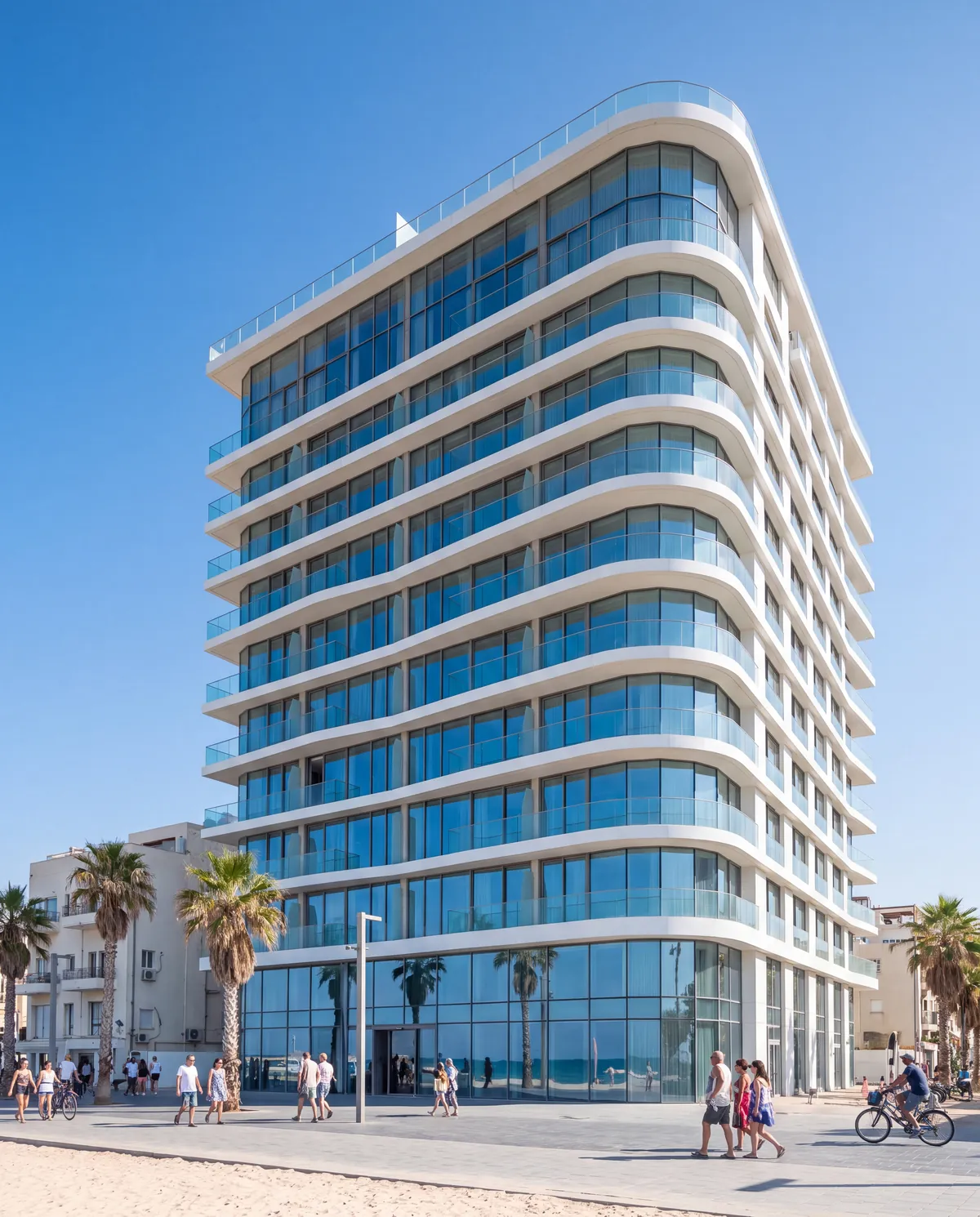
Two details matter. First: when a customer arrives from a Click to WhatsApp ad or a call-to-action button on a Facebook Page and the business replies, a 72-hour window opens in which every message is free, templates included. That matters for campaigns that lead into WhatsApp, such as the Hôtel Marée launch campaign, a concept we built for a fictional boutique hotel in Jaffa. Second: utility and authentication templates have volume tiers with lower rates as monthly volume grows. Meta updates country rates several times a year, so we have not put a per-message price here; check the current rate for your recipients’ country in Meta’s rate card or with your provider.
Opt-in and human handover: what Meta’s policy requires
Under the WhatsApp Business Messaging Policy (last updated 23 September 2026), you may contact someone on WhatsApp only if they gave you their number and confirmed they want to receive messages from you. How you collect that opt-in, and whether it meets the law that applies to you, is the business’s responsibility. Any request to stop, on WhatsApp or elsewhere, must be respected and the person removed from your list.
The same policy allows automation inside the service window provided there is a prompt, clear and direct path to a person: transfer to an agent in the chat, a phone number, email, a support form or a visit. An AI agent on WhatsApp therefore has to know when and how to hand over. Local marketing law adds its own layer; in Israel that is the anti-spam provision, discussed in our article on WhatsApp AI agents.

What gets built around the API, and what it costs
The API is a pipe; the value comes from what is connected to it:
- A shared inbox: several people answering from one number, with assignment and internal notes.
- A CRM connection: every enquiry becomes a customer record with source, status and history. Without it, WhatsApp becomes one more place leads get lost; see our guide to CRM for small business.
- Automatic messages: booking confirmations, appointment reminders and status updates, as utility templates.
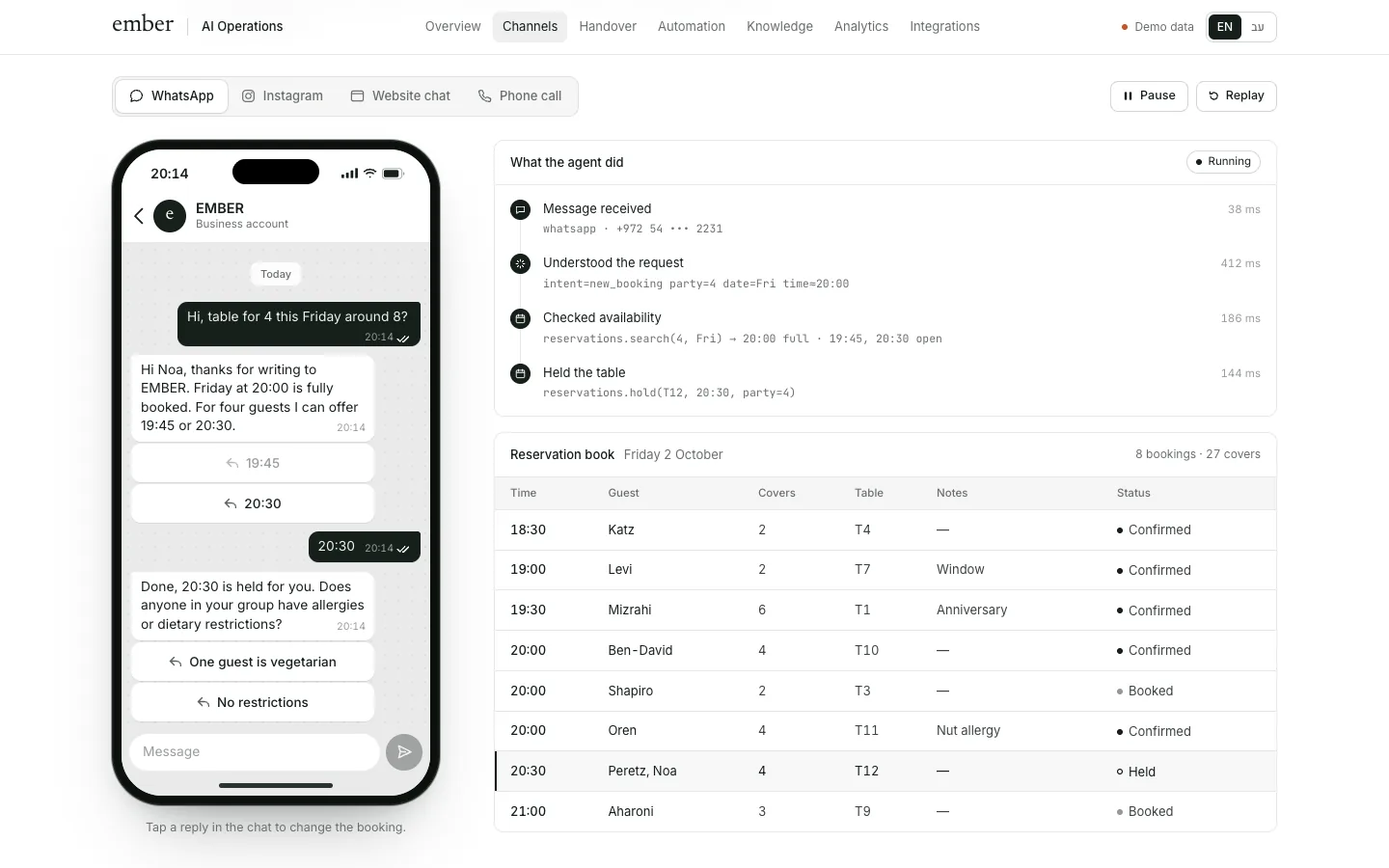
- An AI agent: answers questions, checks availability, books and hands over to a person. How it differs from a button bot is in chatbot vs AI agent. The EMBER agent is a concept we built for a fictional chef restaurant: it answers on WhatsApp, Instagram, the website and the phone, and books tables in the reservations system.
Rough USD conversions of ranges we see in the Israeli market, not a price list: connecting WhatsApp to a CRM with a few automatic messages is usually roughly $400–$2,200, depending on the systems and exceptions. A WhatsApp AI agent with a knowledge base, a calendar or booking integration and handover rules is roughly $2,700–$11,000. On top come monthly costs: Meta’s message fees, a provider plan if any, model usage and maintenance, from tens to several hundred dollars a month depending on volume. Agencies in the US or Western Europe often charge more.
Checklist before you connect
- Decide which number moves, and whether it stays on the app too.
- Open or tidy the Meta business portfolio in the business’s name, and make sure you hold admin rights.
- Verify the business with Meta so you are not stuck at 250 business-initiated conversations a day.
- Choose the display name once, the name customers already know.
- Choose direct access or a provider, and get in writing what happens if you switch providers.
- Write the templates: one job per template, utility and marketing kept apart.
- Define how opt-in is collected and where it is stored.
- Define handover to a person: when, to whom, how fast, and what the customer hears meanwhile.
- Connect to the CRM so every conversation lands on the right customer.
- Check the current rate for your recipients’ country in Meta’s rate card and estimate monthly volume.
What Libra builds here
At Libra we connect the WhatsApp Business Platform to the CRM, the calendar and booking systems, write the templates and build AI agents that answer and hand over to a person, with the accounts and the number kept in the business’s name. The details are on our automation and AI agents page. Send a brief with the number customers use today, how many enquiries arrive each week and which systems need connecting. We reply by email with a direction, a written price and a date.
No term matches.
Questions
What is the difference between WhatsApp Business and the WhatsApp Business API?
The app is operated by hand from a phone and has no interface for software. The API (WhatsApp Business Platform) lets systems such as a CRM, automations and an AI agent send and receive messages for the business, and requires approved templates for business-initiated messages.
Is the WhatsApp Business API free?
Not entirely. Since 1 July 2025 Meta charges per delivered template message, by category and country. Free-form messages and utility templates inside an open service window are free, and marketing templates are always charged.
Do I need a BSP to use the WhatsApp Business API?
No. You can connect directly to Meta’s Cloud API, which is common when building an AI agent or connecting your own systems. A provider adds ready tools such as a shared inbox, plus a plan or markup on top of Meta’s pricing.
Can I use the same number on the WhatsApp Business app and the API?
Yes, Meta now lets a WhatsApp Business app number also connect to the Cloud API. There are limits, including fixed throughput, some app features switched off and only 180 days of history synchronised.
What is the 24-hour window on WhatsApp?
When a customer messages you, a 24-hour window opens from their latest message in which you can reply freely. After it closes, you can reach the customer only with an approved template.
How many messages can a new WhatsApp Business account send?
A new business portfolio can open conversations with 250 unique numbers in 24 hours. Verifying the business raises that to 2,000, and it rises automatically from there based on quality and volume.
Can I send marketing messages on WhatsApp?
Yes, only to people who opted in to receive messages from you, and only as approved marketing templates. Any request to stop must be honoured at once.
Getting started
Want this for your business?
Send a short brief: three required questions, the rest only if you like. We reply by email with a direction, a written price and a date.