Custom admin dashboard: when to build one, what goes in it, and how to write the requirements
When to build a custom admin system and when off-the-shelf is enough: modules, roles and permissions, data ownership, security, and a requirements checklist.
Part of the guide: How to develop an app for your business: from whether you need one to maintenance after launch
A custom admin dashboard is the back office where your team runs the business in one place: customers, orders or bookings, calendar, stock, content and reports, with each person’s access set by their role. Building one is worth it when your process does not fit off-the-shelf software, when data is scattered across several tools, or when it is the staff side of a customer app. When the process is standard, an off-the-shelf tool with good integrations will do, for less.
Build or buy comes first, so we start there. Then: the modules of an admin system, roles and permissions, integrations, data ownership, security basics, and a requirements checklist you can attach to a brief. The full development process, from discovery to maintenance, is in our guide to developing an app for your business.
What is an admin dashboard?
Every business with customers, orders or staff manages them somewhere. Often that is one spreadsheet, a shared calendar, two WhatsApp groups and a notebook. An admin system replaces that with one place where each action is recorded once, everyone sees the same data, and each person sees only what they are allowed to.
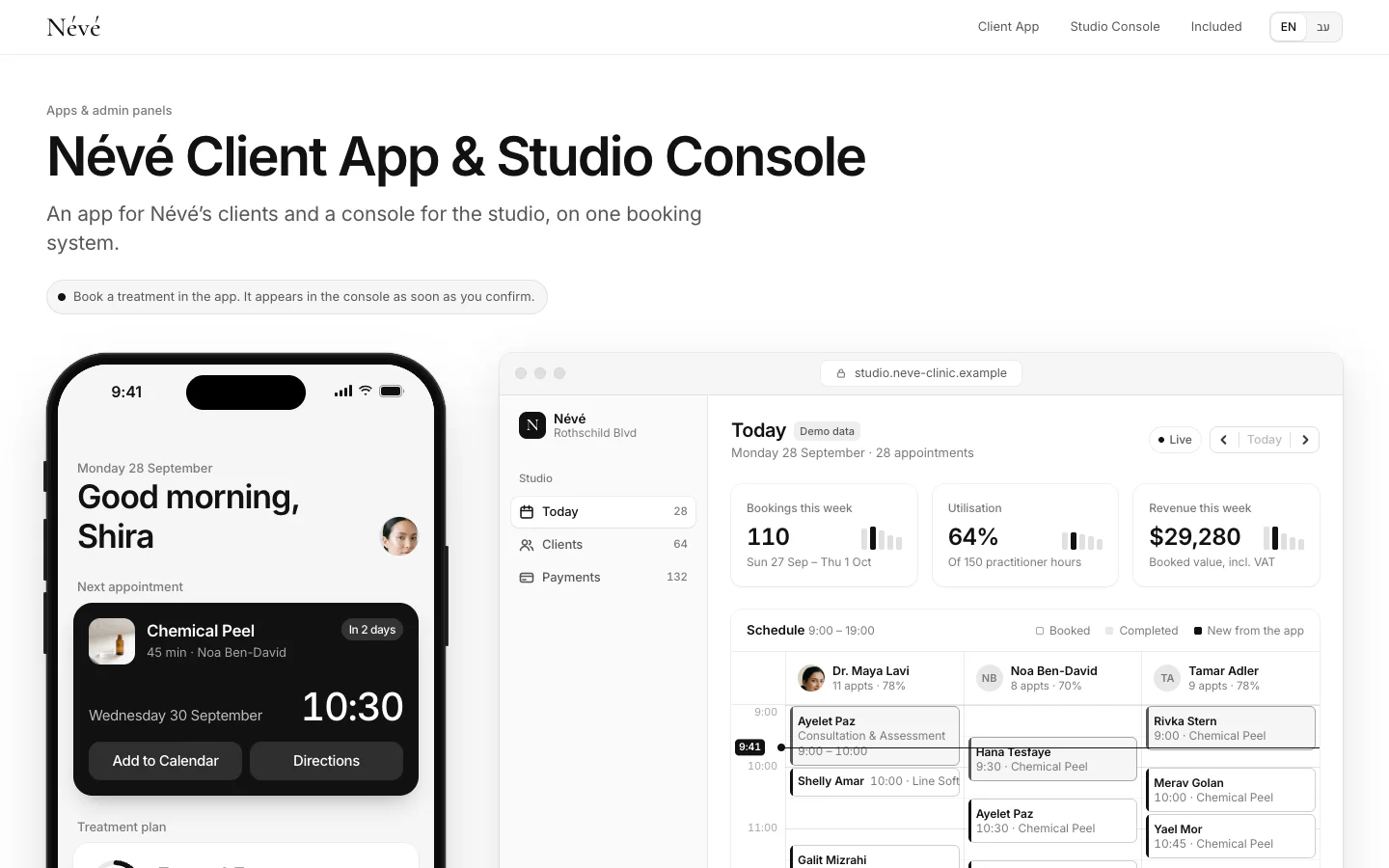
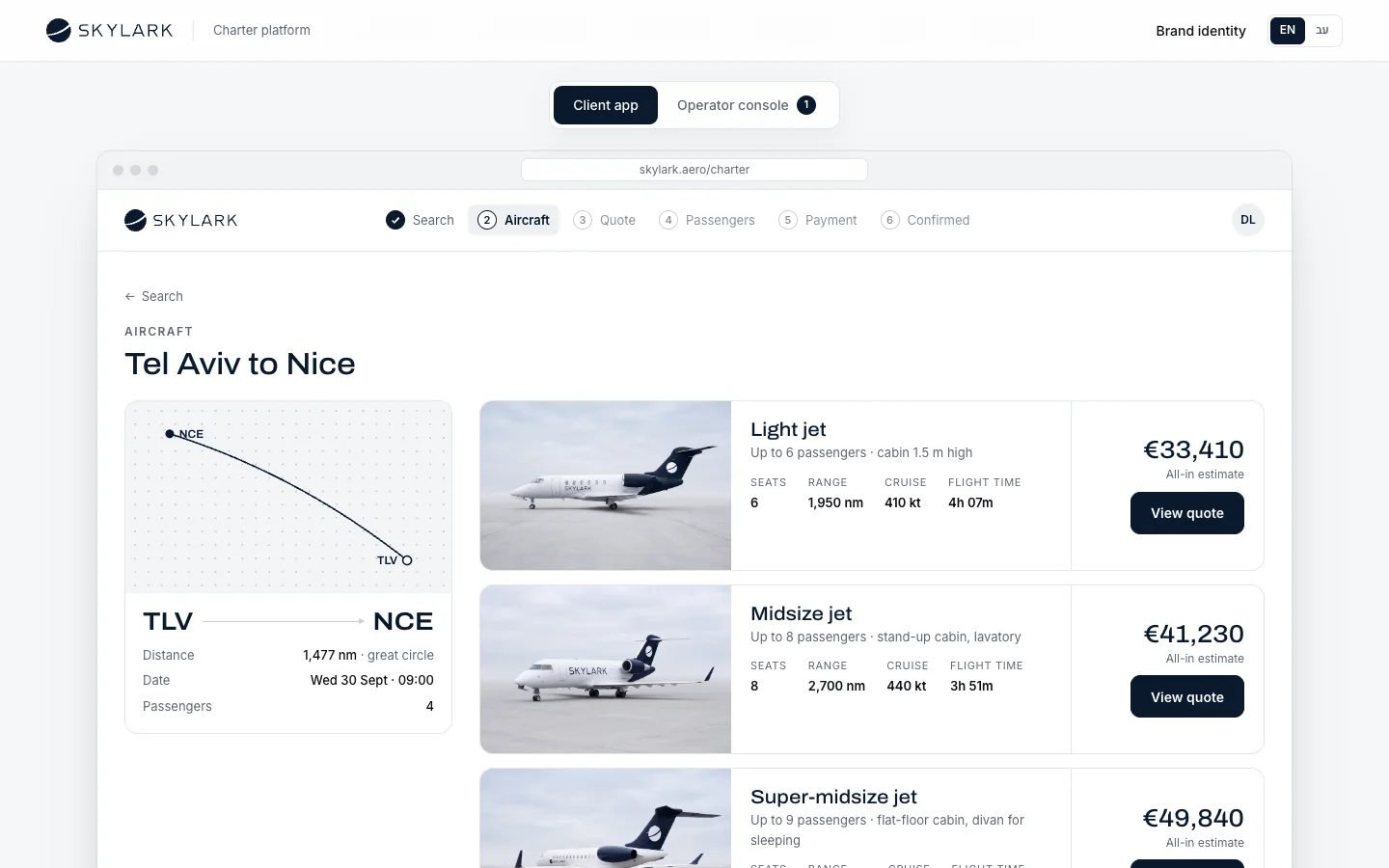
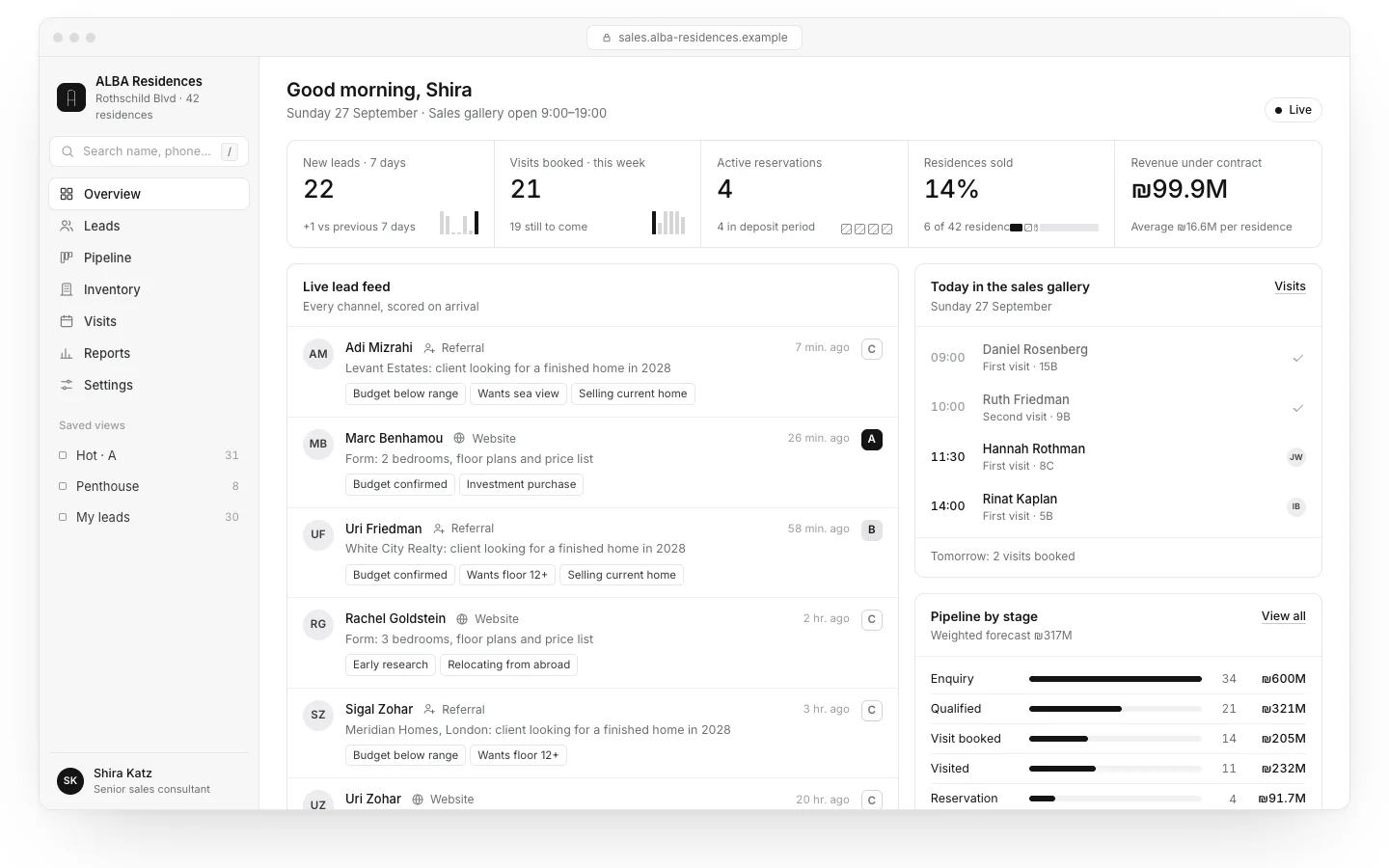
There are two main cases. In the first the system stands alone: an internal tool for managing orders, projects or stock. In the second it is the staff side of a customer app: a client books in the app, and staff see it in the calendar at once. The Névé app and staff console show the second case, and the ALBA project CRM, where every lead from the website, the phone and WhatsApp lands in one place with the apartment inventory, shows a system that stands on its own. Both are concepts we built; the businesses are fictional.
Build or buy: when off-the-shelf is enough
Not every business needs its own system. Off-the-shelf software wins when the process is standard and someone has already solved it well: accounting, email marketing, basic booking, a CRM for simple sales. What changes the picture:
| Signal | Off-the-shelf + integrations | Custom system |
|---|---|---|
| The process | Standard, like most businesses in the field | Specific to the business, and part of its edge |
| Number of tools | One or two tools that talk to each other | Five tools, and data typed twice |
| Permissions | Two or three simple roles | Many roles, branches, customers who see only their own |
| External users | None | Customers or suppliers who sign in |
| Cost over time | Per-seat pricing, fine for a small team | Per-seat fees that grow with the team overtake the build cost |
| Language and RTL | Support varies by tool | Built for your languages from the start |
Often the answer is in between: an off-the-shelf tool for the standard part, and integrations or one custom screen for the part that is yours. Tools such as n8n, Make and Zapier connect systems without a full build; we compare them in n8n vs Make vs Zapier. If what is missing is mainly customer and sales management, start with our guide to CRM for small business.
Admin dashboard modules and features
Not every system needs all of them. This is the list to choose from:
| Module | What it does | Discovery question |
|---|---|---|
| Users and roles | Sign-in, roles, permissions, password reset, two-factor authentication | Which roles exist, and what does each see and change? |
| Customers | Customer record, history, notes, documents | What must staff know about a customer when they get in touch? |
| Orders or bookings | Calendar, statuses, cancellations, reminders | What happens from order to close? |
| Stock and products | Items, quantities, prices, locations | Where is stock updated today, and by whom? |
| Content | Editing text, images and prices on the site or app | What does staff need to change without a developer? |
| Payments and invoices | Charges, refunds, links to documents | Who issues invoices, and from which system? |
| Reports and dashboard | Sales, leads, occupancy, exports | Which three numbers does the manager want every morning? |
| Audit log | Who changed what, and when | What do you need to reconstruct when something goes wrong? |
| Notifications | Email, WhatsApp or staff alerts on events | What must someone know about immediately? |
Roles and permissions: who sees what
Permissions are the easiest part to postpone and the most expensive to fix later. A good rule: each role gets the minimum it needs for the job, and everything else is denied by default. Data protection rules tend to ask for the same; in Israel, the market we work in, regulation 8 of the Privacy Protection (Data Security) Regulations requires a database owner to define access permissions by role and limit each to what the job needs.
- A branch employee sees that branch’s customers and orders.
- A practitioner sees their own calendar and their own patients’ records.
- Only a manager can export a customer list, delete a record or change prices.
- A supplier or external customer sees only what belongs to them.
- An employee who leaves loses access on the day they leave, in one place.
Integrations with the systems you already have
A good admin system does not replace everything. It connects to payments, accounting, calendar, WhatsApp, email and the website, so data is never typed twice. Every integration belongs in the specification by name, with exactly what it does and which way the data flows. Some integrations are really automation: a message to the customer when a status changes, a task for staff when a lead arrives. What is worth automating and what is not is in our guide to business automation with AI.
Who owns the data
In your system, the data is yours. Before starting, get this in writing:
- The database sits in a cloud account in the business’s name, with admin access held by you.
- You can export all the data in an open format at any time, without asking anyone.
- The code lives in a repository in the business’s name, with documentation another developer could follow.
- It is clear where the data is stored and who at the vendor touches it.
- Backups are automatic, and restoring from one has been tested at least once.

Admin panel security basics
An admin system holds the business’s most sensitive data, which makes it the first target. In the OWASP Top 10, the standard list of web application security risks, broken access control ranks first in the 2021 edition, and the first recommendation there is to deny by default everything that is not public. In practice:
- Two-factor sign-in for anyone who can see customer data.
- A permission check on the server for every action, not just a hidden button on screen.
- Encryption in transit and at rest, and passwords never stored as plain text.
- An audit log of who signed in, what they changed and when. Israel’s regulation 10, for example, requires automatic access logging for databases at the medium or high security level.
- Library and security updates on an ongoing basis, not only at launch.
Which obligations apply to your data depends on its type and volume and on where your users are. A system holding medical or financial data or data about minors needs legal review before development; this article does not replace it.

The dashboard: what goes on the first screen
The common mistake is a dashboard with twenty charts nobody looks at. A good first screen answers the questions a manager asks every morning: what is happening today, what is stuck, and what changed since yesterday. Three to five numbers, a list of what needs attention, and a link to each item. Full reports can wait on their own page.
An internal system needs design too. A team working in it eight hours a day feels every extra click. Libra Studio, the client workspace we built as a concept, is an example: requests, approvals with comments pinned to the image, and a library of deliverables, on screens built around the work rather than around the tables.
Admin system requirements checklist
Fill this in before asking for quotes. It is half of discovery:
| Topic | What to write |
|---|---|
| Users | Every role, how many people in each, and what each sees and changes |
| The core process | What happens from the moment a customer gets in touch until the work is closed, step by step |
| What exists today | Which tools, sheets and groups are used, and what stays |
| Integrations | Every system by name, and what data moves each way |
| Data | What moves over from existing systems, and what state it is in |
| Reports | The numbers you must see, and how often |
| Devices | Desktop, phone, tablet in the field, working offline |
| Security and privacy | The type of data, who may export, how long it is kept |
| Languages | Which languages, for staff and for customers |
| Not in phase one | The after-launch list |
How much a custom admin system costs
From what we see in Israel, a focused internal admin system usually costs roughly $11,000–$33,000 as a rough USD conversion, and one with many roles, branches and integrations costs more; agencies in the US or Western Europe usually quote higher. These are ranges, not a price list. What moves them is the number of roles, the number of integrations and the state of the data to migrate. The cost drivers are laid out in app development cost. What stretches these projects in practice is usually not the code but cleaning old data and deciding who sees what.
What Libra builds here
At Libra we build booking and admin panels, internal systems for teams and integrations between existing systems, in Hebrew and English and in the brand’s design. The details are on our apps and business systems page. The code and the data are yours.
If your work is spread across sheets and group chats today, send a brief with the roles, the core process and the tools you use. We reply by email with a direction, a written price and a date.
No term matches.
Questions
What is an admin dashboard?
The back office where staff manage customers, orders or bookings, calendar, stock, content and reports in one place, with access set by role. It replaces the spreadsheets and group chats where data gets typed several times.
Should I build a custom admin panel or buy off-the-shelf software?
Buy when the process is standard. Build when the process is specific to your business, when there are many roles or external users, or when data is scattered across many tools.
What features should an admin dashboard have?
Usually users and roles, customers, orders or bookings, stock, content, payments, reports, an audit log and notifications. Choose only what your process needs.
Can a custom admin system connect to our existing tools?
In most cases, yes: payments, accounting, calendar, WhatsApp, email and the website. Each integration is checked in discovery, because it also depends on the other vendor’s API.
How much does a custom admin dashboard cost?
As a rough conversion of Israeli market ranges, a focused internal system costs roughly $11,000–$33,000, and more with many roles and integrations. The exact price is set after discovery.
Who owns the data in a custom system?
You should. Confirm in writing that the database and code are in accounts in the business’s name and that you can export all data at any time.
Getting started
Want this for your business?
Send a short brief: three required questions, the rest only if you like. We reply by email with a direction, a written price and a date.