What a web portal costs to build: what counts as a portal, what drives the price, and how to read a quote
Building a portal for a business: customer, supplier, member or staff portals. What sets the price, when off-the-shelf software is enough, yearly costs and what a quote should list.
Part of the guide: How to develop an app for your business: from whether you need one to maintenance after launch
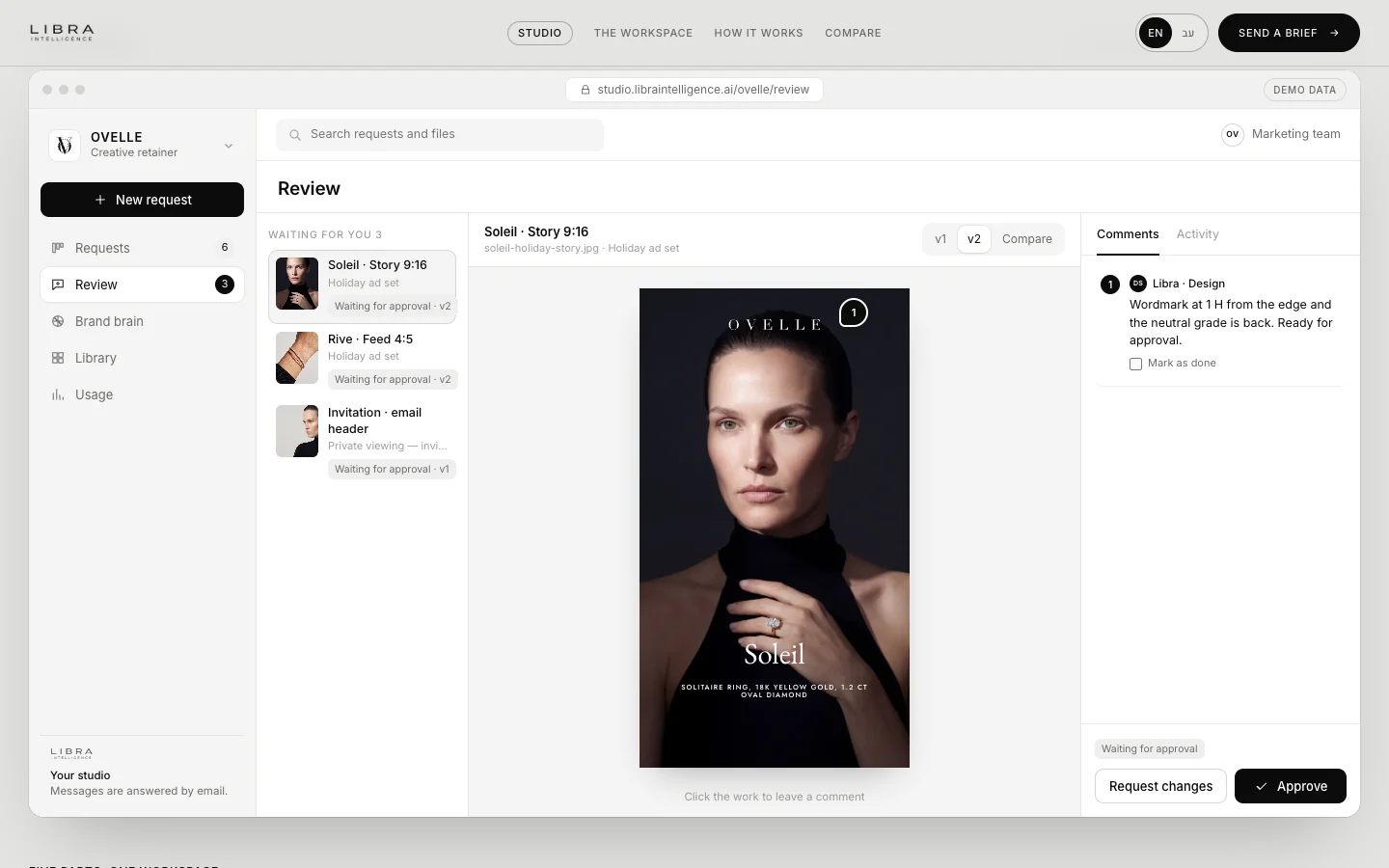
A portal is a website people log into, where each user sees their own information and actions: a customer sees their orders and documents, a supplier uploads invoices, a member signs up for events, an employee finds procedures. A portal’s price is not set by the number of pages but by how many kinds of user there are, what each of them can do, and which systems the portal connects to. A portal with one kind of user who reads information is a fairly small project; one with several roles, payments and connections to a CRM and accounting system is real software development, closer to an app than to a website.
We will not give one price here, because it depends on scope, but we set out what the price is made of, what raises and lowers it, and what a quote should contain. Ranges for a regular website are in what a business website costs, and for an app in what an app costs to build.
Kinds of portal
| Portal | Who logs in | What they do | What usually adds cost |
|---|---|---|---|
| Customer portal | Existing customers | See orders, invoices, documents and status, open a request | Connecting the order system or CRM, personal documents |
| Supplier or partner portal | Suppliers, agents, resellers | Upload documents, receive orders, see commissions | Per-partner permissions, reports |
| Member portal | Club members, subscribers, learners | Gated content, event sign-up, subscription payment | Recurring payments, content management |
| Staff portal (intranet) | The team | Procedures, forms, announcements, a file library | Company sign-in, permissions by department |
| Two-sided portal | Buyers and sellers, or clients and providers | Listing, search, booking and payment between them | Two interfaces, split payments, trust and moderation |
The last kind, a portal that connects two sides, is a platform. It needs a whole product planned, so build a reduced version first and test it, as described in how to build an MVP.

What sets the price of a portal
Seven things set most of the cost. Answer them before asking for a quote:
- User types and permissions. Every role (customer, admin, supplier, employee) means more screens, more rules and more testing. Two roles is a different project from five.
- Sign-in and security. Email and password, a one-time code, Google or Microsoft sign-in, two-factor authentication. The more sensitive the data, the more you need.
- Connections to systems. CRM, accounting, booking or stock. Each connection is development and testing, and depends on the quality of the other system’s API.
- Payments. One-off, monthly subscription, instalments or payments split between parties. Connecting payments is covered in payment gateways in Israel.
- Content and documents. File uploads, document signing, content that changes by user, search.
- The admin system. The team running the portal needs its own screens: approving users, editing content, seeing reports. This is often half the work; see custom admin dashboards.
- Languages and accessibility. Hebrew and English, text direction, and the accessibility standard, as for any site; see website accessibility in Israel.
Off-the-shelf software or custom build
Not every portal needs development. There are ready tools for customer portals, communities, courses and intranets, and they fit when your need resembles most businesses’ needs:
| Off-the-shelf (subscription) | Custom build | |
|---|---|---|
| Fits when | The process is standard: documents, requests, gated content | The process is unusual, or needs deep connections to existing systems |
| Time to launch | Days to weeks | Months, by scope |
| Upfront cost | Low: setup and design | Higher: specification, design, development and testing |
| Running cost | A subscription, often per user | Hosting, upkeep and improvements |
| Flexibility | What the tool allows | Whatever you plan |
| Data ownership | With the vendor, on its terms | Yours, if the contract says so |
A simple test: if you can describe the portal as “like X, with our logo”, check off-the-shelf software first. If the description starts with “for us it works differently”, you probably need a build. Even then, you can start from ready components for sign-in, payments and files, and build only what is unique.
What it costs every year
A portal is a live system, so part of the cost recurs:
- Hosting and database, which grow with users and files.
- External services: email and message sending, file storage, the payment provider, sometimes a sign-in service.
- Upkeep and security: software updates, backups, monitoring, and fixes when a connected system changes its API.
- Improvements: once real users log in, something missing always shows up.
Website upkeep in general is covered in website maintenance.
Privacy and security
A portal stores personal data about registered users, so data protection law applies wherever you operate. In Israel, Amendment 13 to the Privacy Protection Law took effect on 14 August 2025 and expanded the Privacy Protection Authority’s enforcement powers. For a portal, that means collecting only what you need, encrypting passwords and traffic, giving each role access only to what it needs, logging who accessed what, and knowing where the data is stored. This is not legal advice; for a portal holding medical or financial data, check your obligations with a privacy lawyer.
How to read a portal quote
- Roles and screens. A good quote lists who logs in and what they see and do, not just “customer portal”.
- Connections by name. Which systems, which way the data flows, and who is responsible if the other system’s API changes.
- The admin system. Whether it is included, and what your team can do in it alone.
- Running costs. Hosting, external services and upkeep, separate from the build.
- Ownership. The code, the design and the data: whose they are, and what you receive if you leave the supplier.
- Phases. What goes into the first version and what waits. A quote that promises everything in one phase is a warning sign.
Common mistakes
- Specifying by pages instead of roles. A portal is built around what each user needs to do, not around a menu.
- Forgetting the team. A portal without good admin screens becomes manual work on your side.
- Connecting everything on day one. Start with the one connection that saves the most work.
- Building from scratch what already exists. Sign-in, payments and file uploads are ready components; pay for what is unique.
- Not testing with real users before launch.
Examples from the studio
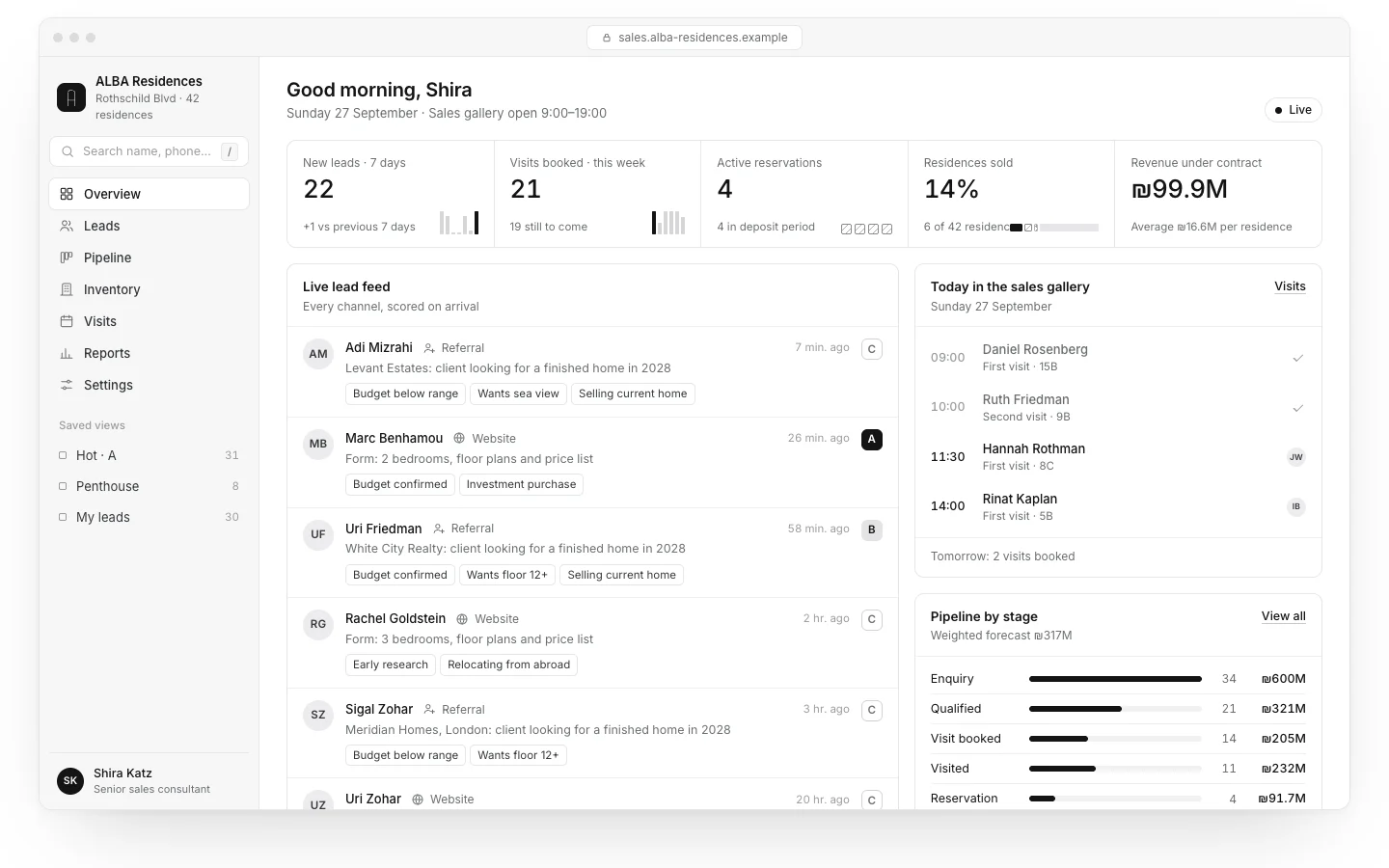
The Libra Studio workspace is a client portal: the client opens requests, approves images with pinned comments, and finds every deliverable in one library. Névé, a fictional clinic, shows a two-sided setup: an app for clients and an admin system for the team, where what happens in one appears in the other at once. And ALBA, a fictional real estate project, brings every lead from the website, the phone and WhatsApp into one screen for the sales team. These are concepts we built.
Portals at Libra
We specify and build portals, apps and admin systems, in Hebrew and English: from defining roles and screens, through design and connections, to the admin system for your team. The work is described on apps and systems. Send a brief with your kinds of user, what each needs to do, and the systems you use, and we reply by email with a direction, a written price and a date.
No term matches.
Questions
How much does it cost to build a portal?
There is no single price. It depends mostly on the number of user types and permissions, connections to systems such as a CRM and accounting, payments, and the admin system for the team. A portal with one read-only role is small; one with several roles and payments is close to an app in scope.
What is the difference between a website and a portal?
On a website everyone sees the same content. On a portal people log in, and each user sees their own information and actions: orders, documents, payments or gated content.
Can off-the-shelf software replace a custom portal?
Yes, when the process is standard: a customer portal for documents and requests, gated content for members, or an intranet. A custom build fits when the process is unusual or needs deep connections to existing systems.
What does a portal cost every year after launch?
Hosting and database, external services such as email, file storage and payments, upkeep and security, and improvements as users ask for them.
What should a portal quote include?
A list of roles and screens, the connections by name, whether the admin system is included, running costs listed separately, who owns the code and data, and what goes into the first version.
Getting started
Want this for your business?
Send a short brief: three required questions, the rest only if you like. We reply by email with a direction, a written price and a date.