Booking app for clinics: the scheduling logic, reminders, deposits and patient privacy
How to build online booking for a clinic: web or app, scheduling by practitioner, room and duration, WhatsApp reminders and consent, deposits, patient data, and a checklist.
Part of the guide: How to develop an app for your business: from whether you need one to maintenance after launch

A booking app for a clinic lets patients book, move and cancel appointments themselves, sends a confirmation and a reminder, and takes a deposit when needed, while staff see every appointment in one calendar by practitioner and room. For most clinics a web app that opens from a link is enough and beats a store app, because there is nothing to download. Whether it works depends less on the screens than on the logic behind them: treatment durations, buffers, rooms, the cancellation policy and privacy.
This article goes into the details of that one case. The general process of developing a business app, from discovery to maintenance, is in our guide to developing an app for your business, where the clinic appears as a short example. Here: web, app or off-the-shelf, how the calendar is built, reminders and consent, deposits and cancellations, medical data, integrations, the staff side, and a checklist.
Online booking, an app or off-the-shelf software?
There are three routes, and each has its place:
| Off-the-shelf booking software | Custom web app | Store app | |
|---|---|---|---|
| Fits | A clinic with one or two practitioners and simple treatments | A clinic with several practitioners, rooms, treatment types and its own process | A clinic whose patients return very often and need phone capabilities |
| How patients arrive | A link to the vendor’s page | A link from the website, WhatsApp or a message, in the clinic’s brand | A store download |
| The benefit | Fast and cheap to start | The calendar follows the clinic’s rules, and the data is the clinic’s | Store presence and full notifications |
| The limit | The tool’s rules, limited branding, data held by the vendor | Development and maintenance cost | Higher cost, store submission, patients who never download |
The difference between web and native is covered in native app vs web app. For a clinic, the practical test is this: can a patient who receives a link on WhatsApp book within a minute, without downloading anything or creating a password? If so, most of the work is done.
How clinic scheduling logic works
This is where most simple systems fail. A clinic calendar is not a list of free hours; it is several resources that must be free at the same time.
Practitioners and treatments
Not every practitioner gives every treatment. The system has to know who is qualified for what and offer patients only possible combinations: treatment then practitioner, practitioner then treatment, and sometimes “first available”.
Rooms and equipment
A treatment that needs a particular device or room can only be booked when both practitioner and room are free. In a clinic with two treatment rooms and one device, that is the difference between a calendar that works and one that creates clashes.
Durations, buffers and preparation
Each treatment has its own length, and sometimes preparation or cleaning time after it. A first consultation is longer than a follow-up. Define these buffers as part of the treatment rather than leaving them to the receptionist’s memory.
The clinic’s own rules
- How far ahead patients can book, and how many hours before an appointment they can cancel without charge.
- Treatments that require a prior consultation, or a minimum gap between two treatments.
- Hours a practitioner keeps for urgent cases or existing patients only.
- A waitlist: when a slot opens, who hears first.
- Holidays and short days, without editing the calendar by hand.
Every rule here is the clinic’s decision, not the developer’s. Write them down before discovery.
Appointment reminders by WhatsApp, SMS and email
A confirmation right after booking and a reminder before the appointment are the basics. The reminder carries what the patient needs: time, address, how to prepare, and a link to move or cancel. When cancelling is easy, the slot frees up in time and the waitlist can fill it.
In many markets, including Israel where we work, WhatsApp is the channel patients actually read, and it requires consent. Under WhatsApp’s opt-in policy, a business must get a person’s permission to receive its messages, state its name clearly and comply with applicable law. In practice, the booking form carries a clear checkbox for WhatsApp reminders. Under Meta’s template category guidelines, a message tied to a service the user requested counts as utility, and adding promotional content turns it into marketing. So keep a reminder a reminder, and send offers separately to those who agreed to them. Getting access to the API itself is covered in our guide to the WhatsApp Business API.
Deposits, cancellations and no-shows
A missed appointment is a practitioner’s hour that cannot be sold again. There are several tools, from gentle to firm:
- A reminder with a cancel link. The cheapest and friendliest tool, and the first to switch on.
- A written cancellation policy, shown on the booking screen and in the confirmation, before the patient commits.
- A saved payment method with no charge, charged only under the policy.
- A deposit for long or expensive treatments, or for new patients only.
- Full prepayment for treatment courses or packages.
Charges go through the payment provider’s secure hosted page, so card details are never stored in the clinic’s system. The providers in the market we work in, including instalments and refunds, are compared in payment gateways in Israel.
Patient data and privacy
A clinic system almost always holds medical information, even if only in a “reason for visit” field. Health data carries stricter rules in most jurisdictions; in Israel, for example, the Privacy Protection (Data Security) Regulations list medical information among the data types that raise a database’s required security level, with the final level also depending on the number of people and of authorised users. What follows for the design:
- Minimal data at booking: name, phone and treatment type. A full medical questionnaire, if needed, separately and over a secure channel.
- No medical details in reminders. “You have an appointment tomorrow at 10:00”, not the name of a sensitive treatment.
- Permissions by role: reception sees the calendar, practitioners see their own patients’ records.
- Access logging, backups and encryption, and a way to delete data when a patient asks and there is no duty to keep it.
- Where the data lives, and which outside vendors (messaging, payments) see any of it.
Record-keeping duties depend on the type of clinic, the treatment and the country. Check them with a lawyer or privacy adviser before development; this article does not replace that.
Connecting to the clinic’s existing software
Many clinics already use software for records, invoices or scheduling. There are three options: connect booking to the existing software through its API, if it has one; replace only the calendar and keep records where they are; or build one system for everything. What decides it is whether the existing software has an open API and what its vendor says about it. That is checked in discovery, before committing.
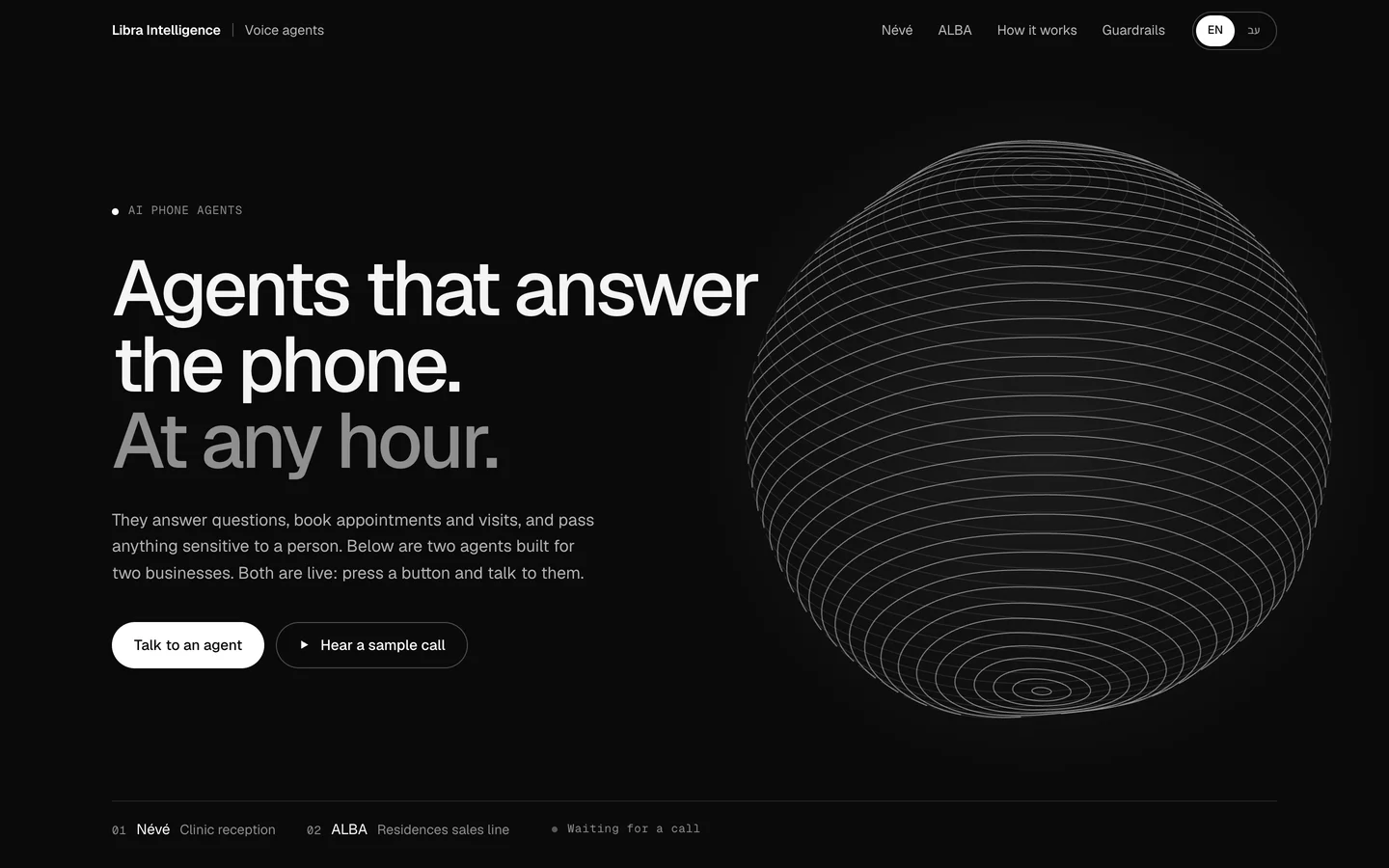
The phone is a booking channel too. Some patients will always call, and an AI phone agent can book into the same calendar and pass anything sensitive to a person; we cover that in AI phone agents for clinics and sales offices, and the Névé and ALBA phone agent concept shows how it sounds.
The staff side of a booking system
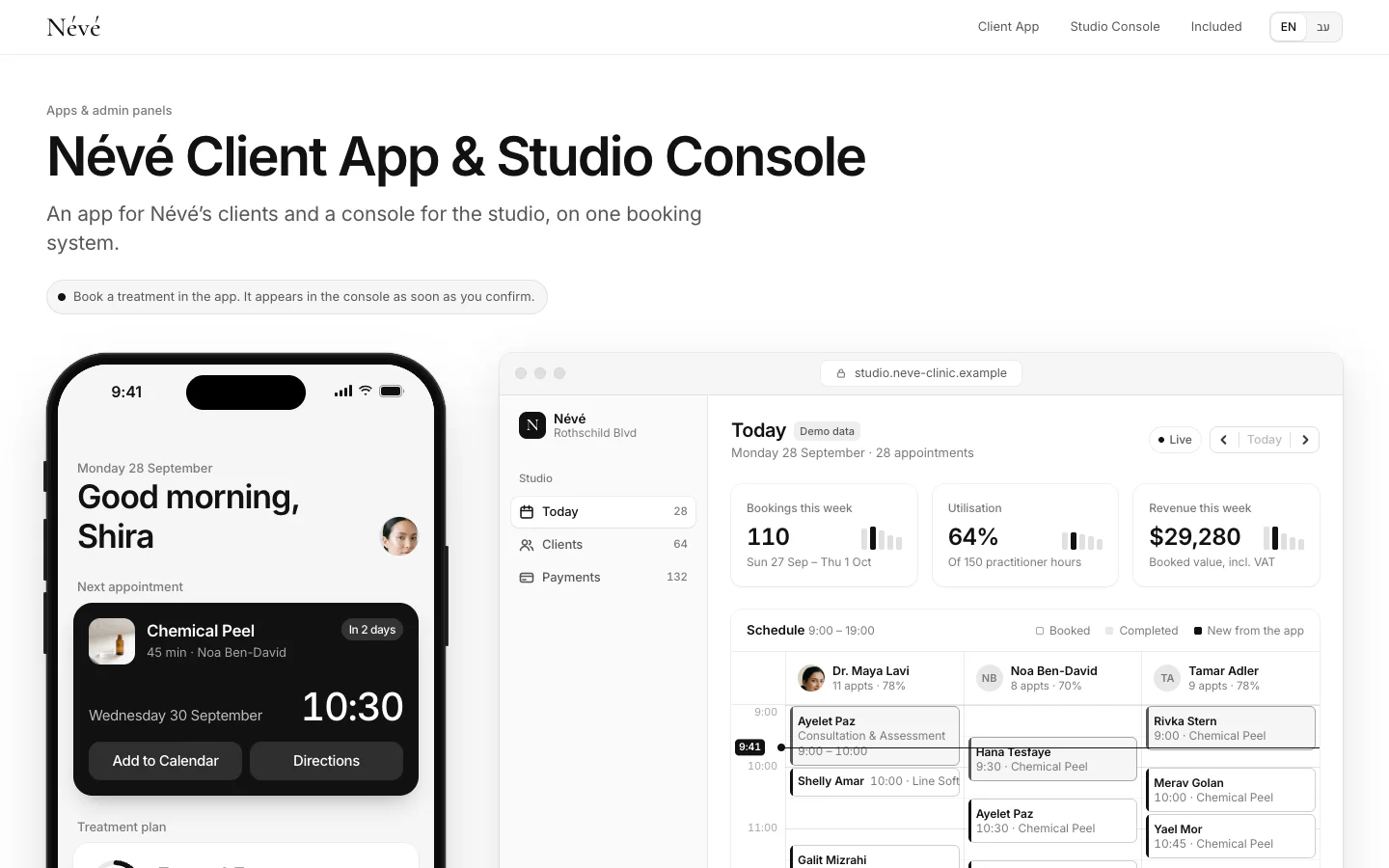
The patient app is half the system. On the other side staff need a calendar by practitioner and by room, a patient record with history, blocked time, booking on behalf of a patient who called, a waitlist and a morning view: who is coming today, what is unpaid, who cancelled. The Névé app and staff console show both sides: what the patient books appears instantly for the team. It is a concept we built, and the clinic is fictional. What else belongs in such a system is in our guide to custom admin dashboards.
Booking should also start from the website: a book button on every treatment page that leads straight to the right treatment. How a clinic site is structured is in clinic website design, and the Névé website shows booking a consultation in three steps.
Clinic booking app checklist
| Area | What to check |
|---|---|
| Booking | A new patient books from a phone within a minute, with no password |
| Calendar | Practitioners, rooms, equipment, durations and buffers are defined and work together |
| Clashes | Two patients cannot book the same resource in the same second |
| Changes | A move or cancel link in every confirmation and reminder, following the policy |
| Reminders | WhatsApp consent collected in the form; reminders carry no medical details and no promotion |
| Payment | Deposit or saved card through a secure hosted page; refunds follow the policy |
| Waitlist | A freed slot is offered automatically to whoever is waiting |
| Staff | Calendar by practitioner and room, patient record, blocked time, booking on a patient’s behalf |
| Privacy | Minimal data, role-based permissions, access logging, backups, deletion on request |
| Integrations | Clinic software, payments, invoicing, messaging, the website |
| Accessibility and languages | Works with a screen reader and keyboard, in your patients’ languages |
What it costs depends on the number of practitioners, rules and integrations; the ranges are in app development cost.
What Libra builds here
At Libra we build booking web apps with a staff console, reminders and connections to payments, calendar and WhatsApp, designed in the clinic’s brand. The details are on our apps and business systems page.
For a direction on your system, send a brief with the number of practitioners and rooms, the treatment types, your cancellation policy and the software the clinic already uses. We reply by email with a direction, a written price and a date.
No term matches.
Questions
Does a clinic need a store app, or is online booking enough?
For most clinics a web app that opens from a link is enough, because patients book without downloading anything. A store app earns its cost only when patients return very often and phone capabilities are needed.
Can a clinic send appointment reminders on WhatsApp?
Yes, provided the patient agreed to receive messages from the clinic. Under Meta’s guidelines, a message tied to a service the user requested is a utility message; promotional content inside it makes it marketing.
How do clinics reduce no-shows?
A confirmation and reminder with an easy cancel link, a written cancellation policy shown before booking, and where needed a deposit or saved payment method. A waitlist fills the slots that open up.
Should a clinic take a deposit for appointments?
For long or expensive treatments, or new patients, a deposit can be fair to both sides. Take it through a secure hosted payment page, and show the policy before the patient commits.
How is patient data protected in a booking app?
Collect minimal data at booking, keep medical details out of reminders, set permissions by role, and log access and back up. Health data usually carries stricter legal rules, so check your obligations with a lawyer.
Can online booking connect to our existing clinic software?
Usually, if the existing software has an open API. That is checked in discovery; sometimes it is better to replace only the calendar and keep records in the existing software.
Getting started
Want this for your business?
Send a short brief: three required questions, the rest only if you like. We reply by email with a direction, a written price and a date.