A chatbot for your website: which kind fits, what it answers from, when it hands over, and how to measure it
A chatbot for a business website: rules bot, AI chatbot or booking agent. What it answers from, handover to a person, privacy, accessibility and costs.
Part of the guide: Business automation with AI: a practical guide for small and mid-sized businesses
A chatbot for a website is a chat window that answers visitors in real time. There are three kinds: a rules bot that guides people through a fixed menu, an AI chatbot that answers free-text questions from your site’s content and your documents, and an AI agent that also takes actions, such as checking availability and booking. Which one fits depends on the questions you actually receive: if most repeat, a simple bot is enough; if they vary, you need AI that answers from approved sources and passes anything it does not know to a person. Whatever the kind, the bot should answer only from what the business has approved, collect only what it needs, and hand a conversation over to a person by message, email or WhatsApp, with a summary of what was already said.
The core difference between a chatbot and an AI agent, and when each is worth it, is covered in chatbot vs AI agent. Here we focus on the chat window on your site: what it answers, from what, what happens to the data, and how you know it works. Where it sits within the rest of a business’s automation is covered in our business automation guide.
Three kinds of website chatbot
| Rules bot | AI chatbot on your content | AI agent that takes actions | |
|---|---|---|---|
| How it works | A fixed menu of questions and answers, branches written in advance | Understands a free-text question and answers from approved pages and documents | Like an AI chatbot, plus connections to systems: calendar, bookings, CRM |
| Fits when | Most questions repeat: hours, address, price list, order tracking | Questions vary and the answers exist in current content | The enquiry ends in an action: an appointment, a table, a status check |
| Main risk | A visitor whose question is not on the menu gets stuck | A confident answer that is wrong, if there are no limits | A wrong action in a system, without confirmation and checks |
| What to prepare | A list of questions and answers | Clean, current sources and a list of what not to answer | Sources, system connections, and rules for what it may do alone |
| Upkeep | Update answers when something changes | Update sources, read conversations, correct answers | As for an AI chatbot, plus checking the connections |
Many sites start with a mix: buttons for common questions and a free-text field for everything else. If the bot must also answer on WhatsApp and Instagram, not just the website, it is a multi-channel agent; see AI agents on WhatsApp. A voice agent that answers the business’s own phone line is a separate product, covered in the AI phone agent.

What the chatbot should answer, and when to hand over
Before choosing a tool, read the last few months of enquiries, by email, WhatsApp and the site form, and sort them into three groups:
- The bot answers alone. Questions with one correct answer written in an approved source: opening hours, address and parking, what a service includes, returns policy, delivery times, how to prepare for an appointment.
- The bot collects and passes on. Enquiries that need a person, where the bot can save them time: a quote request, a business enquiry, a complaint. The bot asks the standard questions and passes on a summary.
- The bot does not answer. Personal medical, legal or financial advice, a price that depends on an assessment, exceptions to policy, and any upset or distressed customer. Here the bot says a person will reply, and hands over at once.
What a good handover looks like
A good handover does not make the customer start again. The bot collects a name, a preferred way to reply (email or WhatsApp) and a short description, sends the team a summary of the conversation, and tells the customer when to expect an answer. Outside working hours, it says so plainly and promises a reply on the next working day, not “an agent will be with you shortly”. If the business answers on WhatsApp, the handover can land straight in the team’s shared inbox; setup is covered in the WhatsApp Business API.
The business is responsible for what the bot says
In February 2024, British Columbia’s Civil Resolution Tribunal held in Moffatt v. Air Canada that the airline was liable for wrong information its website chatbot gave a customer about a fare discount, and rejected the argument that the chatbot was a separate entity the airline was not responsible for. It is one Canadian tribunal decision, but the practical lesson travels: what the bot writes reads as what the business writes. So the bot answers only from approved sources, shows where each answer comes from, and on price, eligibility and policy prefers handing over to guessing.

What the chatbot answers from: data sources
An AI chatbot is only as good as its sources. Before building, list what it may read, and clean the list:
- Website pages. Services, published prices, FAQs, policies. If two pages contradict each other, the bot will contradict itself.
- Internal documents you may share. Procedures, preparation instructions, terms of service. Drafts and old price lists stay out.
- Live data. Calendar availability, stock, order status. These come through a connection to the system, not a copy, so they do not go stale.
- A “do not answer” list. Topics the bot always hands to a person, even if the sources mention them.
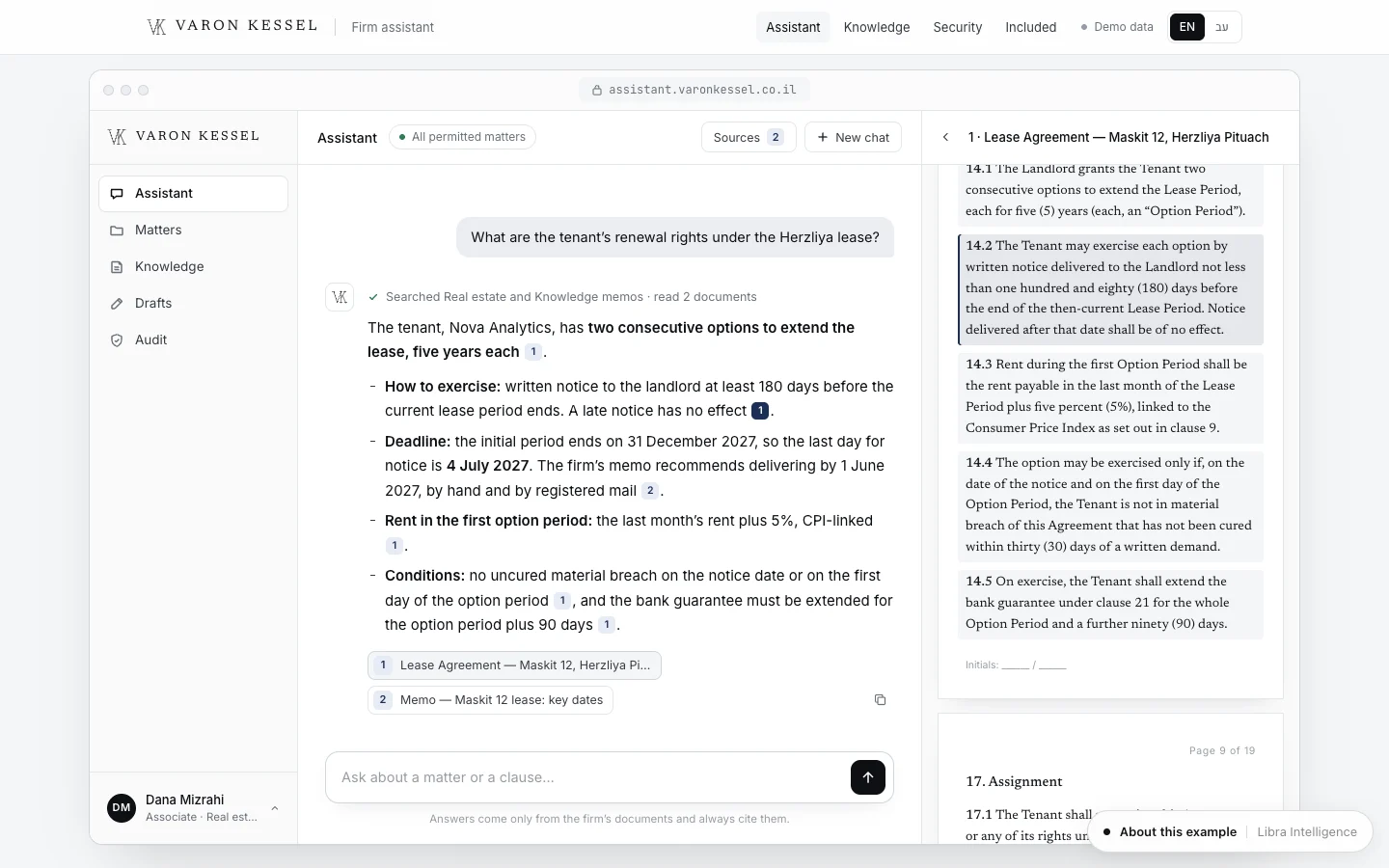
Each answer should show its source, as in the picture at the top of this page: visitors see where the information comes from, and staff can fix the document when an answer is wrong. An assistant that answers from company knowledge for staff rather than visitors is a close relative, covered in the AI knowledge assistant.

Privacy: what the chatbot collects and where it goes
Every chat is personal data: a name, a phone number, an email, and sometimes more than you asked for, such as a visitor describing a health condition. The rules depend on where you and your visitors are; the GDPR is the best-known framework. In Israel, the market we work in, Amendment 13 to the Privacy Protection Law took effect on 14 August 2025. According to an IAPP overview, it expanded the Privacy Protection Authority’s enforcement powers, including monetary sanctions, made appointing a privacy protection officer mandatory for some organisations, broadened the definition of sensitive data and increased transparency obligations. For a chatbot, that means:
- Collect only what you need. If an email is enough to reply, do not also ask for an ID number or date of birth.
- Say so up front. A short line when the chat opens: who runs it, that it is a bot and not a person, what is stored, and a link to the privacy policy.
- Know where data is stored. With the chat vendor, the model provider, the CRM. Check each vendor’s terms on whether conversations are used for model training and how long they are kept.
- Do not ask for sensitive data. On a clinic site, for example, the bot points to a secure form or a person, and does not ask about health in the chat.
- Access. Who on the team sees conversations, and what is deleted after how long.
This is not legal advice; check your obligations with a privacy lawyer where you operate.

Accessibility of the chat widget
The widget is part of the site, so the same accessibility requirements apply to it. The Israeli rules, standard 5568 and WCAG, are covered in website accessibility in Israel; the guidelines themselves are published by the W3C. In practice, these are the things that break most often in chat widgets:
- Opening, typing and closing with the keyboard alone, with a visible focus that returns to the right place on close.
- New messages announced by screen readers, not just shown.
- Enough contrast in bubbles and buttons, and text that can be enlarged.
- A chat button that does not cover the accessibility button, the buy button or text on a phone.
- No window that opens by itself over the content on arrival.
- Correct text direction in right-to-left and left-to-right languages, even when a visitor mixes them.
How to measure a website chatbot
The number of conversations alone says little. Set these measures before launch and read them monthly:
| Measure | What it tells you | How to check |
|---|---|---|
| Resolved without a person | How many questions the bot actually settles | A conversation that ended with no handover and no follow-up on the same topic |
| Handover rate | Where the bot does not know, or should not answer | By topic: a rise in one topic points to a missing source |
| Enquiries from chat | Leads, appointments and bookings that began in a conversation | Tag the source in the CRM or booking system |
| Wrong answers | Quality | A weekly read of a sample of conversations, marking every error |
| Time to a human reply | Whether handover works | From handover to a person replying by email or WhatsApp |
Reading real conversations matters most. It shows which questions have no answer anywhere on the site, which is useful for the pages themselves.

How much a website chatbot costs: the structure
There is no single price, because the cost has three parts that vary by type and scale:
- Setup. Mapping questions, organising sources, writing the instructions and limits, designing the widget, connecting systems (calendar, CRM, WhatsApp) and testing before launch. For a rules bot this is mostly writing; for an agent that books, mostly connections and testing.
- Usage. A chat platform subscription, and for an AI chatbot a charge from the model provider based on usage: more conversations and longer answers cost more. Ask for an estimate based on your expected volume.
- Upkeep. Updating sources when things change, reading conversations, correcting answers, and checking connections after a change in any system.
In a quote, check that all three parts appear, who pays the model provider directly, and what happens to your conversations and settings if you leave the supplier. Automation costs in general are broken down in the business automation guide.
Common website chatbot mistakes
- A bot that answers everything. With no “do not answer” list and no handover, it will invent an answer rather than say it does not know.
- Stale sources. Last year’s price list left in a folder becomes today’s answer.
- A bot posing as a person. A human name and photo with no mention that it is a bot. Visitors notice quickly, and trust drops.
- Handover to nobody. A summary sent to an inbox nobody reads, or a promised reply that never comes.
- A window that pops over the content on every page, before the visitor has read anything.
- No measurement. Without reading conversations you cannot tell whether the bot helps or drives people away.
- Starting with every process at once. Start with the common questions, measure for a month, and only then add actions such as booking.
Examples from the studio
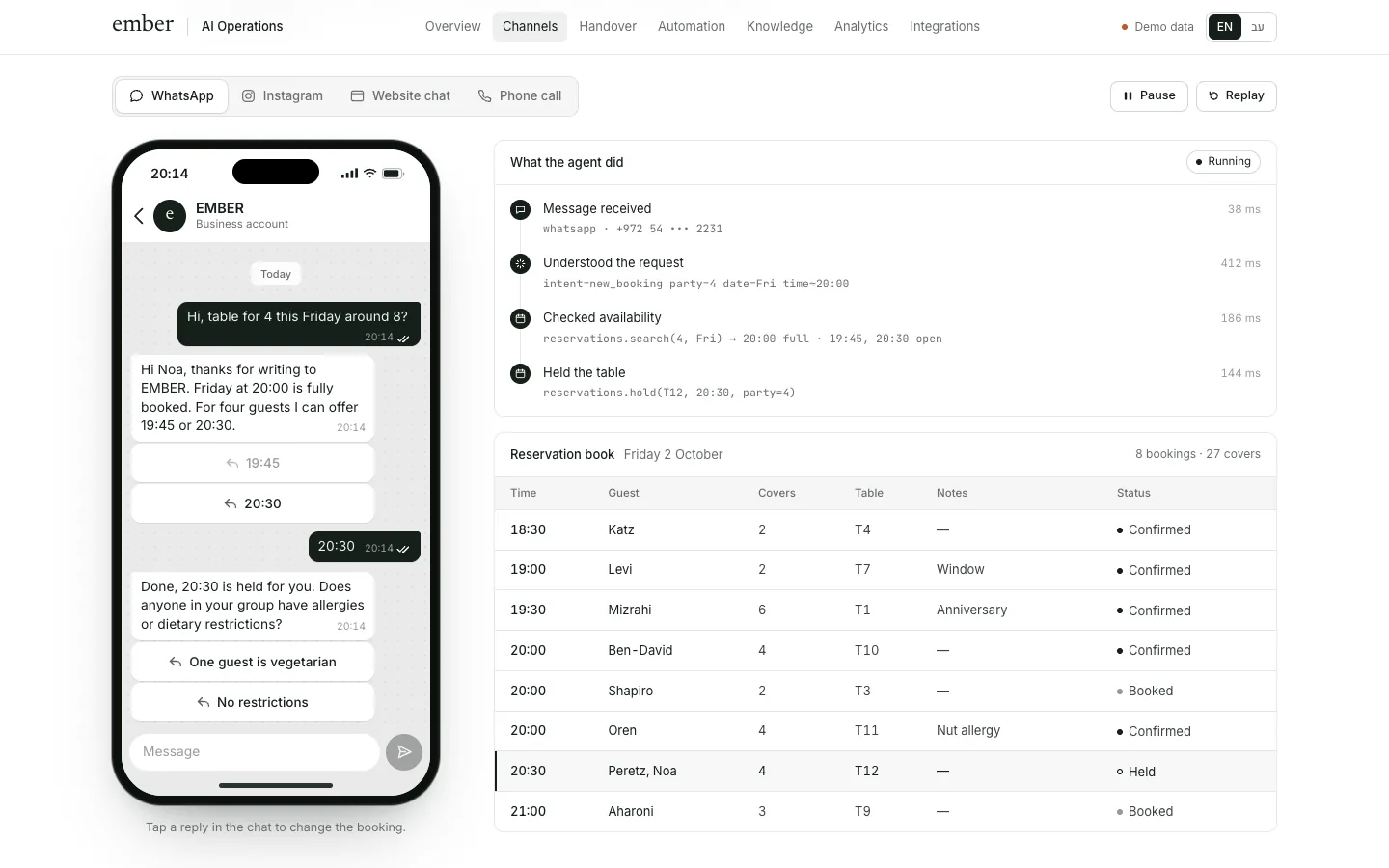
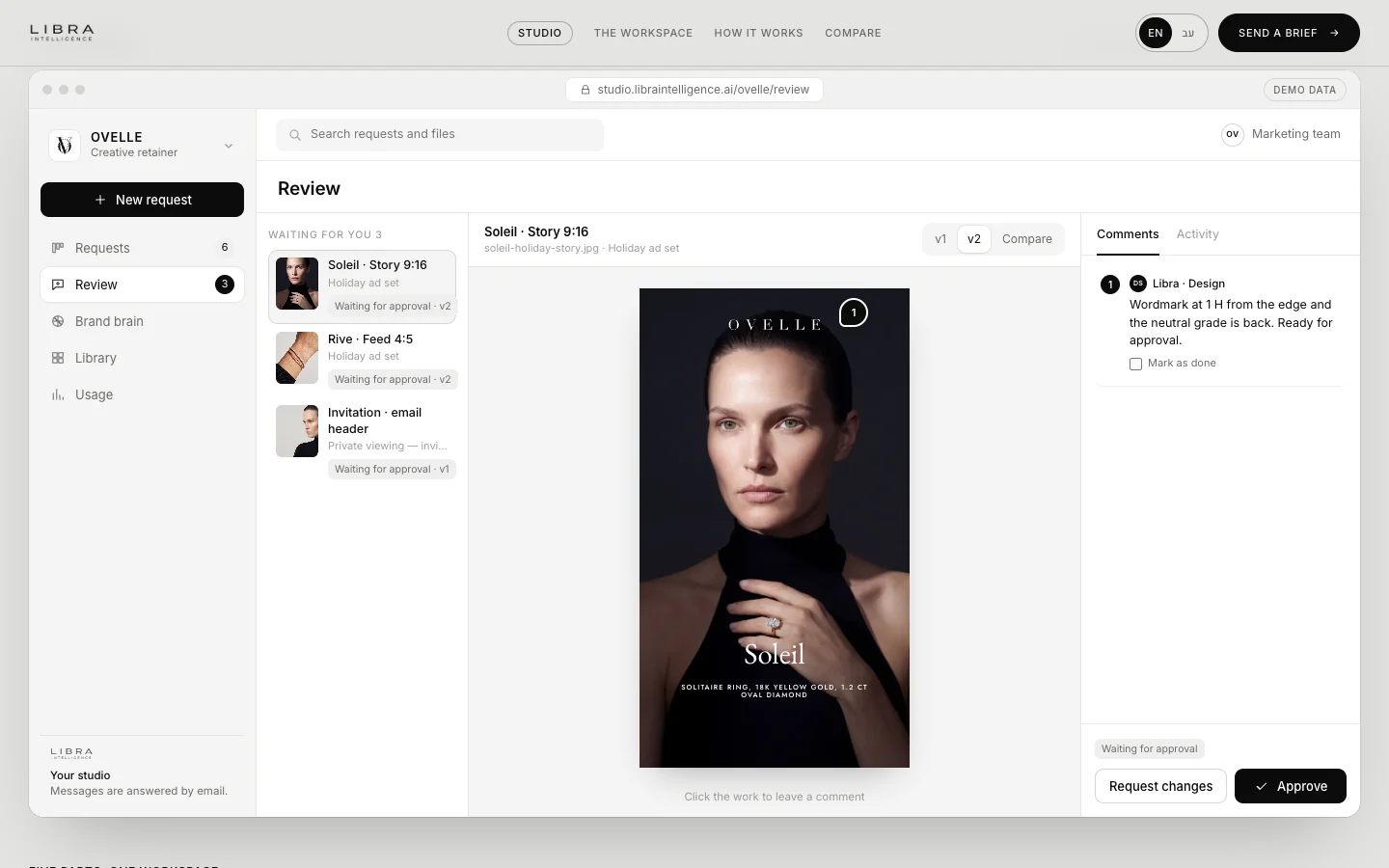
The Varon Kessel assistant, for a fictional law firm, answers only from the firm’s documents, and every answer shows its sources, as in the picture at the top of this page. The EMBER agent, for a fictional restaurant, answers guests in website chat, on WhatsApp and on Instagram, checks availability and holds a table in the reservations system, showing each action it took alongside. And the Névé website, for a fictional clinic, shows a site that leads a visitor to booking a consultation in three steps. These are concepts we built with fictional businesses.
Website chatbots at Libra
We build chatbots and AI agents for websites, in Hebrew and English: from mapping questions and organising sources, through limits and handover to a person by email or WhatsApp, to connecting the CRM, calendar and booking system, with monthly measurement. The work is described on automation and AI agents. If you are considering a chatbot, send a brief with examples of the questions you receive and the systems you use. We reply by email with a direction, a written price and a date.
No term matches.
Questions
What is the difference between a rules bot and an AI chatbot?
A rules bot guides visitors through a fixed menu written in advance, and suits businesses whose questions mostly repeat. An AI chatbot understands free-text questions and answers from sources the business has approved, and suits varied questions. An AI agent also takes actions, such as booking.
What can an AI chatbot on a website answer from?
From sources the business approves: site pages, FAQs, internal documents that may be shared, and live data from systems such as a calendar or stock. Each answer should show its source, and there should be a list of topics the bot always hands to a person.
When should a chatbot hand over to a person?
For anything that needs judgement: personal advice, a price that depends on an assessment, policy exceptions, complaints, or when the bot finds no answer in its sources. The handover goes by message, email or WhatsApp, with a summary of the conversation and a clear reply time.
Does a website chatbot have to meet privacy rules?
Yes. A chat is personal data, and data protection law applies wherever you operate. In Israel, the Privacy Protection Law was updated by Amendment 13, in force since 14 August 2025. Collect only what you need, say it is a bot and what is stored, and check where vendors keep conversations.
Is a business liable for what its chatbot says?
In Moffatt v. Air Canada (2024), a Canadian tribunal held the airline liable for wrong information its website chatbot gave. It is one decision in one jurisdiction, but it is safest to assume that what the bot writes reads as what the business writes, and build it accordingly.
How much does a chatbot for a website cost?
The cost has three parts: setup (mapping, sources, connections and testing), usage (a platform subscription and model-provider charges by volume) and upkeep. The price depends on the kind of bot, the number of conversations and the systems to connect.
Getting started
Want this for your business?
Send a short brief: three required questions, the rest only if you like. We reply by email with a direction, a written price and a date.